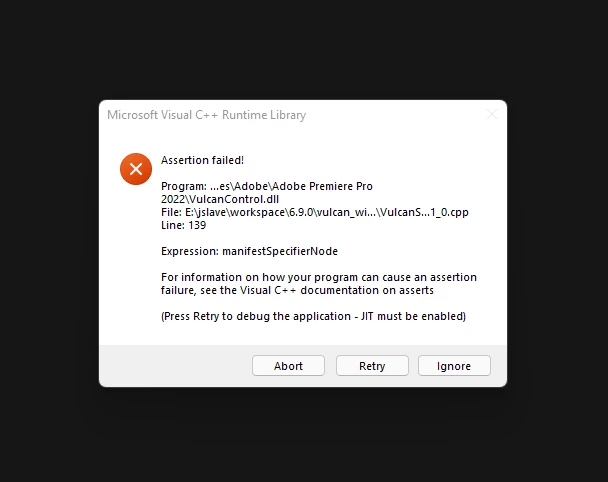
Microsoft Visual C++ Runtime Library Error, Expression: "manifestSpecifierNode"
Hi! I'm looking for help solving this error code I am recieving when opening Premiere Pro.
I've never received this before today and now it's all I see when I go to open the program.
I've tried repairing all instances of Microsoft Visual C++ Ridistributable in my control panel, then tried reinstalling them (both x64 & x86) to no avail. After that I tried running the Adobe CC Cleaner tool and reinstalled Premiere Pro through that method only to receive the same error afterwards.
I'm not finding a single instance online of someone else receiving an error on "Line 139" or one regarding the expression "manifestSpecifierNode", so I'm not even sure if all the solutions offered for the Vulcan error codes will work for me.
Does anyone got a clue what's going on here, or know how to deal with such an error?
Thanks in advanced.
 AdChoices