


Missing "Apply LUT" Option in Source Effects Panel
Hi Adobe Friends!
I have run into a bit of a snafu when importing some clips into Premiere a few days ago and could really use some ideas on what may be happening.
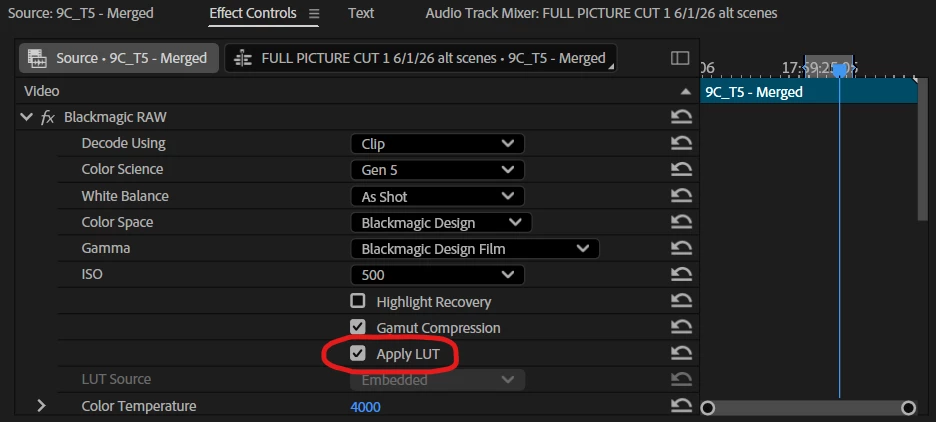
I am importing footage filmed on a Black Magic camera, which creates .braw files. Typically when I bring these files into Premiere I am easily able to go into the Source Settings of any given file and select “Apply LUT” to show the clip as it is intended to be color graded from [IMAGE 1]...
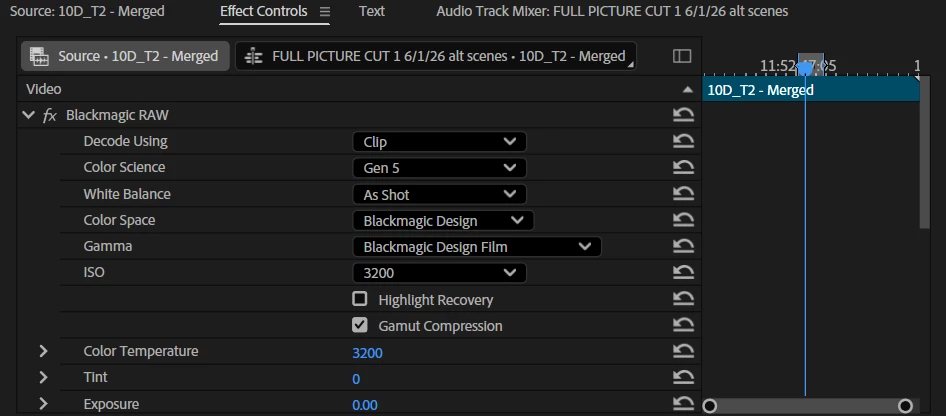
However, the last couple of files have lacked this option [IMAGE 2]…
The camera’s settings were not drastically changed in between the takes that retain and lack this option, and the files themselves show no major change in the file manager [IMAGE 3]…
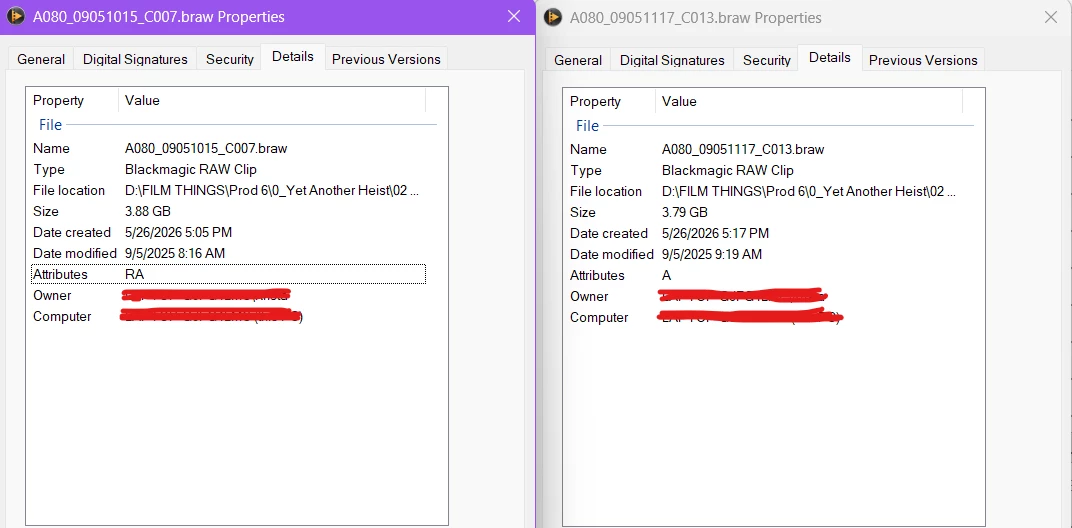
The only small difference I was able to observe between two files to represent the issue is in the “Attributes” segment, with the file retaining the “Apply LUT” option reading RA while the other reads just A, but I am unsure if this applies to the issue at hand.
The files retaining the issue were filmed on the same day and the same SD card as files without said problem, though there was a clean divide between files with and without the issue: The first 4 files were alright, then the middle 10 or so are missing the LUT option, and then the last 5 files are alright again. I tried re-transferring the files alongside pulling them straight from the SD Card, but none of these attempted workarounds changed the initial problem.
This is a slightly time sensitive problem, so any guesses and guidance would be greatly appreciated! Please let me know if any additional information is needed to troubleshoot the issue :)
 AdChoices