
Participant
November 25, 2023
解決済み

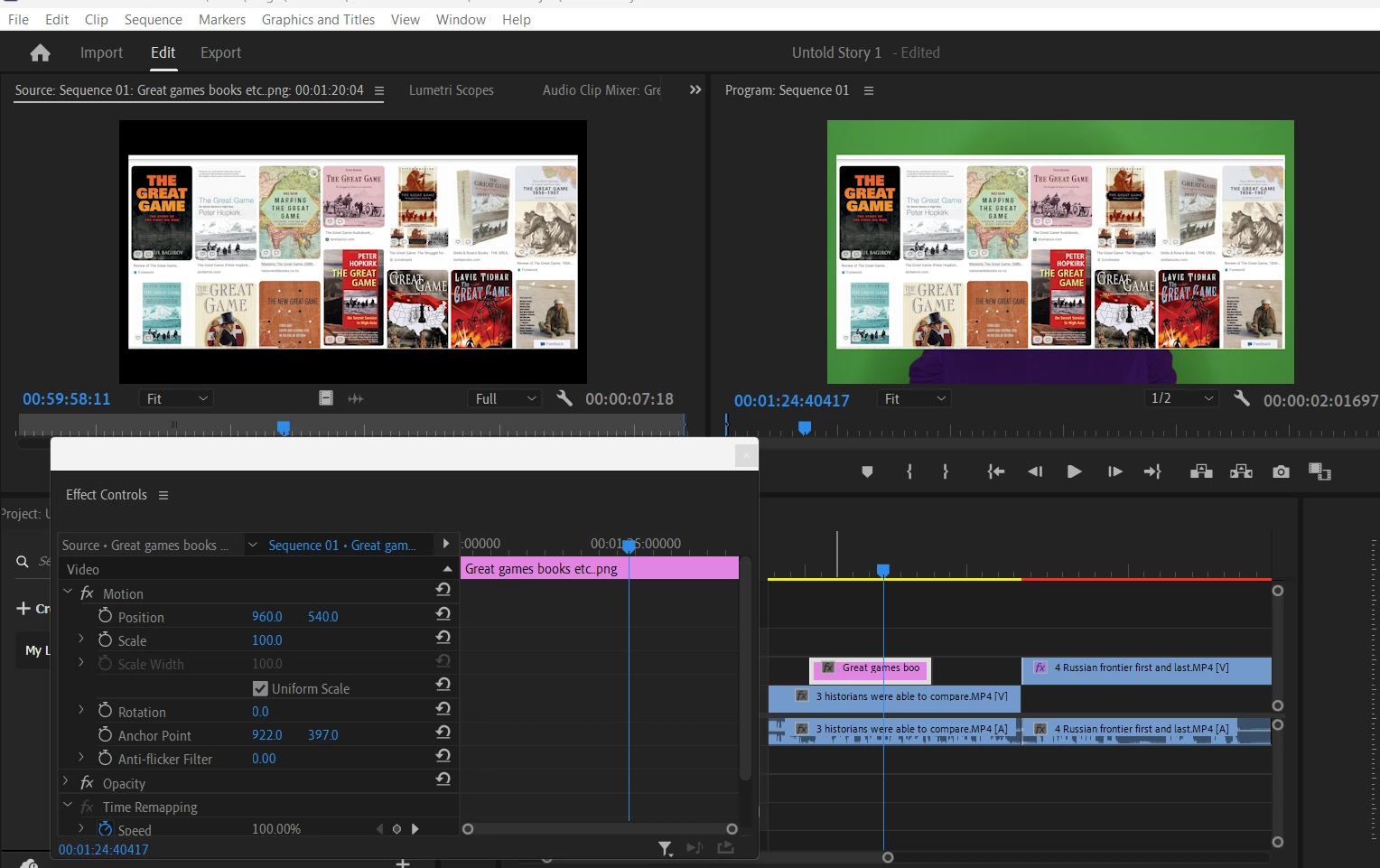
Missing effect controls in source window

  • November 25, 2023
  • 返信数 3.
  • 8244 ビュー

I used to be able to open the effect control tab from the source video, but now I need to open the effect control window separately, which is annoying. Has something changed or am I doing something wrong?
 

このトピックへの返信は締め切られました。
解決に役立った回答 Sofia 2017

Resetting workspace worked, thanks!

返信数 3

Participant
December 20, 2024

no need to reset, just under windows tab, effect control(shift+5)


Ann Bens
Community Expert
Community Expert
November 25, 2023
Peru Bob
Community Expert
Community Expert
November 25, 2023

Try resetting the preferences:
https://community.adobe.com/t5/premiere-pro/faq-how-to-reset-trash-preferences-in-premiere-pro/td-p/8236158?page=1

If that doesn't work, try resetting the Workspaces:
Reset a workspace
Reset the current workspace to return to its original, saved layout of panels.
1. Do one of the following:
• Click the Workspace menu icon and select Reset to Saved Layout.
• Choose Window > Workspace > Reset to Saved Layout.
from here:
https://helpx.adobe.com/premiere-pro/using/workspaces.html


If that doesn't work, try creating a new project and import the old one into it.

Sofia 2017作成者解決!
Participant
December 7, 2023

Resetting workspace worked, thanks!