
Participant
June 19, 2017
Answered

Missing export presets, Can't export with HD & full HD Presets using quicktime format
  • June 19, 2017
  • 1 reply
  • 1422 views

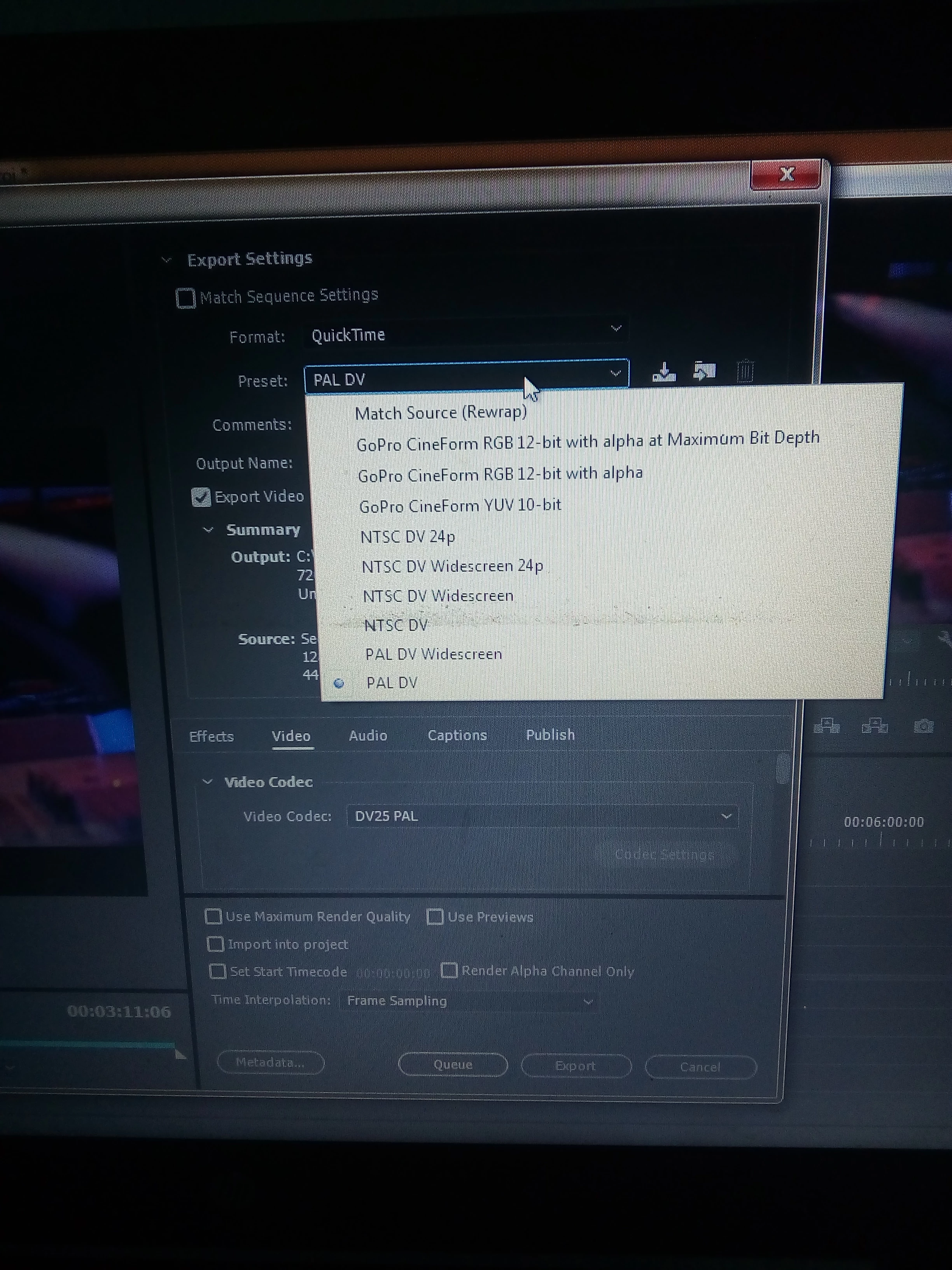
I try to export a job in premiere pro cc 2017 but after selecting the quicktime format, the export presets are not complete, Hd & full Hd presets are missing, i have tried reinstalling but all the same, please i need help. Cause i cant open in a lower version.
    This topic has been closed for replies.
    Correct answer Meg The Dog

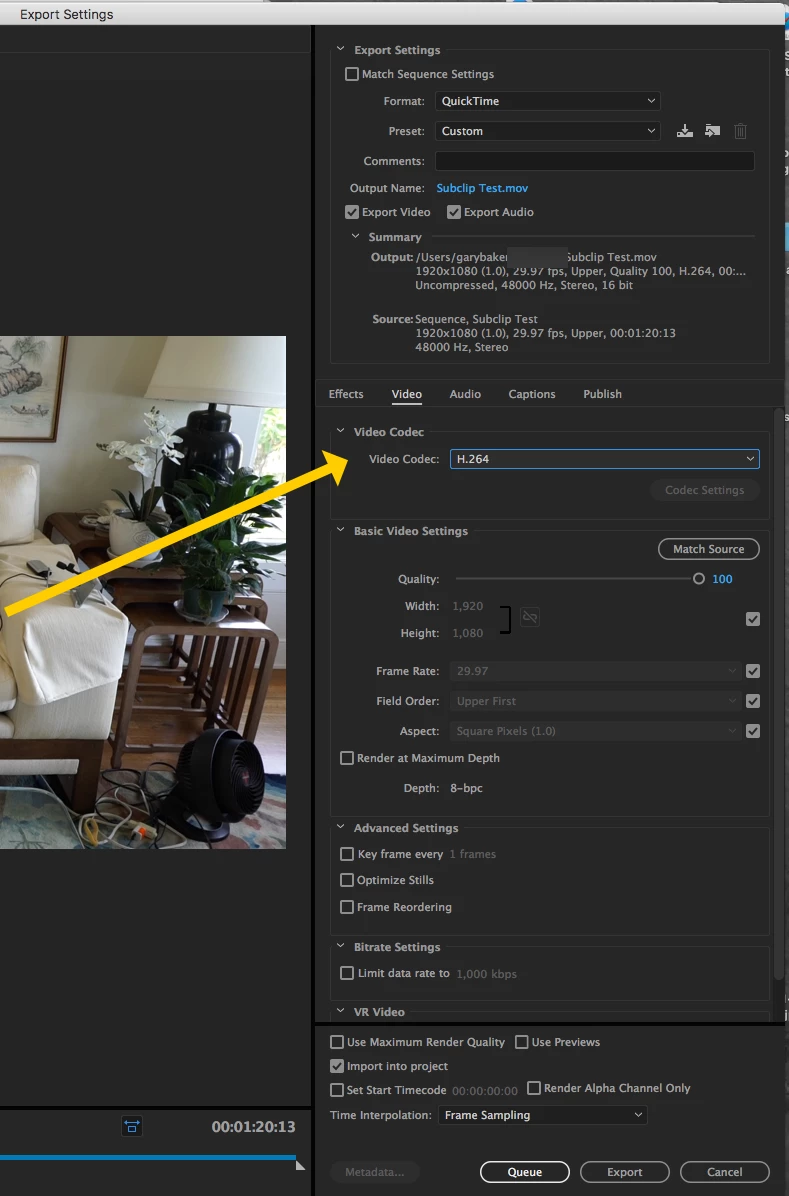
    Select Format: Quicktime, ignore the preset.

    Then in the Video Tab, set the Video Codec you want to export in - the preset now will change to custom:

    Complete the rest of the settings as you want an export.

    MtD

    1 reply

    Meg The DogCorrect answer
    Inspiring
    June 19, 2017

    Select Format: Quicktime, ignore the preset.

    Then in the Video Tab, set the Video Codec you want to export in - the preset now will change to custom:

    Complete the rest of the settings as you want an export.

    MtD

    Participant
    June 21, 2017

    Thanks for replying, i've tried to do that but i'm getting a very large file size

    Ann Bens
    Community Expert
    Community Expert
    June 21, 2017

    If you want smaller files choose a different codec or format.