
Participant
March 18, 2017
Question

Missing Plug-ins, Presets Folders

  • March 18, 2017
  • 2 replies
  • 2846 views

Good morning! I attempted to install Gorilla Grade LUTs in Premiere Pro CC 2017. When I did, it caused my Plug-Ins and Presets folders to disappear. When I open Premiere, all the presets seem to still be active, but the folders are gone. I've uninstalled and reinstalled Premiere, but all that shows up is the Configuration folder.
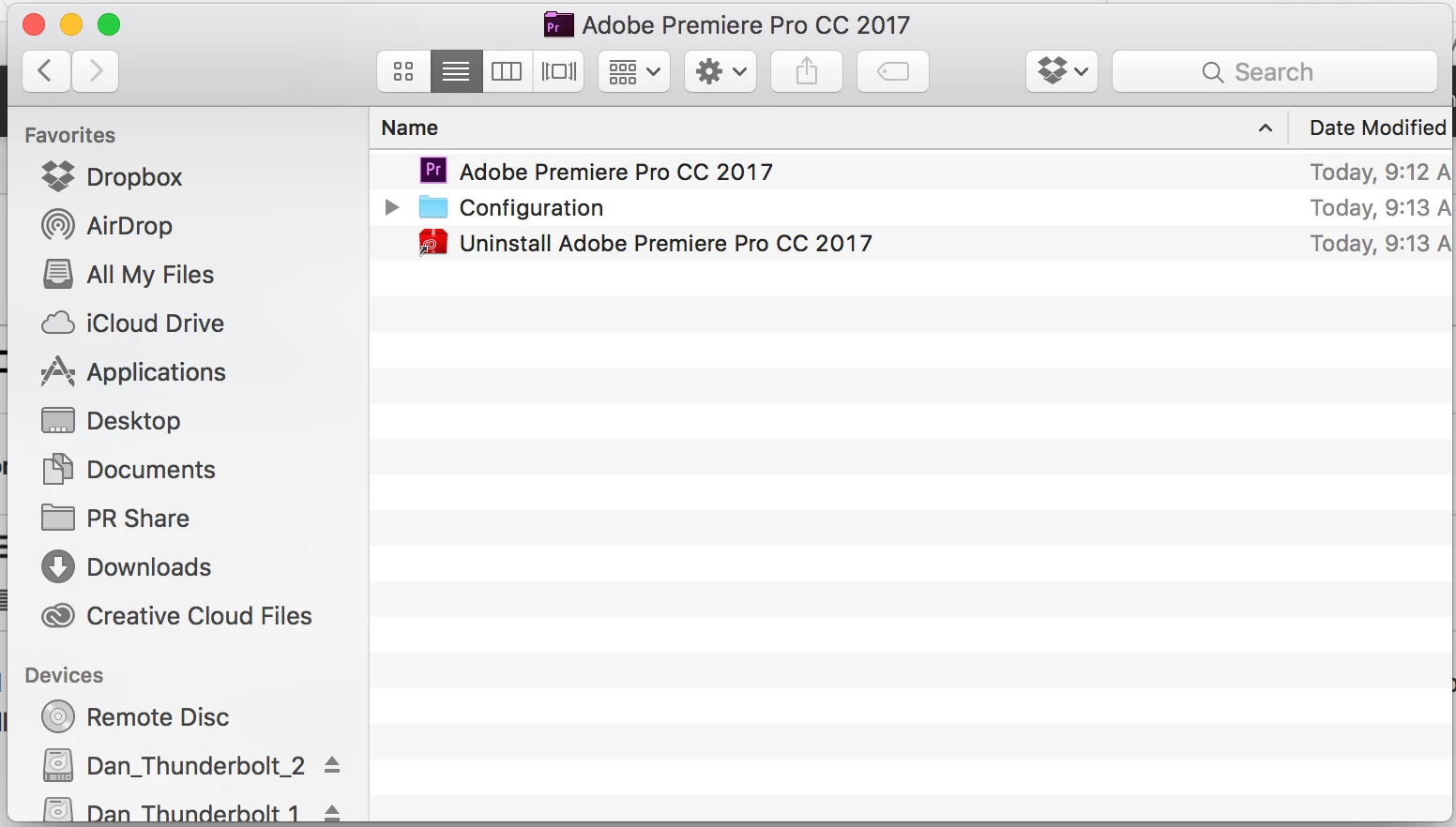
I'm new to Premiere, having moved over from FCP so I'm probably just missing something, but would appreciate any help.

Thanks!

This topic has been closed for replies.

2 replies

Ann Bens
Community Expert
Community Expert
March 18, 2017

What if you right click on Pr icon and Show Package Contents.

jasontcox
Inspiring
March 18, 2017

After Effects has a Plugins and Presets folder inside its application folder, but Premiere typically does not. Premiere's custom made presets are stored in your Documents folder under Adobe/Premiere Pro/version/Profile-yourname/Effect Presets and Custom Items. Plugins, like Ann started to explain IS inside the application, accessed by right clicking the app itself and choosing Show Package Contents. Then double click the contents folder and youll see the Plugins folder. Youll see a presets folder too, but this isn't the one you want. You want the one in your Documents folder.

Ann Bens
Community Expert
Community Expert
March 18, 2017

If they are luts does one not put them in the LUTs or Looks folder under Lumetri?

R Neil Haugen
Legend
March 18, 2017

For this kind of thing, a "simple" uninstall with the OS uninstaller won't fix things ... as Adobe puts the files that cause these sorts of issues in other places.

One fix might be finding the User Preference files, somewhere in the User file tree, and on Mac, I'm not sure where that is. But somewhere down there is a folder that says "Adobe" and frequently re-naming that to "Adobe Old" or perhaps "Old Adobe" and then re-starting PrPro causes it to re-create the preferences folder, which might fix your ills.

The Adobe CC Cleaner tool is a little app that you download and run. It finds all the odd bits left so when you re-install it's really a clean install. And in my experience, though that app's instructions say to run the OS uninstall then the app, you get better and quicker results if you use the app itself to do both the uninstall and the cleanup.

https://helpx.adobe.com/creative-suite/kb/cs5-cleaner-tool-installation-problems.html

Neil

Everyone's mileage always varies ...