
Inspiring
August 16, 2021
Answered

Missing Sequence in Premier Pro v15.0

  • August 16, 2021
  • 1 reply
  • 472 views

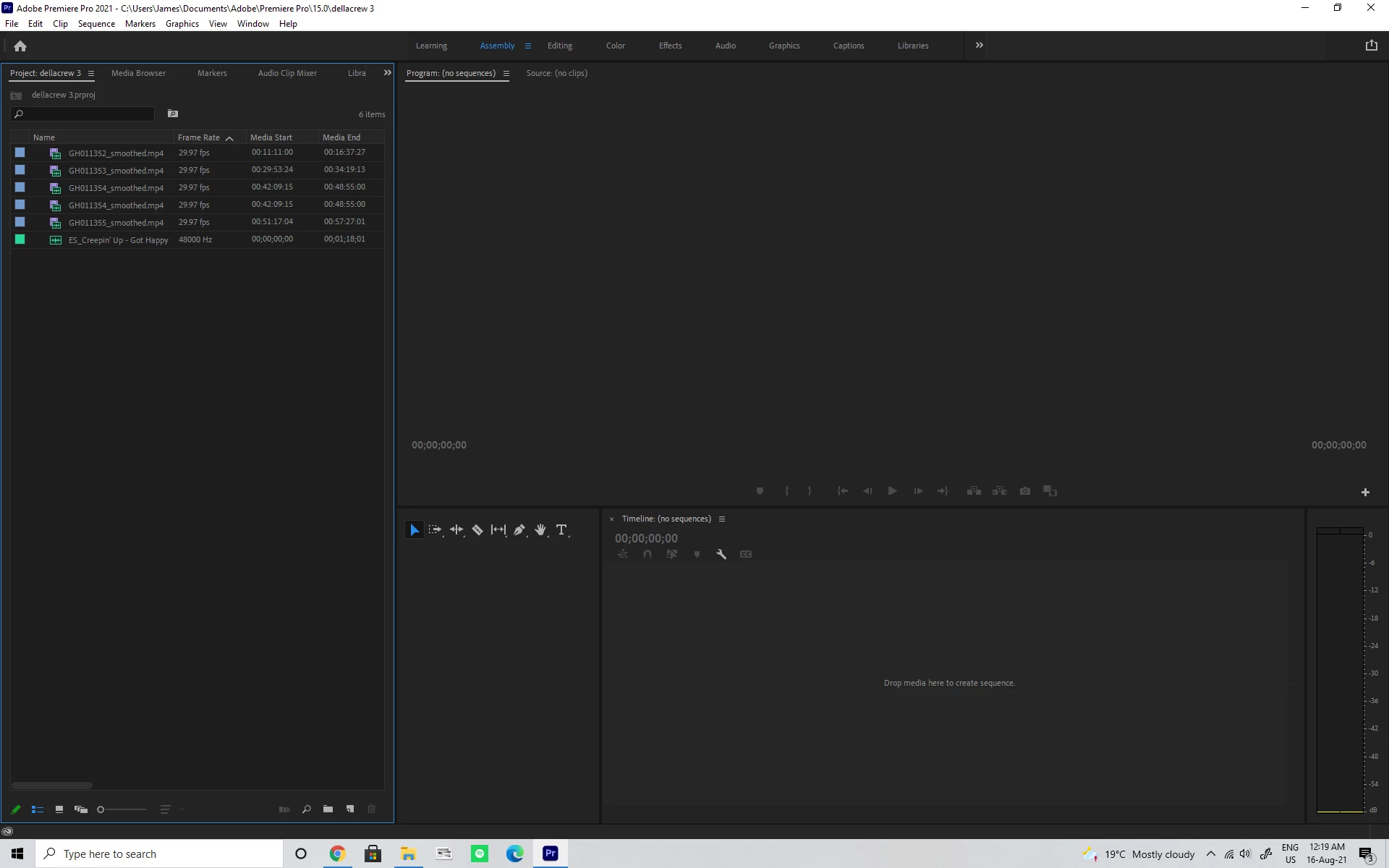
I started a project after starting the initial tutorial, I saved a new project called della crew, as I was going along I was saving and noticed auto save was doing it's thing as well. At some point the app froze and I restarted my pc, I've checked to see if there is a sequence in the project view nothing, and checked some of the auto saved projects as well. Any help would be appreciated to find the missing sequence.
This topic has been closed for replies.
Correct answer wavesummit

Actually I found the issue when I read https://community.adobe.com/t5/premiere-pro/sequence-gone-missing/m-p/10750344,  the sequence was under the initial tutorial under  C:\Users\public\public documents\Adobe\Premiere Pro\15.0\Tutorial\Going Home project, and my media files were all under the new project della crew.

1 reply

Ann Bens
Community Expert
Community Expert
August 16, 2021

Bad luck. App froz and all is gone.

That is why its important to make back ups.

FAQ: When to use "Save A Copy," or "Save As," or just "Save".

wavesummitAuthorCorrect answer
Inspiring
August 16, 2021

Actually I found the issue when I read https://community.adobe.com/t5/premiere-pro/sequence-gone-missing/m-p/10750344,  the sequence was under the initial tutorial under  C:\Users\public\public documents\Adobe\Premiere Pro\15.0\Tutorial\Going Home project, and my media files were all under the new project della crew.