
Participant
November 7, 2023
Question

Missing text options in Essential Graphics

  • November 7, 2023
  • 2 replies
  • 309 views

Adobe Premiere Pro Version 24.0.0 (Build 58)
MacBook Pro
MacOS Ventura 13.5.1

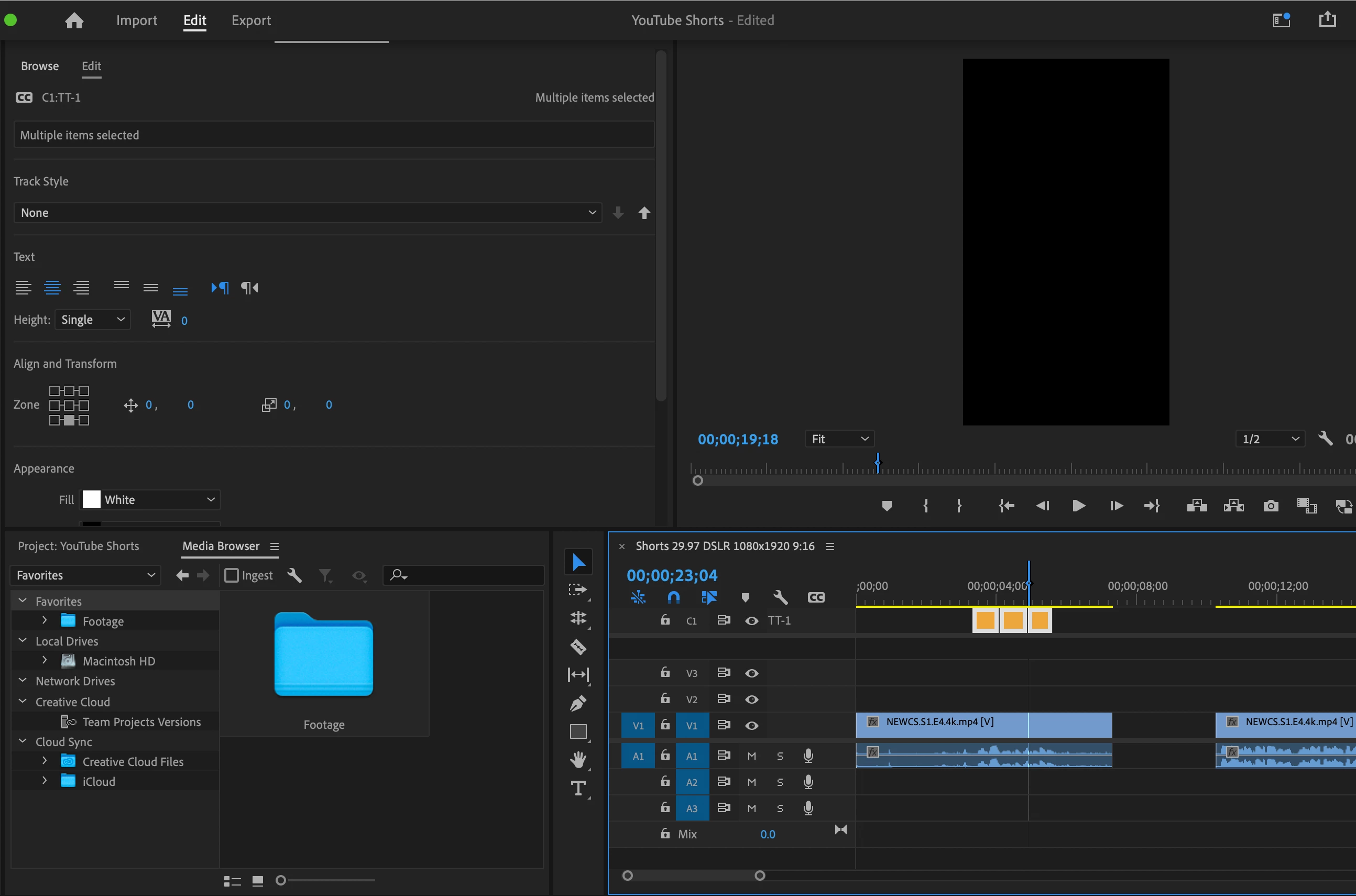
Missing all the options to edit the captions under the Essential Graphics tab. 
I have highlighted the captions, I am in the Essential Graphics tab, and I am unable to see all the other options to change the size of the text, make it all caps, etc.

How do I fix this?
This topic has been closed for replies.

2 replies

Stan Jones
Community Expert
Community Expert
November 7, 2023

Ann is correct. The styling options for Teletext are limited. Are you sure that is what you need? Are you embedding them in your export file?


You may also see more limited options when you select multiple captions.


Edit: forgot to add:

If you do not need closed captions, right-click the caption track header (probably "Teletext"), pick Caption settings, and change the format to Subtitle.


Stan


Ann Bens
Community Expert
Community Expert
November 7, 2023

You are not missing text options as you have selected TT-1 (captions for ??)

If you want text options, you will have to choose Subtitle.