donaldo65581333
Participant
March 29, 2018
Answered

Modify Audio Waveform

  • March 29, 2018
  • 1 reply
  • 541 views

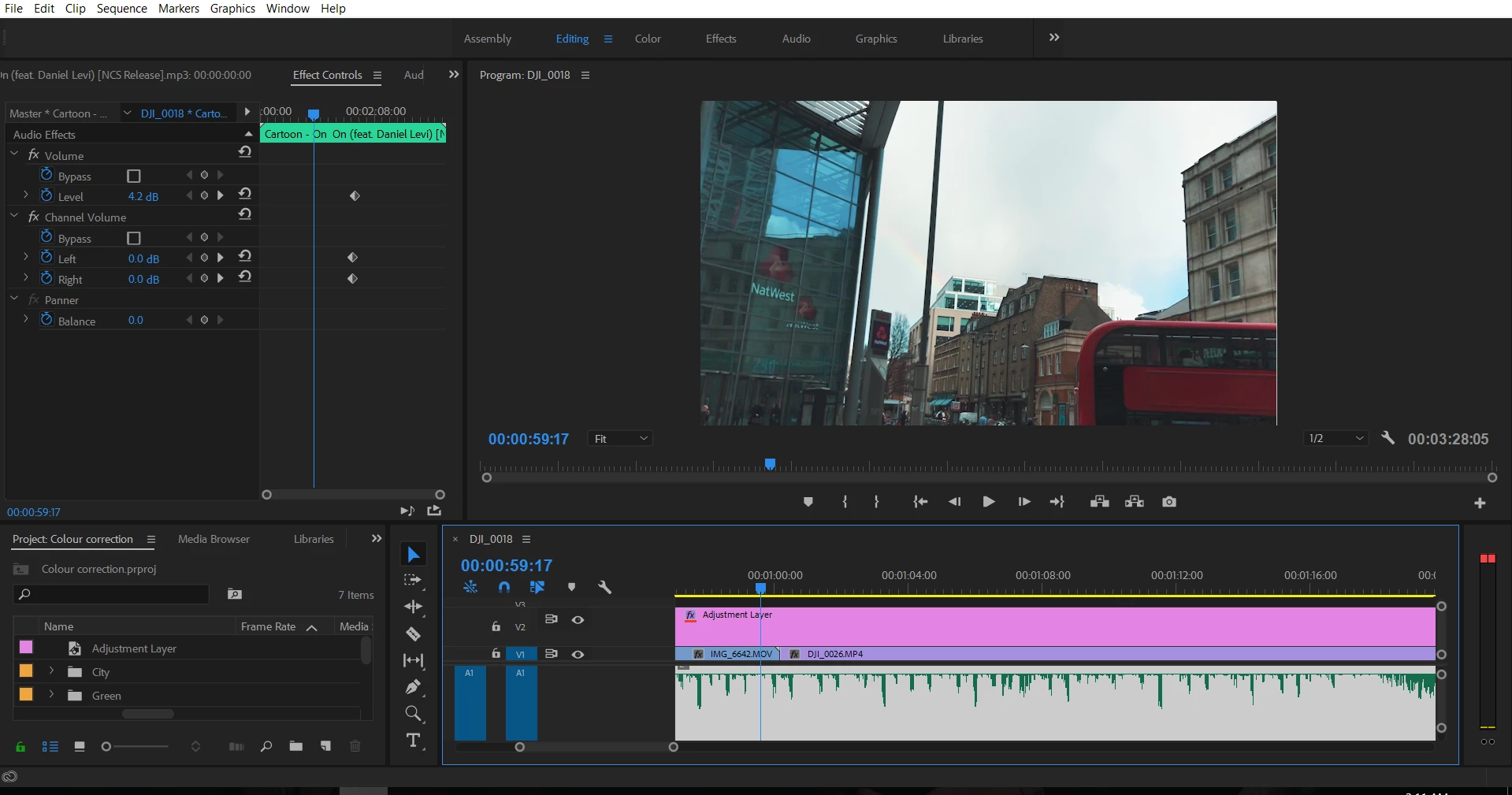
I wanted to edit the video to the beat of the music. But the top of the waveform is cut off, making it more difficult to locate the cut. Is there a way to alter the

wave form temporarily alter the waveform just to speed up the editing process? I have tried checking and unchecking "Rectified Audio Waveforms" but it does not help. Also can I change what is shown in the waveform (e.g. into intensity of bass)?
    This topic has been closed for replies.
    Correct answer Ann Bens

    Your audio is over modulated> use Gain to set it (right click on audio)

    1 reply

    Ann Bens
    Community Expert
    Ann BensCommunity ExpertCorrect answer
    Community Expert
    March 29, 2018

    Your audio is over modulated> use Gain to set it (right click on audio)

    donaldo65581333
    Participant
    March 29, 2018

    I have changed the gain, the peak of the waveform is reduced but it is still cut off.

    Have I done anything wrong?

    Ann Bens
    Community Expert
    Community Expert
    March 29, 2018

    No that is all you can do. Bad audio.