


Participant
November 7, 2024
Answered

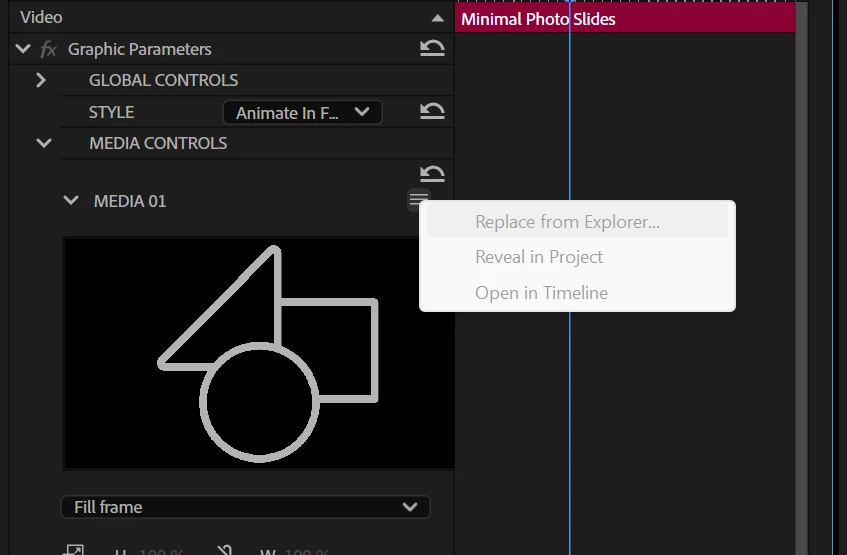
MOGRT media replacement greyed out

  • November 7, 2024
  • 2 replies
  • 2122 views

Hi,


All the Adobe Stock free templates do not allow media replacement on my system.

Replace from explorer,  Reveal in Project and Open in timeline are all greyed out.


Im running latest versions of PP and AE.


Any ideas what Im doing wrong?


Thanks.


Correct answer Ann Bens

Might want to replace footage in the Properties Panel and not the Effect controls.

2 replies

Participant
February 24, 2025

Having the same issue. Unable to drop media in the drop zone using the Properties window or the Effects Control window.

Kevin-Monahan
Community Manager
Community Manager
February 26, 2025

Can we get a screenshot, @Matthew5CC1?


Cheers,
Kevin


Kevin Monahan - Sr. Community & Engagement Strategist – Pro Video and Audio
Randune23
Inspiring
March 17, 2025

The screen shot he has in the original post is exactly what I am seeing. In the past you could just drag and drop media to the effects control and then you could modify scale and position. 

Ann Bens
Community Expert
Ann BensCommunity ExpertCorrect answer
Community Expert
November 7, 2024

Might want to replace footage in the Properties Panel and not the Effect controls.

Participant
November 12, 2024

Thanks this worked for me!
