

Brandon Loshe
Legend
June 18, 2025
Question

Mogrt Not Playing Videos - Just Freezes them

  • June 18, 2025
  • 1 reply
  • 402 views

Hello Premiere Pro Community,


I'm have a mogrt created in After Effects that I imported into Premiere Pro. For some reason Premiere Pro will not replace the image placeholder with any kind of video file. Within Premiere Pro, the playback just freezes the video on the same frame. I've done this several times before without issues. The first image is my After Effects Essential Graphics Panel. The second image is my Premiere Pro Graphics Templates/Properties Panel. Does anything jump out that I could be missing here?
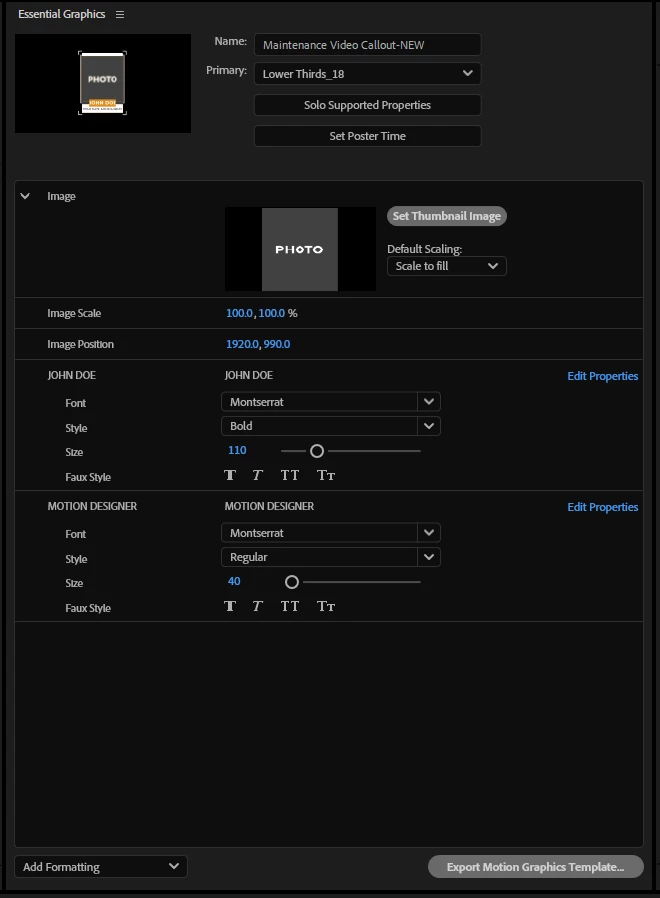
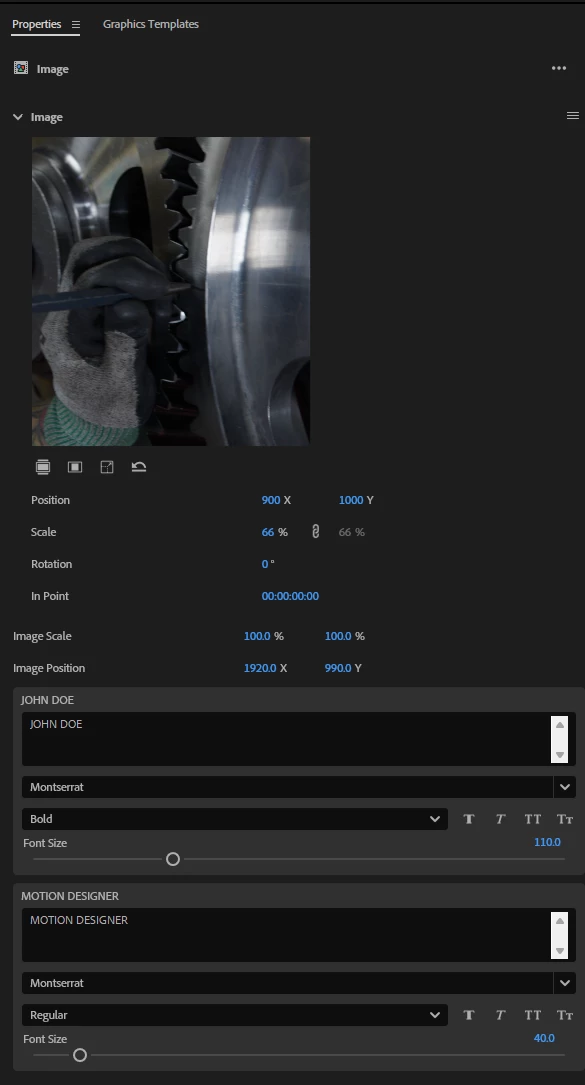


The video functions fine in After Effects. In Premiere Pro, if I double-click on the image thumbnail, it opens a sequence for it and plays the video in within its own sequence. But it just won't play in my final sequence. 


For After Effects I'm on Version 25.2.2. For Premiere Pro, I'm on Version 25.2.3. Any thoughts?


1 reply

Kevin J. Monahan Jr.
Community Manager
Community Manager
June 18, 2025

Brandon,

Are you running any audio plug-ins? Disable them, then see if it works. You can also check out this thread: https://adobe.ly/3G1Otye. Also, if you are using Libraries, drag the asset into a local folder first, then import it from there. I hope the advice helps. Take care.


Cheers,
Kevin


Kevin Monahan - Sr. Community and Engagement Strategist – Adobe Pro Video and Audio
Brandon Loshe
Legend
June 19, 2025

Hi Kevin, 

Thanks for your response. I have a Mister Horse preset used in After Effects, which does have a whoosh sound effect in its pre-comp. I don't know if that counts as an audio plug-in, though. I'm not using the sound from it, so I can delete that and see if that works. Actually, everything in the animation side (video and audio) within the mogrt works fine. Premiere just won't play the video frames for some reason. And no, I'm not using Libraries. Everything is local.