Morph cut uses a lot of CPU... each one applied seems to have its own thread.
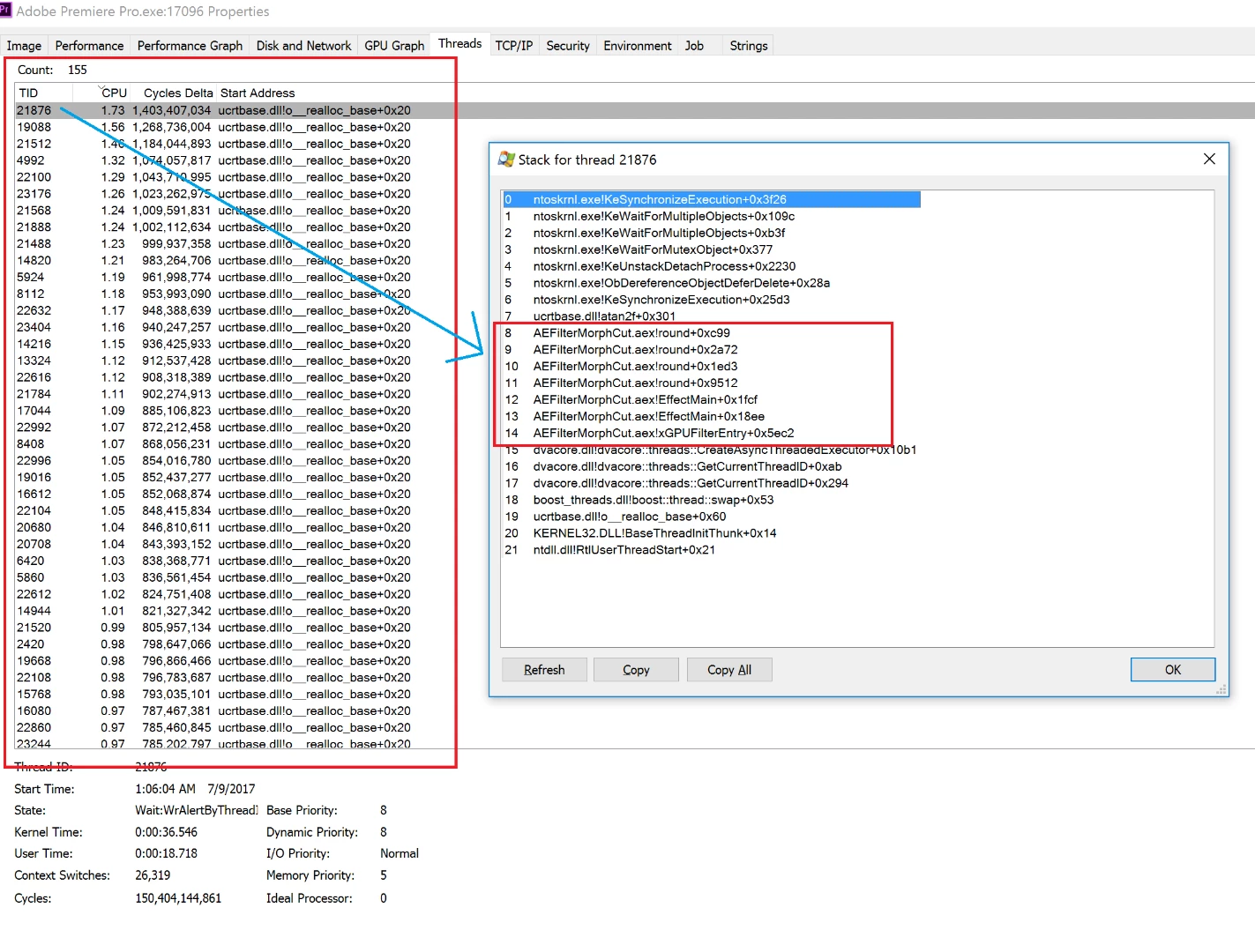
I applied a bunch of morph cuts to brief clips in a sequence... the CPU got pegged. Process Explorer seems to show many "morph cut" threads (screenshot below)... it's as if there's a separate morph cut thread for each one I applied... perhaps, I'm guessing, to render a preview or prepare the morph cut. System stalled, had to kill Premiere process ... I'm thinking of breaking the clips into smaller sequences... but first I'm trying to understand morph cut's CPU demands... are they like warp stabilizer where you (implicitly via the application of the transition) analyze and you're done with in-edit CPU usage? Or is it something that's constantly going all the time (which would be odd but gotta ask)?
I'm going to try some testing but it seems the app should never simply spin up a thread for each transition applied... there should be some guard or queuing lest a user overloads Premiere as I did in this case.
If it helps to know... My goal is to morph a bunch of things together... actually I'm trying different things to see what's available, what looks right... I'm going to look at AE as well... morphing is not absolutely required per se... I may just cut through the brief clips... just trying things out to see, make creative choices... but the above experience with morph leaves me in the dark about it for now... perhaps I'll try a smaller test now with less clips but thought I'd check in here... thanks for any thoughts.
 AdChoices