

Motion bounding box doesn't match footage after changing sequence from 4K to HD
Hi everyone,
I'm having a strange issue in Premiere Pro that I didn't have before, and I'm hoping someone can explain what's happening.
I'm editing an interview that was originally shot in 4K. I have a 4K sequence containing the entire interview, and I've already cut out the questions etc.
I then duplicated that sequence and renamed the duplicate. In this new sequence, I want to create the final version and export it in HD, so I changed the sequence frame size from 4K to HD.
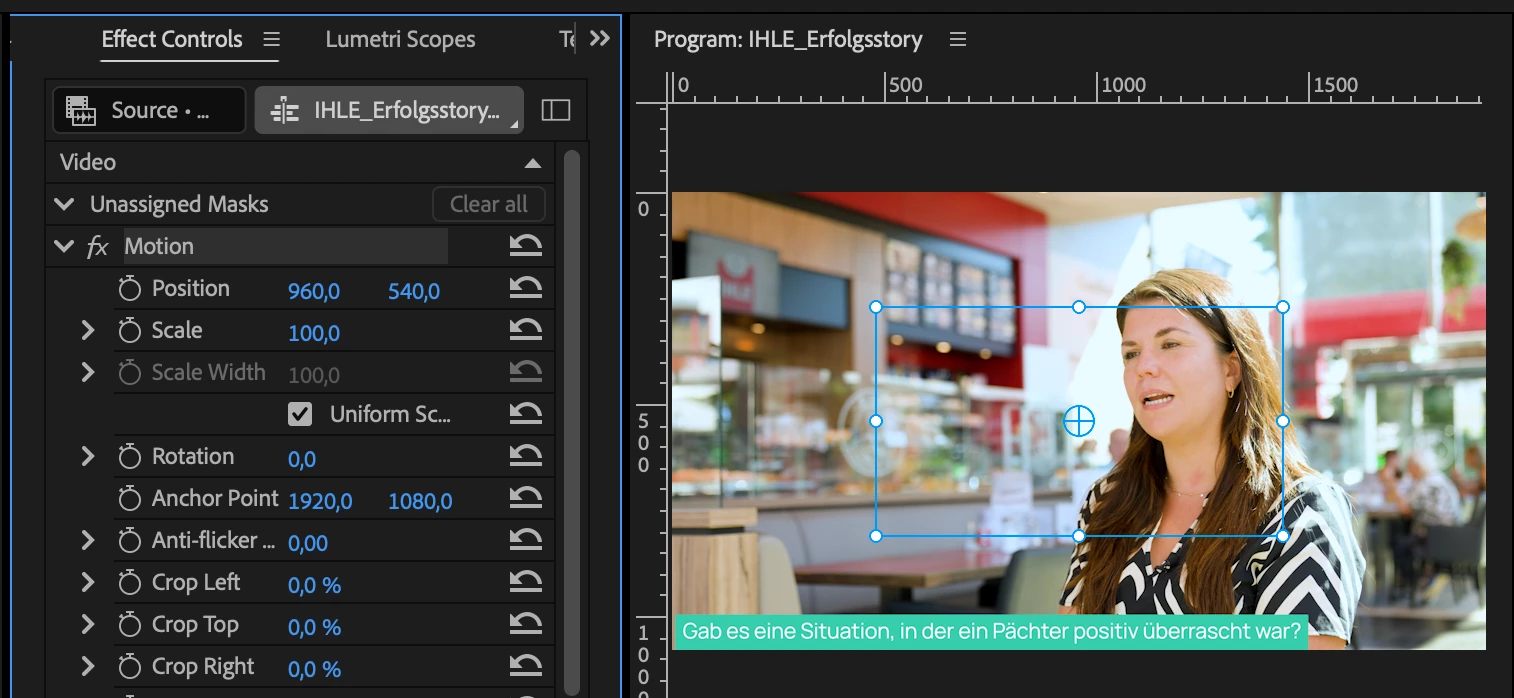
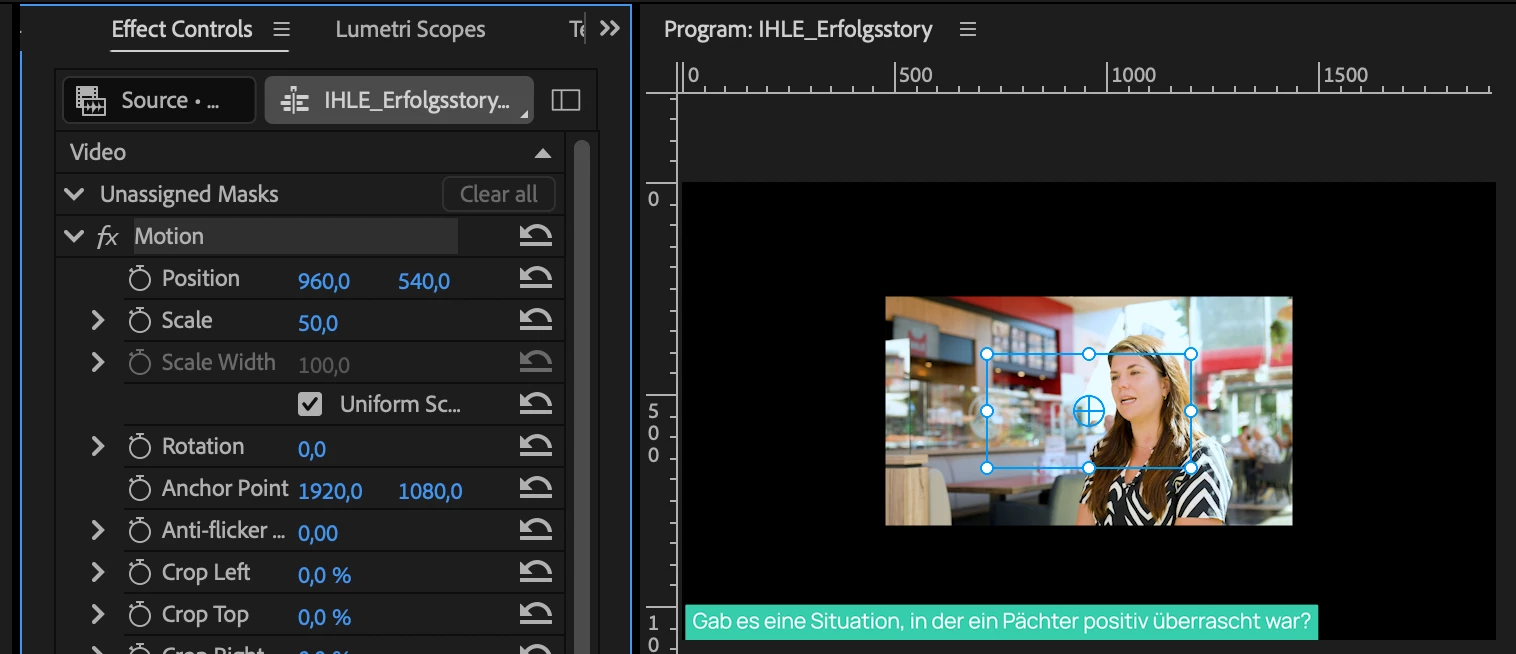
The problem is that when I select one of the 4K clips and go to Effect Controls > Motion, the blue bounding box that appears around the clip doesn't match the actual visible image in the Program Monitor anymore.
For example, when I set the 4K footage to 50% Scale, I would expect the 4K image to exactly fit the 1920×1080 sequence. Instead, the blue Motion bounding box seems to be offset so different in size from the actual image, which makes adjusting the footage very confusing.
My current workaround is to press F to open the original/source clip and then drag that clip into the new sequence again. When I do that, everything behaves normally. However, I don't want to have to re-import/re-add all the clips every time I duplicate a sequence and change its resolution.
Is there a way to prevent this from happening?
Or is there a setting that I'm missing?
I've attached screenshots.
Any ideas would be greatly appreciated!


 AdChoices