Corvus13
Participating Frequently
March 6, 2026
Question

Motion Graphics Not Compatible with Current Version, but Premier is Fully Updated

  • March 6, 2026
  • 5 replies
  • 155 views

Hi guys, super frustrating.  

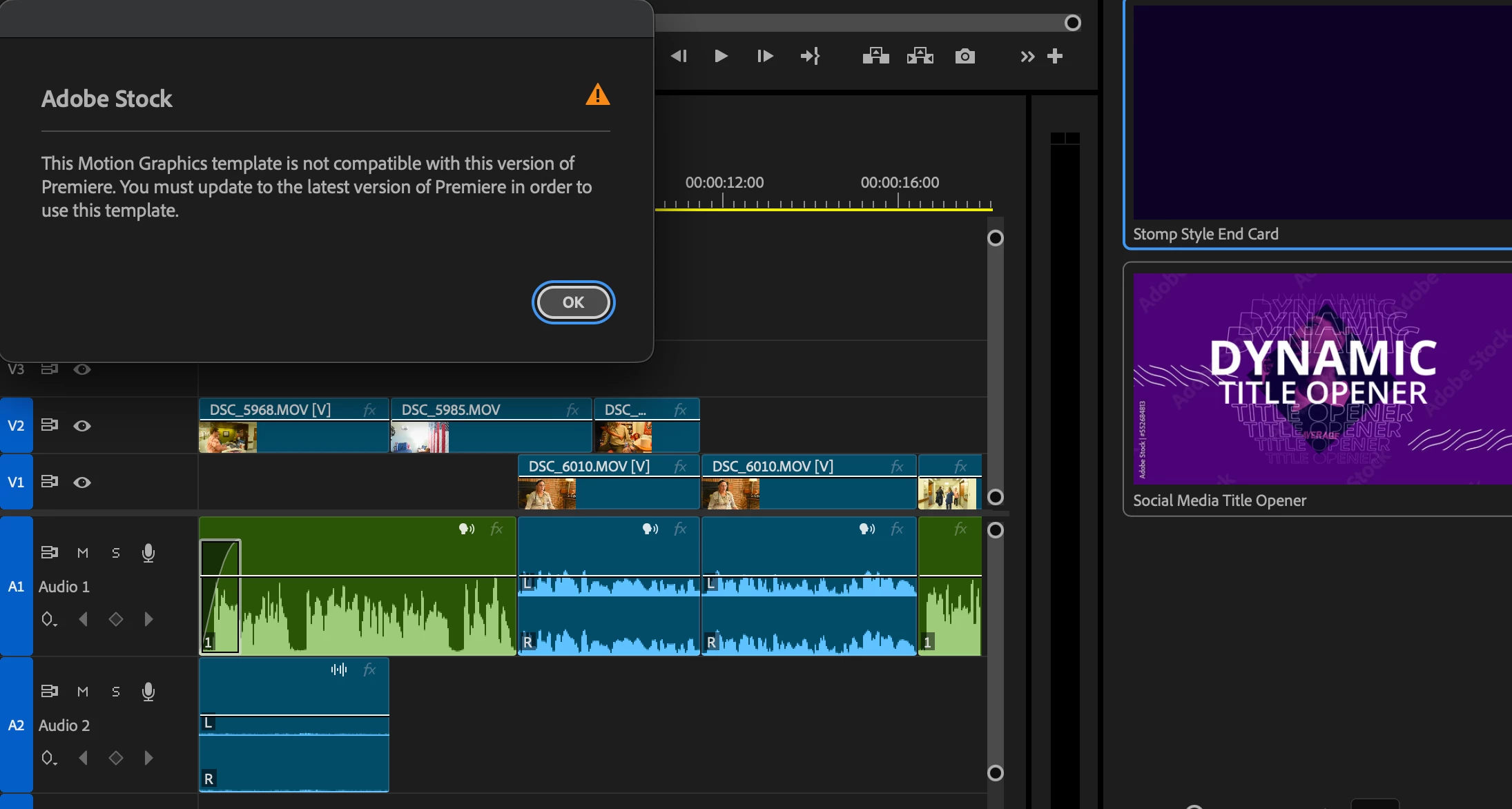
I am trying to drag and drop a motion graphic into my timeline, but every time I try it says that it is not compatible with my version of premiere and to update to the latest version.  

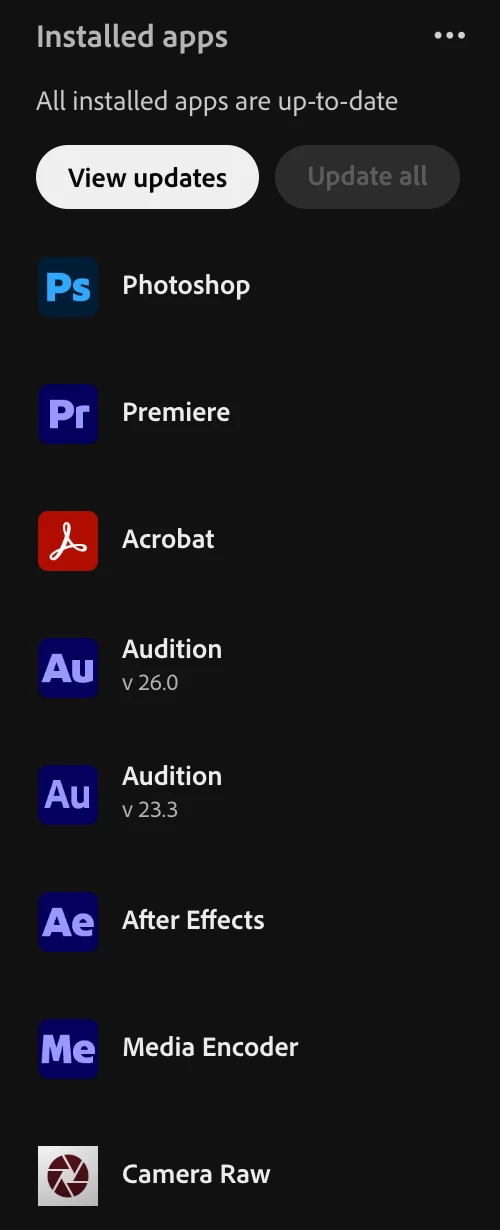
My Premiere and AE are both up to date.

This happens with every graphic I try to pull over from the adobe stock essential graphics tab. 

Screenshots attached.
 

    5 replies

    Theresa Rostek
    Community Manager
    Community Manager
    March 24, 2026

    @Corvus13,

    If you have time to try the following, I’d like to see if there’s an issue downloading into the temp folder. Close Premiere Pro. If you navigate to:

    On Win:
    C:\Users\username\AppData\Local\Temp\ProStock\Premiere Pro\

    On Mac:

    1. Go To Go > Go to Folder
    2. Type in /var
    3. Navigate to
    4. Folders > 9x > [big random number] > T > ProStock > Premiere Pro

    Inside the Premiere Pro folder will be folders with the different versions of Premiere you’ve installed. These folders house the thumbnail/mp4 and information shown in the Adobe Stock tab.

    1. Delete 26.0.0, 26.0.2
    2. Relaunch Premiere Pro.
    3. Navigate to Graphics Templates panel and open the Adobe Stock tab and attempt to license a mogrt.

    Does the issue persist?

    Many thanks,

    Theresa

    Corvus13
    Corvus13Author
    Participating Frequently
    March 30, 2026

    Hey Theresa, I’m stuck. I got to /var but then I’m on this page and I don’t know where to go from here. 


    Corvus13
    Corvus13Author
    Participating Frequently
    March 30, 2026


    Theresa Rostek
    Community Manager
    Community Manager
    March 11, 2026

    Hi ​@hpdean and ​@Corvus13,


    In addition to the questions I’ve asked, could you also provide a video of the entire screen of Premiere Pro with your workflow so I can see the issue?

    Thanks,

    Theresa

    Corvus13
    Corvus13Author
    Participating Frequently
    March 12, 2026

    Hi Theresa! 

    -Having this issue with every Adobe mogrt from the adobe stock panel, both free and paid.

    -I am able to drag over mogrts from “my templates” but not from the adobe stock panel 

    -This issue appeared after upgrading to the newest version of adobe, but reverting to older versions also presented the issue. 

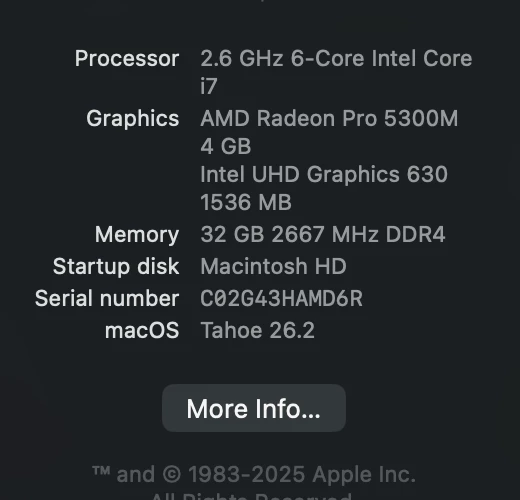
    -I am running Tahoe 26.2 and Premiere 26.0.2

    -On the Adobe for Enterprise Plan 

    Working on getting a screen recording for you of the error. 

    Also, ​@hpdean workaround works for me.  If I license from the adobe stock webpage those mogrts will also show up in MyTemplates and will work fine. 


    Corvus13
    Corvus13Author
    Participating Frequently
    March 13, 2026

    @Theresa Rostek here’s the screen recording:

    Participant
    March 11, 2026

    I am having the same issue.  The workaround I found is that I can go directly to Adobe Stock on the web and grab the premiere pro template/mogrt and import it into My Templates.  It is a frustrating extra step, but it works.  Adobe, please fix this issue!

    Theresa Rostek
    Community Manager
    Community Manager
    March 11, 2026

    Hi ​@hpdean,

    Sorry you’ve run into this as well. Can you please post screenshot of About Premiere found under the Help dropdown menu and tell me what OS you are on.

    I also need to know:

    • If you’re having trouble licensing content from the Graphics Templates panel that’s only Premium content, free content, or both?
    • Are you able to license and drag/drop mogrts from the Adobe Stock panel?
    • What changed between you not having this issue to having this issue? (update the app? OS upgrade? Change your app plan? etc.)
    • What type of Creative Cloud plan are you on?

    Thanks,
    Theresa

    Theresa Rostek
    Community Manager
    Community Manager
    March 9, 2026

    Hi ​@Corvus13,

    Sorry you’re running into issues. Can you tell me if

    • it’s only Premium content, free content, or both?
    • Are you able to pull in mogrts from the Adobe Stock panel?
    • What changed between you not having this issue to having this issue? (update the app? OS upgrade? Change your app plan? etc.)
    • What type of Creative Cloud plan are you on?

    Many thanks!
    Theresa

    Ann Bens
    Community Expert
    Community Expert
    March 6, 2026

    Please post screenshot of About Premiere found under the Help dropdown menu.

    Corvus13
    Corvus13Author
    Participating Frequently
    March 6, 2026


    Corvus13
    Corvus13Author
    Participating Frequently
    March 9, 2026

    any suggestions?