
Motion Graphics Templates show up empty once dropped into the timeline
Hi,
I am having a problem where when I drag a Motion Graphic Template (Both custom graphics and the basic graphics provided in premiere pro) from the essential graphics panel into the timeline, the graphic has not content. Below is a couple example images:
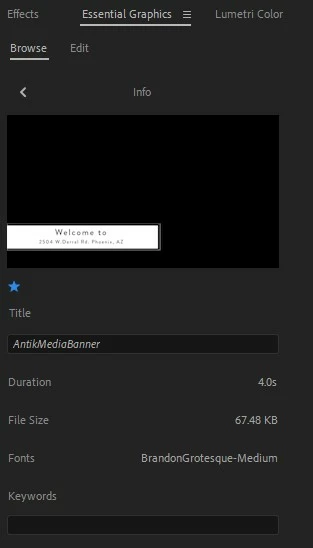
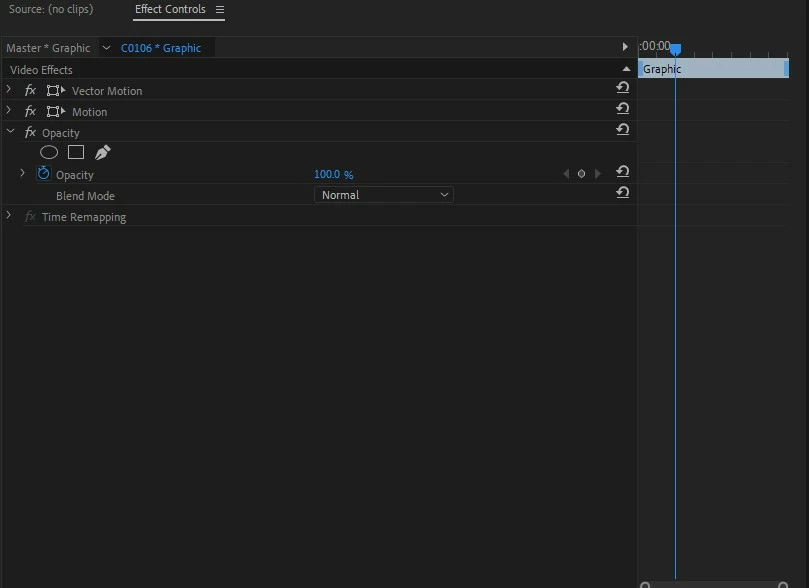
As you can see from the Images, the different effects on the graphic (such as the text/banner/borders) do not show up. However, I was able to get it to work if I created the premiere pro project on the desktop. If the project is located on the desktop, the elements of the motion graphic show up fine. Here is a picture of the effect controls on the same exact graphic that is used on a project located on the desktop of the same exact drive:
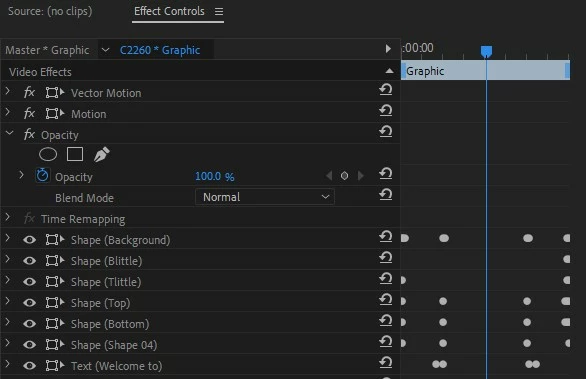
I am not sure what I am doing wrong because it seems like premiere pro is unable to find the correct file. Even the Motion Graphic Templates that are provided already in premiere pro are not working depending on the location of the project file.
Thank you,
bbbryce
 AdChoices