


Motion tab vanished for some of my video clips???
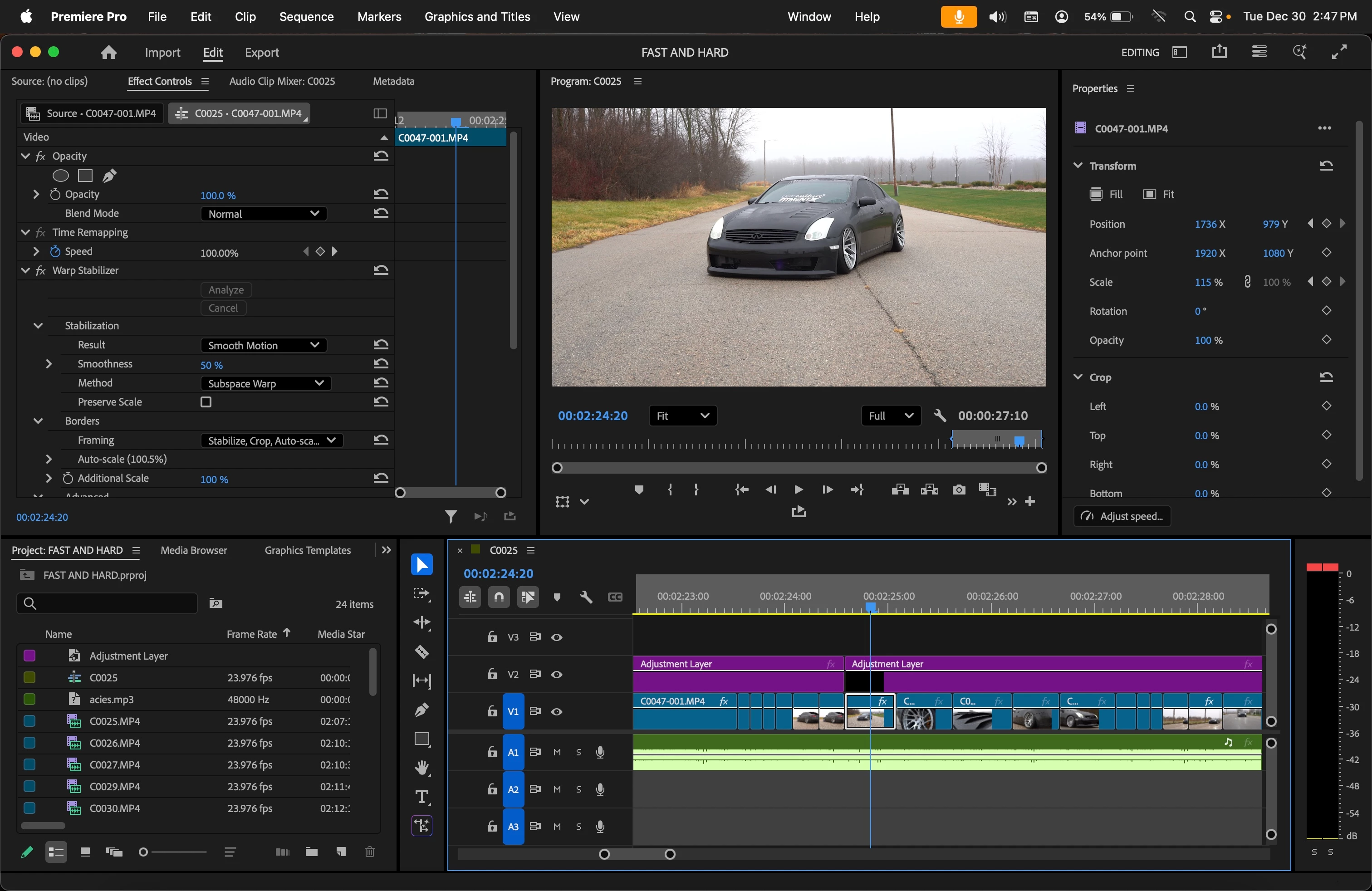
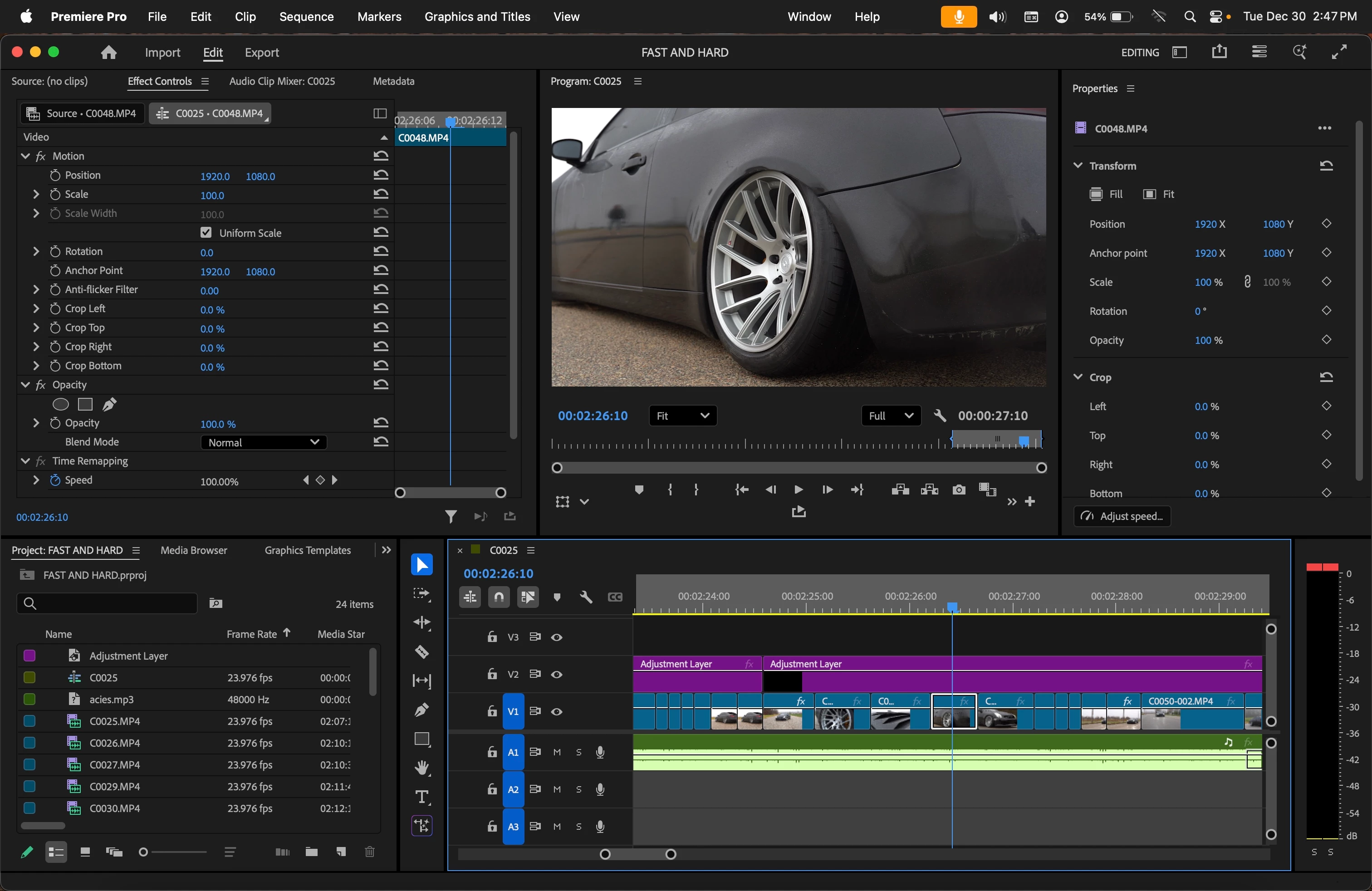
Hey guys, I work with premiere pro daily for my job editing car videos and i stumbled upon this weird issue. I thought I was going crazy and this was just a simple thing (maybe it still is and I'm just dumb), but my motion tab in my effects panel for some video clips has just vanished. I've tried resetting layouts, reset prefrences and all that stuff before launching premiere, nothing has worked. I do have have a work around by just nesting that clip, and then it will have motion once nested. But why is this even happening in the first place? I have never experienced the motion tab just vanishing and not being able to get it back... What's even more strange is not all the video clips are effecting by this, 80% of my clips have the motion tabs while others do not. See screenshots.
 AdChoices