patrickfuller99
Inspiring
April 9, 2018
Answered

MOV file import pulls in ONLY audio... after upgrade to 12.1.0

  • April 9, 2018
  • 5 replies
  • 5109 views

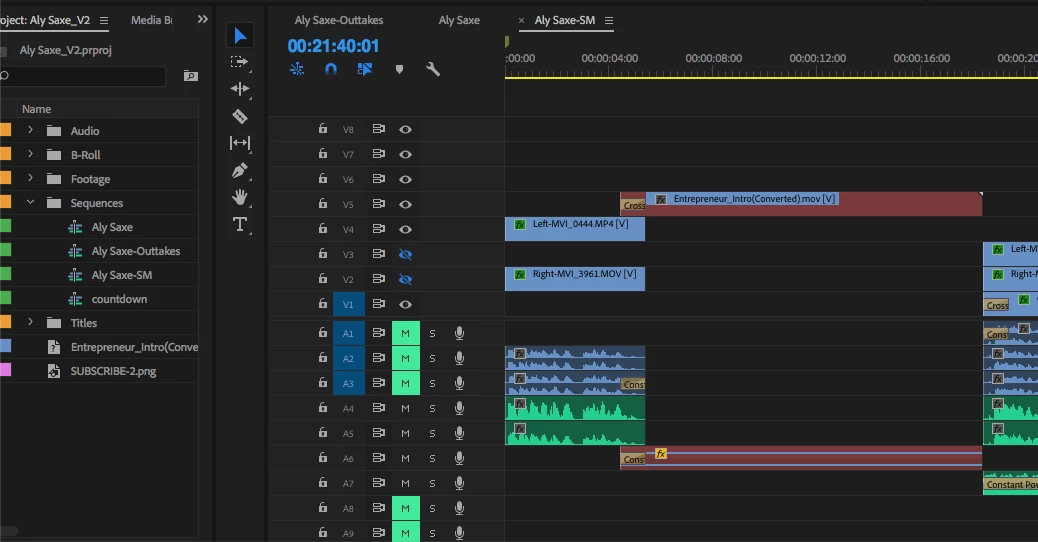
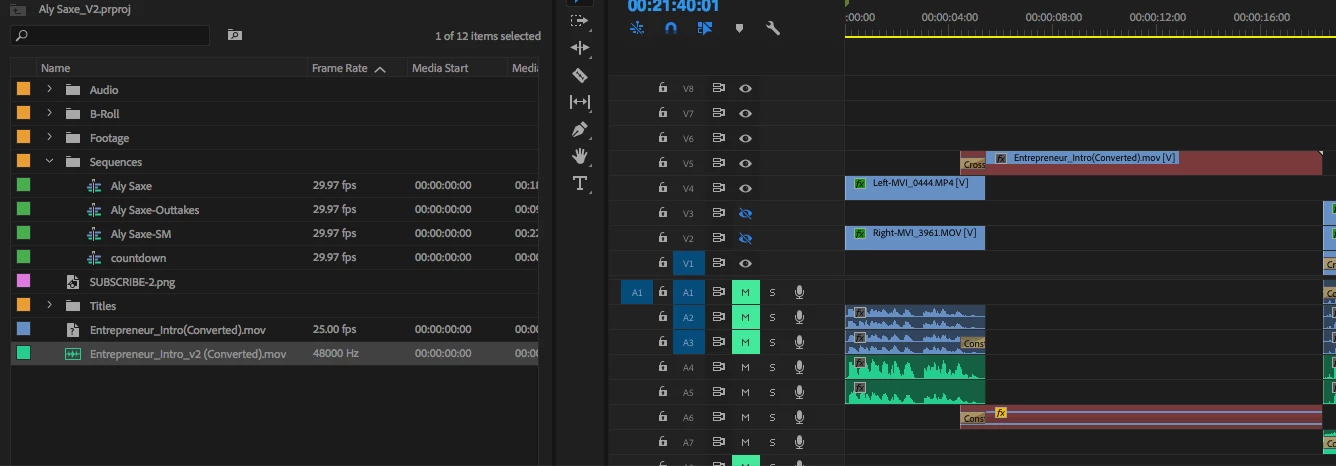
I have a few existing Premiere projects (built before 12.1.0) and after I upgraded to 12.1.0 I am seeing an issue with a MOV file (exported from AE).  Premiere first tells me the file is offline, which is odd since the sequence was fine the day before the upgrade and the file is exactly where it was earlier (no deletes, no edits, no replacements).

If I try to replace the file or import a newly rendered version of the file, it only imports the audio.

Here is what I have done thus far for troubleshooting...

1. uninstall Premiere Pro, cleared media cache, rebooted, installed Premiere Pro --> result: same

2. export new version of MOV file from AE with different name (same settings) --> result: same

3. cleared media cache, reboot --> result: same

4. ugly cried, hoped for best, reboot --> result: same

Thanks in advance for any/all help and support!

-Patrick
This topic has been closed for replies.
Correct answer patrickfuller99

UPDATE... turns out that the AE project was producing an output file that would NOT work with Premiere Pro 12.1.0 when I rendered it directly from AE.  HOWEVER, when I rendered the output file in Media Encoder it worked fine.

Thanks to everyone to added comments and experience shares!

-Patrick

5 replies

Participating Frequently
April 11, 2018

I also have the same issue!

I just updated my PR, so I could round trip with AE.....ive started a new project, some of the clips shot in the .MOV format work fine, others only seem to want to show the audio and no visuals! I don't understand why some clips work fine and others don't.

I haven't changed any settings on the camera or imported the clips in any differently.

patrickfuller99
patrickfuller99AuthorCorrect answer
Inspiring
April 10, 2018

UPDATE... turns out that the AE project was producing an output file that would NOT work with Premiere Pro 12.1.0 when I rendered it directly from AE.  HOWEVER, when I rendered the output file in Media Encoder it worked fine.

Thanks to everyone to added comments and experience shares!

-Patrick

patrickfuller99
Inspiring
April 10, 2018

Is it possible that my AE project is either setup incorrectly (using an old codec) or is outputting incorrectly?  How could I test a different output (still a movie) to see if I can get this thing to work?

SquidTeeth
Participating Frequently
April 9, 2018

I'm finding clips shot on the same DSLR on the same day, import some with video & Audio and some just with Audio.  Not quite sure how to down grade to the previous version to keep working though.

Thanx for any help

Darren

Kevin J. Monahan Jr.
Legend
April 9, 2018

SquidTeeth,

Try this: transcode these files and relink them in your project. You are likely hitting a QT32 limitation.

Thanks,
Kevin

Kevin Monahan - Sr. Community and Engagement Strategist – Adobe Pro Video and Audio
SquidTeeth
Participating Frequently
April 9, 2018

Thanx for getting back so quickly Kevin, Not entirely sure how that will help, if only some of them are being processed correctly.  What is the best format to transcode them to?

Ann Bens
Community Expert
Community Expert
April 9, 2018
patrickfuller99
Inspiring
April 9, 2018

Let's say this is true... the output (MOV file) is coming from an AE project, so then would I need to do something to my AE project?  If so, then is there a help file or KB article you can point me to?  I'm just hacking my way through this so any help would be amazing!

One side note, and mainly because I'm not an expert, is that I have other AE project that render MOV files that don't seem to have issues.  The problem file is an intro video with audio, and the non-problem file is a lower-thirds file.  Could it be how they are rendered?

Thanks again for your help with this.

-Patrick