melissae69922742
Participant
December 6, 2017
Answered

movie won't fill frame

  • December 6, 2017
  • 1 reply
  • 11089 views

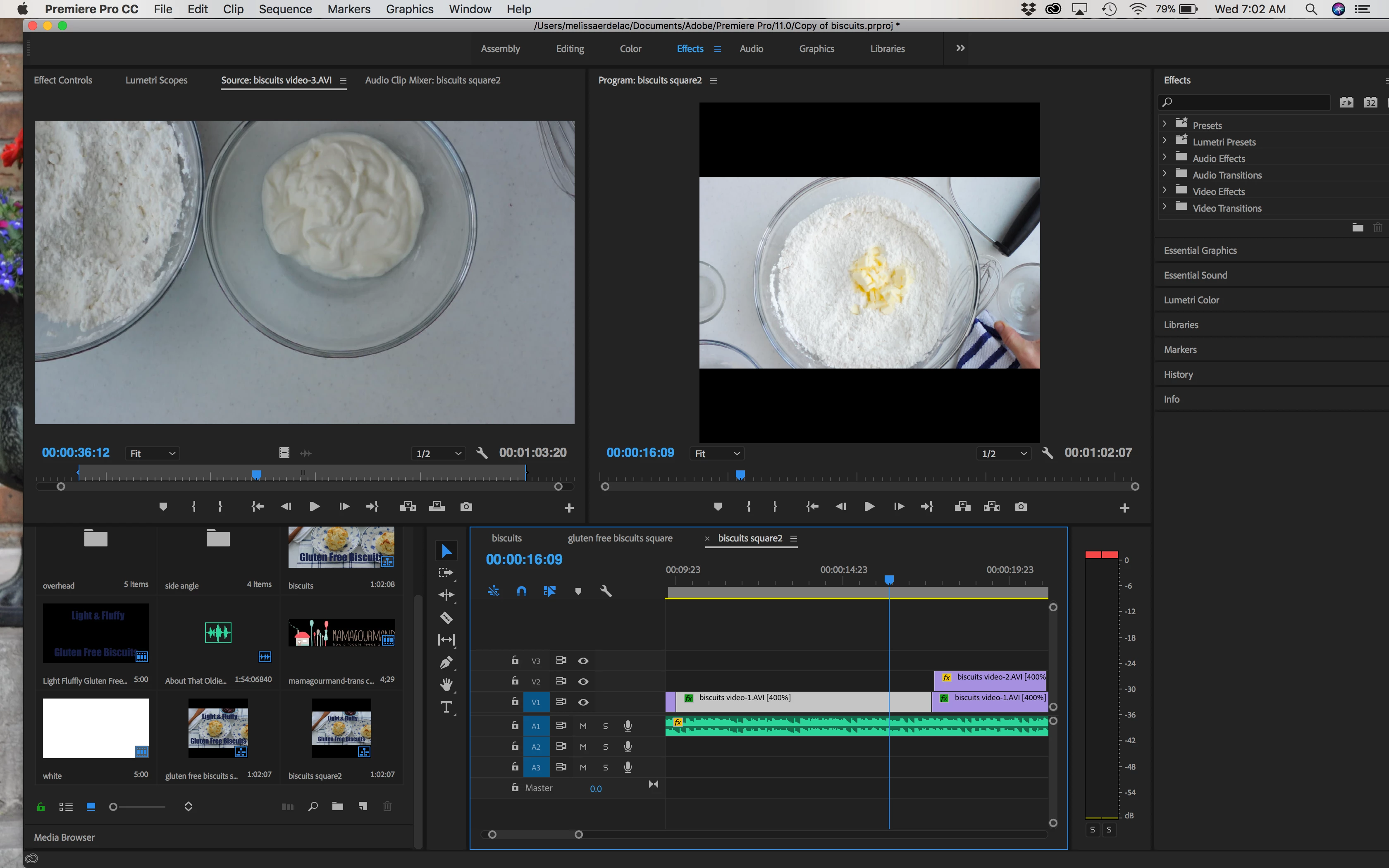
I cannot get my sequence to fill out my 1080X1080 frame size. The sequence is properly sized 1080X1080, I've exported it that way, and the frame itself is shaped at those pixels. However, the footage will not fill the frame. It has the blacked out bars on top and bottom showing in Premiere and also when it is uploaded to Facebook.

Things I have tried:

  • Premiere Preferences - scale to frame size
  • right clicking sequence and individual clips trying "set to frame size" and "scale to frame size"
  • pixel aspect ratio is set to square

I don't know what else to try! Please help...
This topic has been closed for replies.
Correct answer Ann Bens

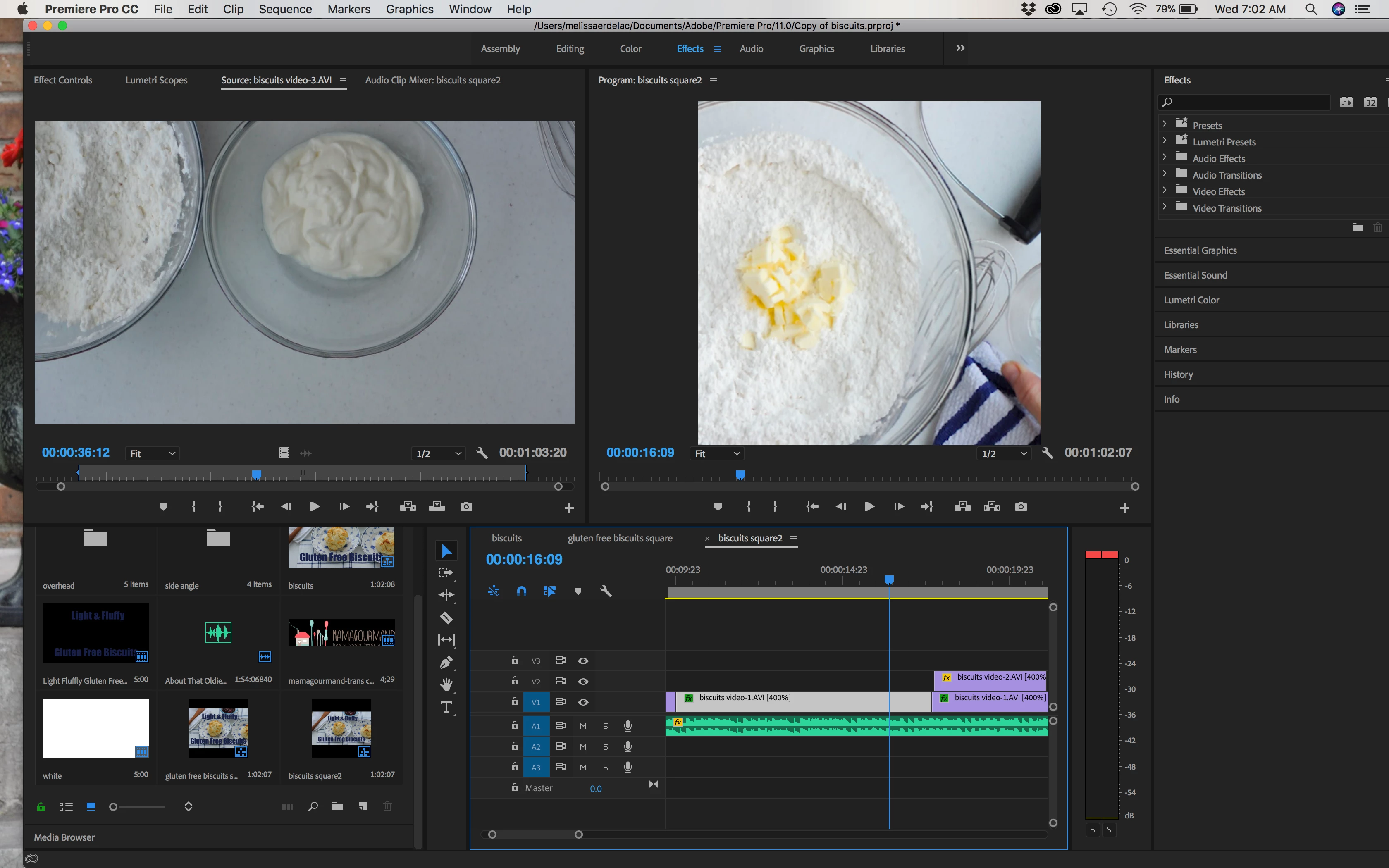
You need to scale the image manually in the Effect Controls to fit the screen.

Set/Scale to frame size used the widest boundary to fill the screen.

Hence the borders as your frame is square and your image widescreen.

It will look something like this:

1 reply

Ann Bens
Community Expert
Ann BensCommunity ExpertCorrect answer
Community Expert
December 6, 2017

You need to scale the image manually in the Effect Controls to fit the screen.

Set/Scale to frame size used the widest boundary to fill the screen.

Hence the borders as your frame is square and your image widescreen.

It will look something like this:

melissae69922742
Participant
December 6, 2017

Hi Ann,

Thank you immensely for your reply. Manually going through and doing this does work, and it fills out the frame, so yay! However, is there a reason my images aren't automatically filling to my set sequence size? I'd like to know for the future so I don't always have to do this workaround. Thank you!

Inspiring
December 6, 2017

You will have to do this manually. If you use Set to Frame size or Scale to Frame size, Premiere will scale the source images so that the largest dimension of the source material fits to the frame. If your source material is 16:9 aspect, you will end up with black bars as the widest dimension is scaled to fit the sequence, but the aspect ratio of the source is preserved -  and it is fit within the 1:1 aspect ratio of your sequence.

Your other option is to edit with the native aspect ratio and frame size of your source material, then create a new sequence with the 1:1 aspect ratio you want and drop the edited sequence into it. You'll only have to make one adjustment.

MtD