
Known Participant
November 2, 2025
Answered

Moving audio transition in/out handle does not select audio transition anymore

  • November 2, 2025
  • 1 reply
  • 120 views

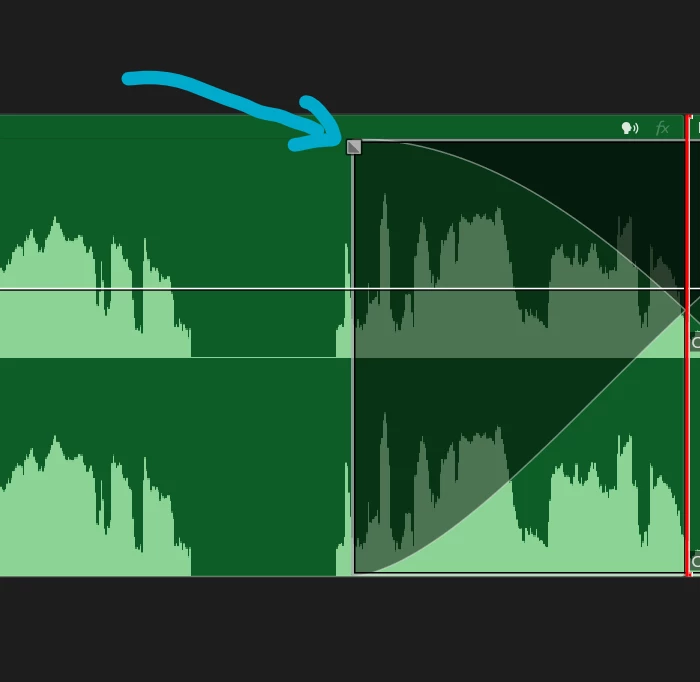
Before Première Pro 25.5.0 (build 13, Windows 11, Nvidia 5090), when one would grab and move an audio transition handle*, it used to also select the audio-transition itself.

If you for example moved the in-point of the transition, and then directly hit delete, it would delete/clear the audio transition. Since I updated Première Pro, moving the transition in-point does not select the transition anymore. I am so used to grabbing the handle and pressing delete (since otherwise, you have to zoom in to select the transition itself). Was this change of behaviour intentional?

*
Correct answer Ann Bens

If you want to 'delete' the dubble sided transition just grab the handle and drag onto the cut.

1 reply

Ann Bens
Community Expert
Ann BensCommunity ExpertCorrect answer
Community Expert
November 2, 2025

If you want to 'delete' the dubble sided transition just grab the handle and drag onto the cut.

Known Participant
November 3, 2025

@Ann Bens   Thanks, that works. But only when the actual cut is in my view. Otherwise, I have keep dragging until the cut comes into view (and I actually don't want to change my viewport). The previous behaviour did not have this issue. 

caroline_edits
Community Manager
Community Manager
November 19, 2025

Thanks for the feedback. Ann is right, this is the new design where you'll need to put your transition within view in order to edit it. 


Let us know if you have any other feature requests or feedback. We'll help however we can!


Best,

Caroline