
Decon
Known Participant
January 22, 2019
Answered

Moving clips between sequences in the timeline instead of copying?

  • January 22, 2019
  • 1 reply
  • 7130 views

Hey Guys,

So I've started editing with the "Pancake" editor layout when editing event videos (I go through all the footage and choose my "selects" and then simply pull from that timeline down to edit in my main sequence (As seen in the picture below). One problem I'm having that is slowing down my workflow is that when I pull a clip down from my selects sequence it copies the clip instead of moving it. I would like for the clip to be "moved" so that once I have used a clip in my selects, it disappears from that comp, that way I can spend less time looking for unused clips as I continue to edit. Does anyone know how to do this?

Thanks for as help.

Cheers,

Devin
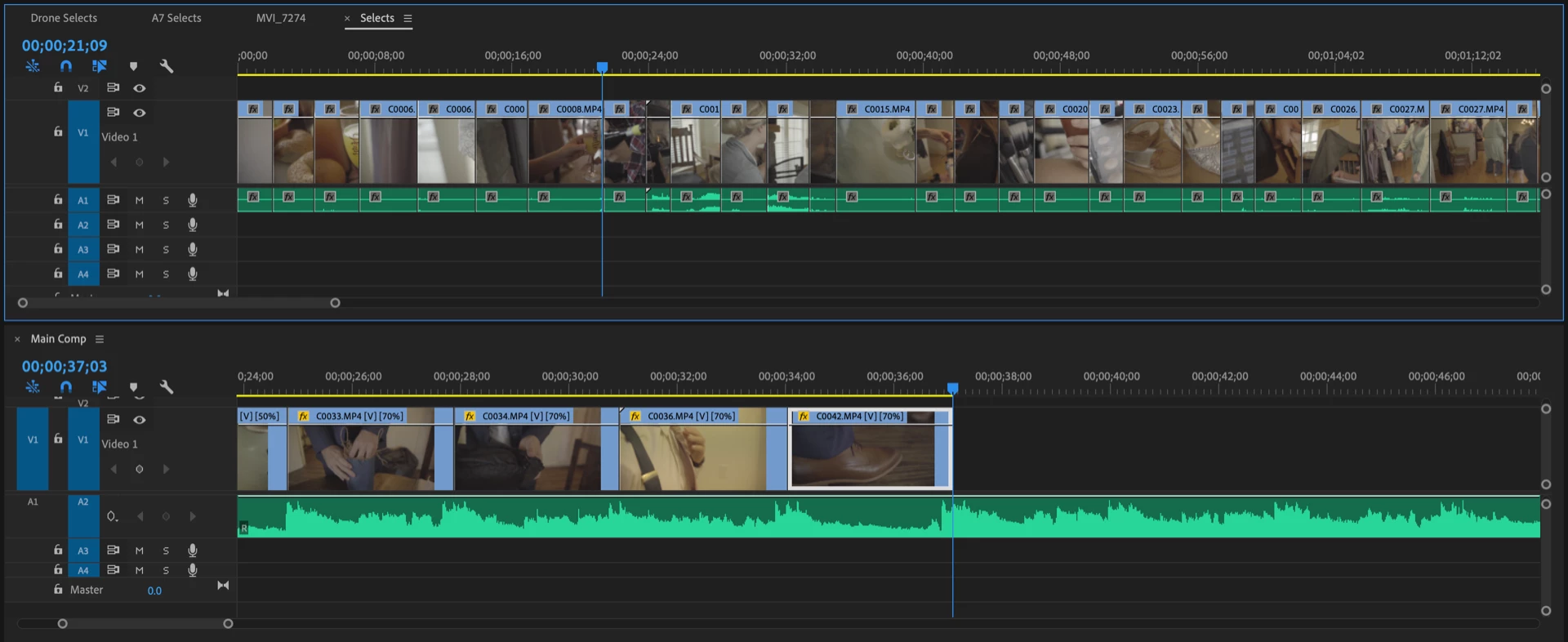
This topic has been closed for replies.
Correct answer Warren Heaton

It might be worth emphasizing that you have to hold the Command key before the click and drag from Sequence A to Sequence B in order to tell Premeire Pro that you want to move the clip.  Adding Shift key during the drag just changes the move from an Insert to an Overwrite.

The only way I can think of to do this (or at least have done myself) with a mouse click is to have a mouse with programmable buttons.  For example, I've set a button on my Kensington Turbo Ball to be Command + Click for this.

-Warren

1 reply

Inspiring
January 22, 2019

Cut it from the source sequence (Command (control) + X) and Paste it in the second sequence (Command (control) + V).

MtD

Decon
DeconAuthor
Known Participant
January 22, 2019

Hey Meg,

Thanks for the quick response. This would work but isn't super efficient as I am constantly dragging to different video layers and don't want to constantly be changing my target track. I just found it on another forum finally though. The answer is to (Shift, Command-Click, and Drag).

Thanks,

Devin

Decon
DeconAuthor
Known Participant
January 22, 2019

Does anyone know how to Switch these keybinds though so that it will do it on a straight drag and click and then copy on the shift, command-click?