
MP4 Clips Turning Green in Premiere Pro CC 2018 HELP PLEASE...
So I am quite new to Premiere Pro CC but I did use it in the past with no issues, but now since I have installed the latest version of Premiere Pro CC 2018 on my Lenovo 320s, every single MP4 file that I try to import to Premiere becomes green and I don't know why, but other video formats work just fine with no greenery.
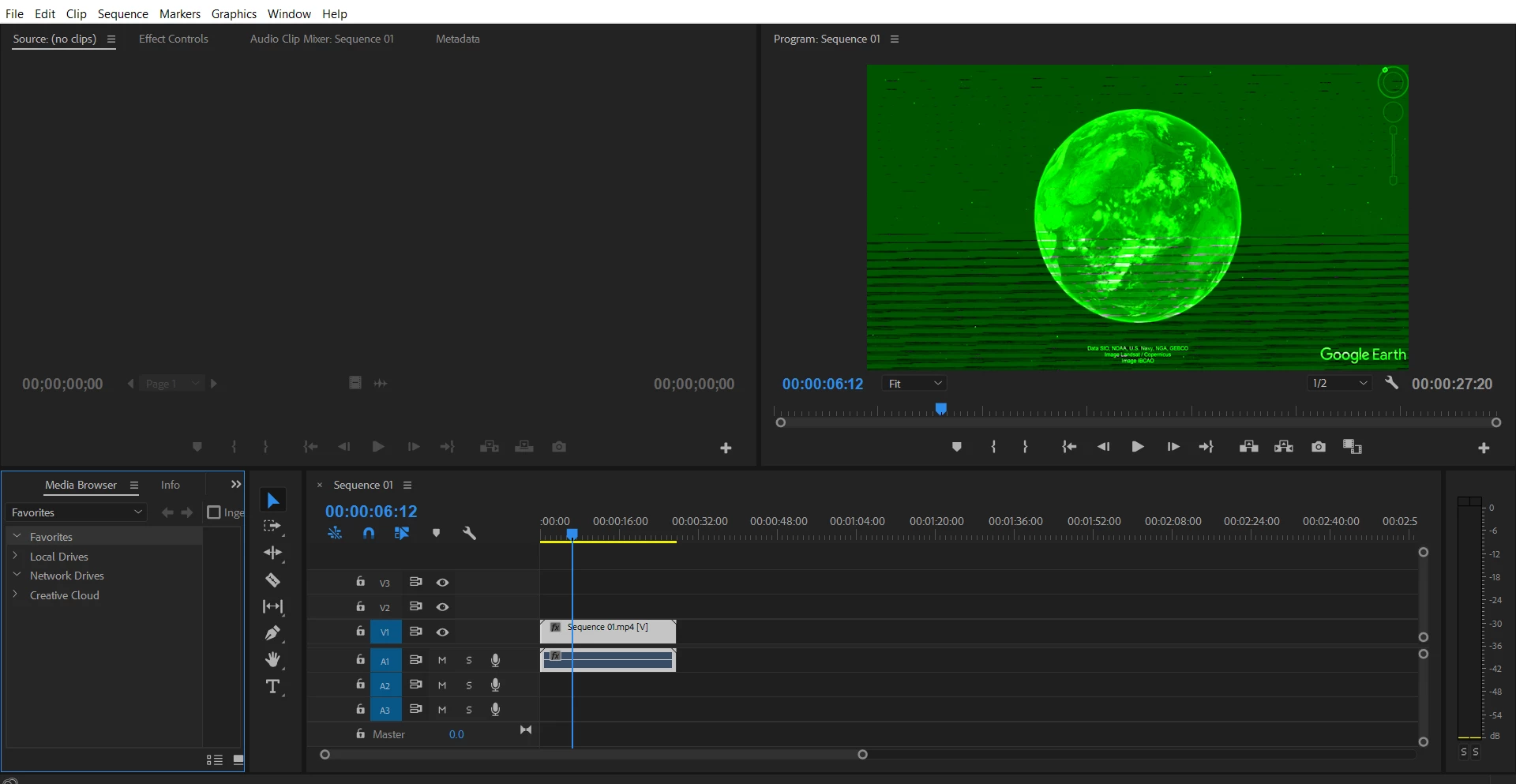
So that's basically what happens after I import an MP4 to Premiere Pro CC 2018 the newest version and I don't have a single clue on how to fix it.
However, there is no greenery happening when I import to the same MP4 to a previous version of Premiere Pro (7.0).
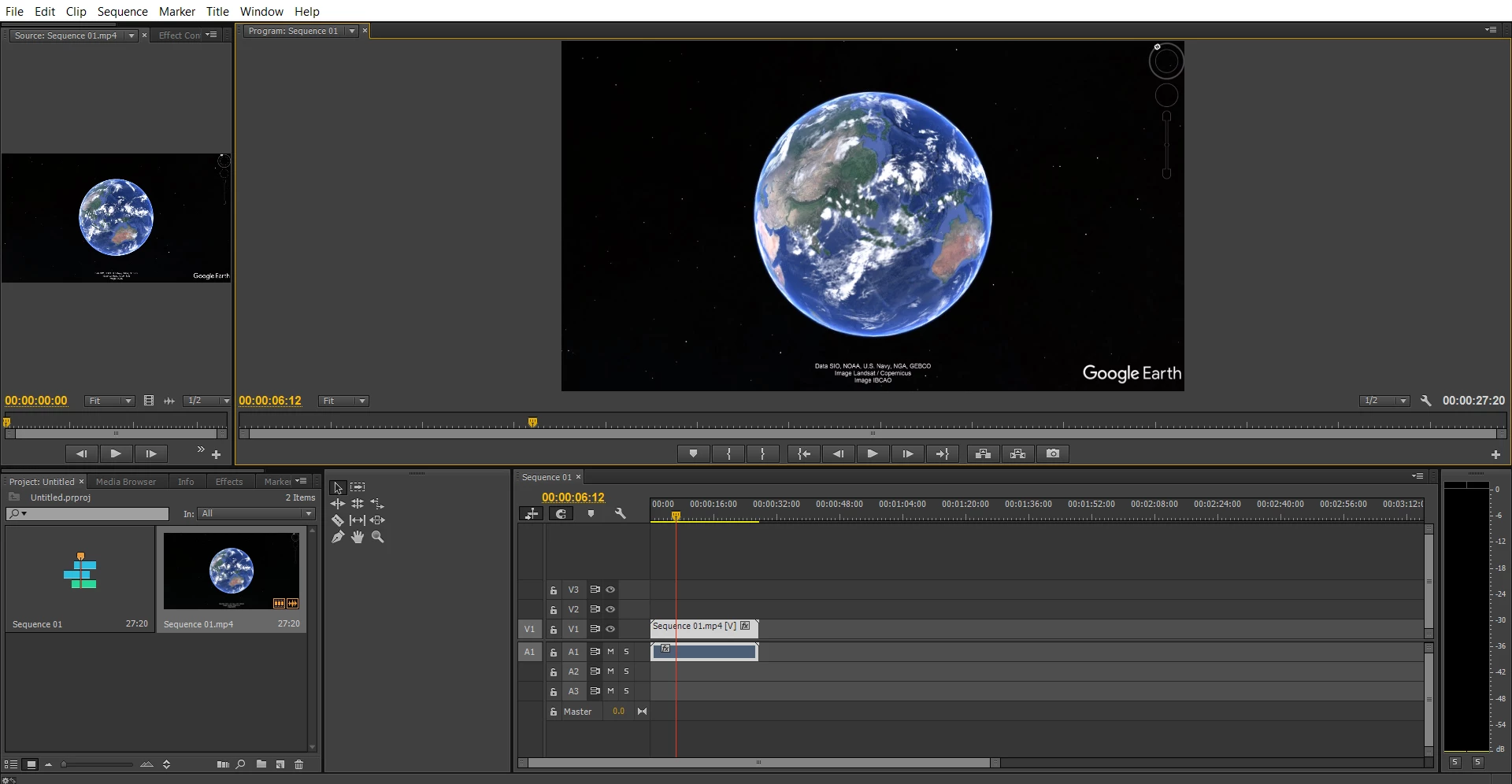
As you can see, is practically fine.
So my question is why does my MP4 clip turn green in the newest version of Premiere but works fine without green stuff on older versions and how can I fix this?
This is literally melting my brain  !!! any help regarding this issue would be the most appreciated and thanks for your time...
 AdChoices