MP4 is imported as a square with muddy quality
Hello everyone,
this is my first post so I am sorry in advance if I miss to provide something useful.
I have this one MP4 file that I've created by myself. I want to use this file for an other project in Premiere Pro but every time I import it into PP it changes the resolution and quality of my file. Unfortunately I dont have the source material anymore so I am unable to just render it again.
Please see my screenshots below:
This is how it looks like in Windows Explorer, everything seems to be normal.
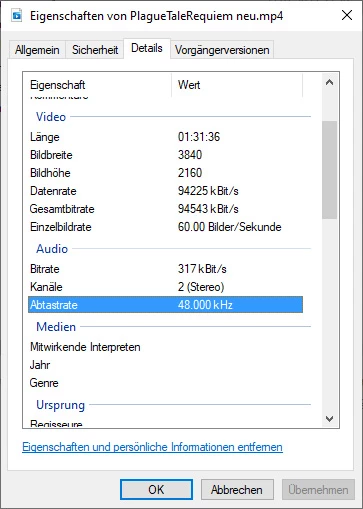
Also the file plays without any problems with the common players: Windows Media Player (old and new), VLC, Avidemux, etc.

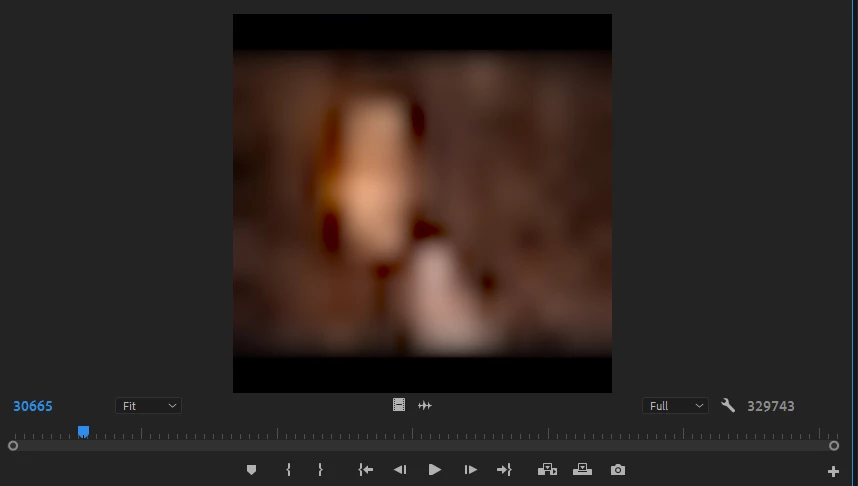
But as soon as I import it again into PP weird things happen.
- It changes the resolution to 16x16
- It lowers the quality to not-recognizable
I tried setting up the correct resolution manually but that only stretches the image and does nothing to improve the overall image.

FYI
- below you'll find my sequence settings.
- these are no special settings as these are the settings I always use and that have worked for me for many years now.
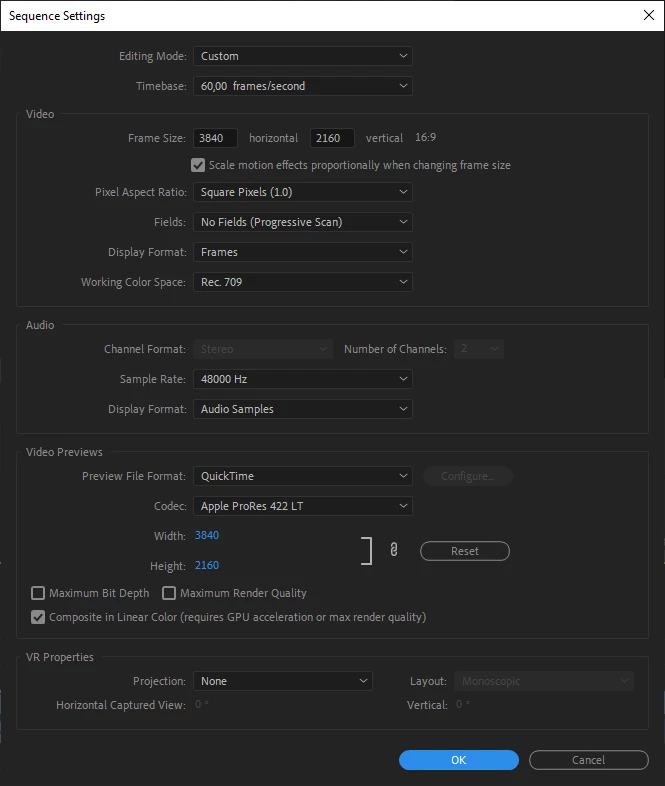
Since I didn't found anything alike on the internet, maybe one of you has an idea that could fix the problem.
Thank you very much in advance.
Greetings,
Chris
 AdChoices