
Inspiring
March 13, 2019
Answered

MP4 not supported?

  • March 13, 2019
  • 3 replies
  • 8017 views

Hello\

When I load Premiere Pro 2.0 and go to File  Import and select an MP4 clip from a folder on my desktop, I get an error that the file format is not supported:
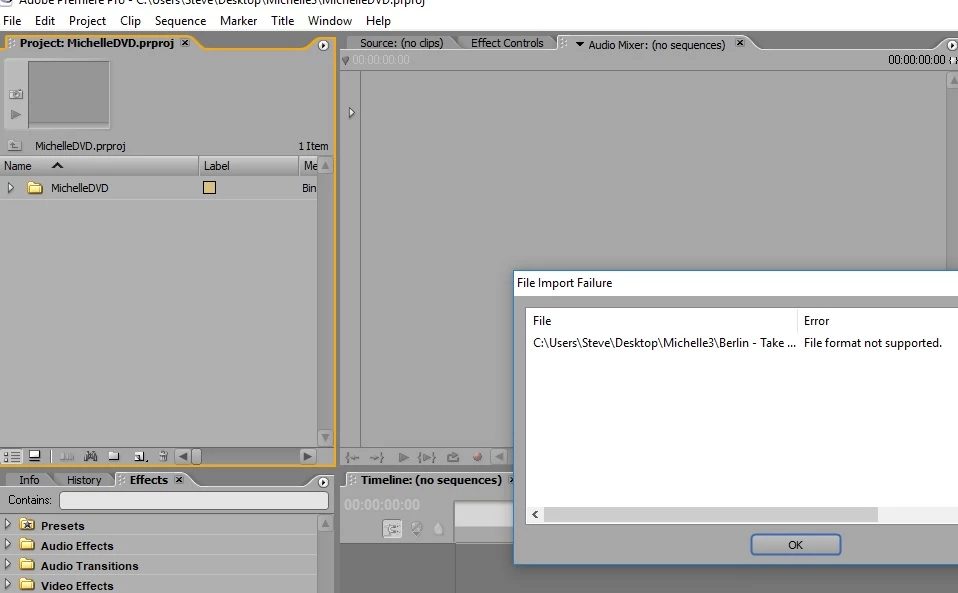
To what format do I need to change the MP4 file, please?

Thank you.

    Correct answer Vidya Sagar

    Hi SteveH59,

    MP4 is not a supported file format of Premiere Pro 2.0 version. You need to transcode the files into AVI and import.

    Thanks,

    Vidya

    3 replies

    Participant
    December 31, 2024

    This seems like a time suck in converting mp4s into AVI specially when have 200+GB of videos.

    Mp4s are so common. Adobe, why isnt it supported?

    caroline_edits
    Community Manager
    Community Manager
    January 24, 2025

    .MP4 files are supported in newer versions of Premiere Pro. See our current list of supported file formats here: https://adobe.ly/4avjqWm


    The suggestion to convert to AVI was only for people using Premiere Pro version 2.0. Which version are you using?


    Hope this helps to clarify,

    Caroline

    SteveH59Author
    Inspiring
    March 13, 2019

    Many thanks to you both, I am grateful.

    Vidya Sagar
    Vidya SagarCorrect answer
    Participating Frequently
    March 13, 2019

    Hi SteveH59,

    MP4 is not a supported file format of Premiere Pro 2.0 version. You need to transcode the files into AVI and import.

    Thanks,

    Vidya

    Ann Bens
    Community Expert
    Community Expert
    March 13, 2019

    To be exact: DV avi.

    As dvix, xvid etc dont work well in Pro2.

    Moved from Premiere Pro CC​ to Premiere Pro CS6 & Earlier