
Participant
September 16, 2018
Question

MP4 will play sound but no video in Adobe Premiere Pro CC 2018

  • September 16, 2018
  • 2 replies
  • 1808 views

Hey All,

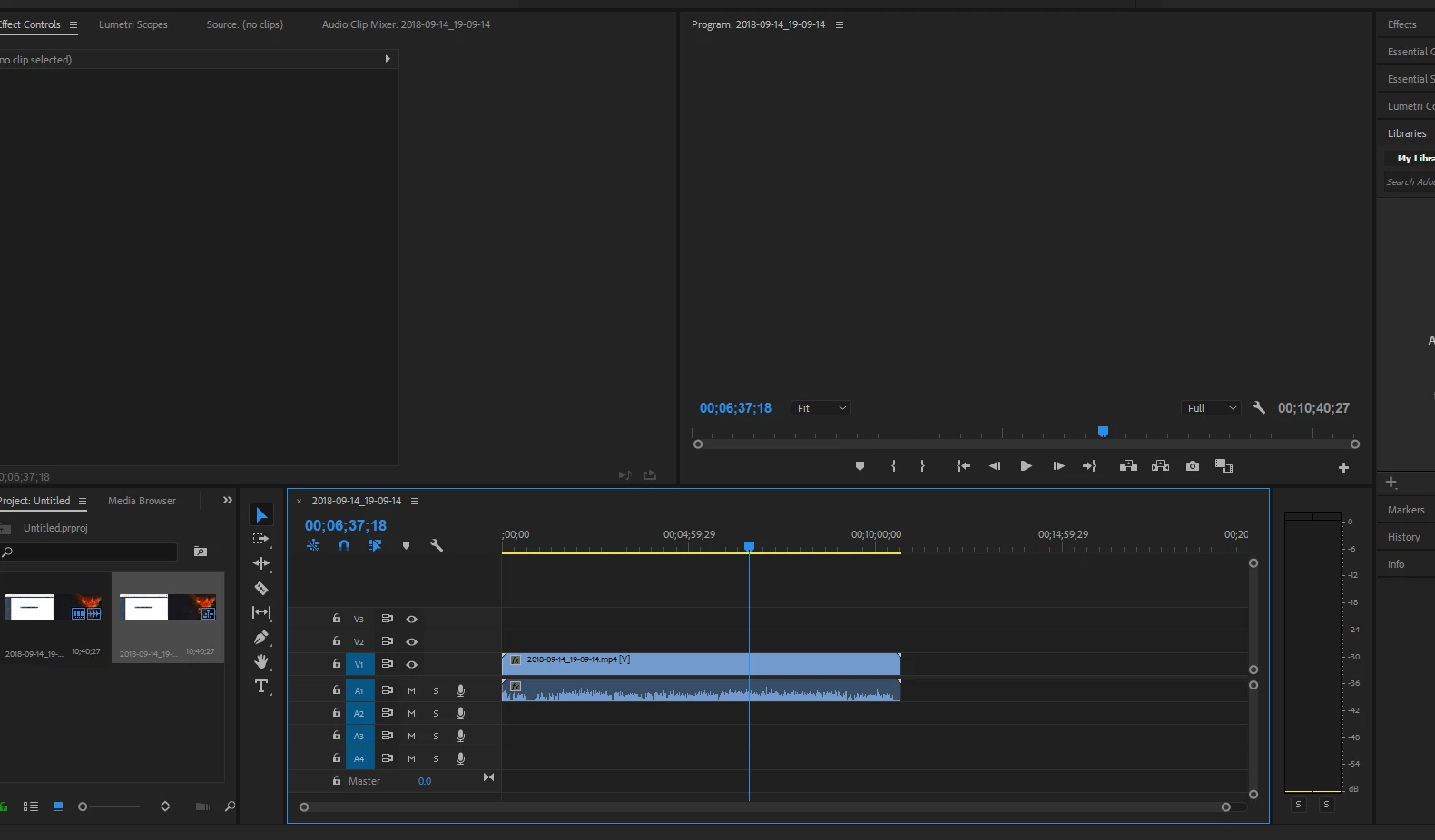
I am constantly editing videos for work but over the past week all of a sudden when I import an MP4 into Adobe Premiere Pro CC 2018 I am only able to hear the audio but can not see the video any longer.  Anybody else have this issue?  I have uninstalled and reinstalled the program, I have even reinstalled earlier versions with the same results.  Any help would be great.  I have attached an image showing the MP4 File but no image showing.
    This topic has been closed for replies.

    2 replies

    juanmario
    Participating Frequently
    September 16, 2018

    You lack the program monitor and probably also the origin, you must have windows 10, or I'm wrong ?.

    You will not fix it by installing and uninstalling the program.

    Press the windos + X key, device manager, screen adapters, and uninstall the graphics drivers, then reboot the PC, windows have to reinstall them, in case you do not, you do it manually, and tell us if you fix , or not.

    Participant
    September 16, 2018

    Also, yes I have Windows 10... this is a brand new issue.  The last video I was able to complete was on Wednesday.  Not sure if Windows did an update or not.

    Ann Bens
    Community Expert
    Community Expert
    September 16, 2018

    What is the origin of this mp4.

    Post screenshot of clip in Mediainfo in treeview

    MediaInfo

    Participant
    September 16, 2018

    Ann Bens
    Community Expert
    Community Expert
    September 16, 2018

    You need to run the file through Handbrake and make it Constant Framerate, then bring it into Premiere.

    HandBrake