
Participant
April 16, 2018
Answered

MPEG4 File pulling only audio and no video

  • April 16, 2018
  • 3 replies
  • 2660 views

So I dumped all my concert footage this weekend on my external drive and am pulling from there. When I go to pull clips in premiere some show up like this with just the mpeg4 icon and will only import the clips audio and no video.
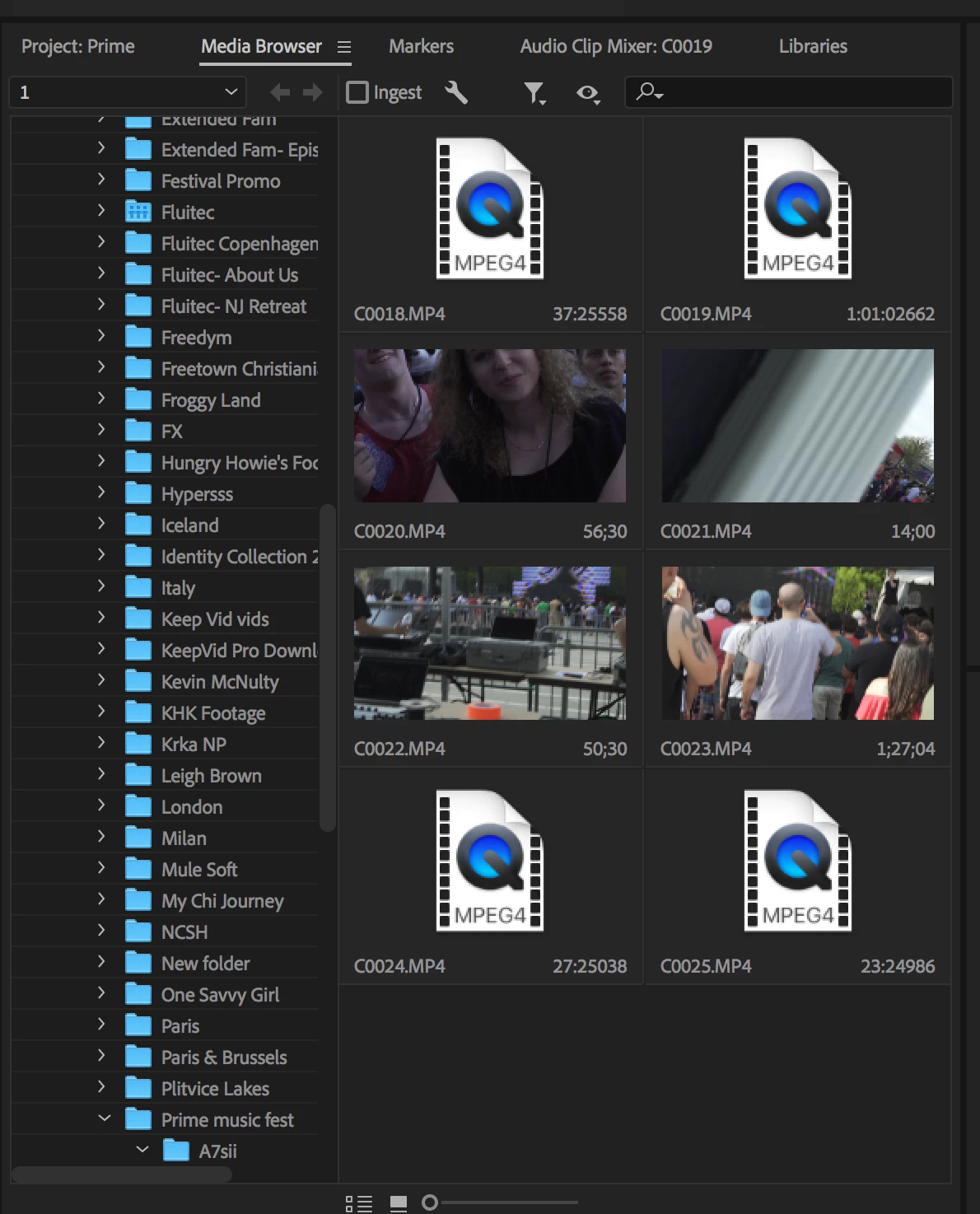
Sometimes if I transfer the clip into another folder it shows up and I can pull both. This just started happening after the most recent update.. I am sure it is something with codec but not sure what to try? Any help would be GREATLY appreciated..

This topic has been closed for replies.
Correct answer chasep10937862

One thing I did to temporarily fix it was uninstall premiere and then redownload the previous version. May not work for you though because if you have already started the project in the updated version. It can move older projects to newer versions but can't backtrack new projects to older versions.

3 replies

Participant
February 4, 2024

KK  SETAH CHANDO TARASH 


Participating Frequently
April 26, 2018

Did anyone come up with a solution because I am having the same problem. It is only pulling the audio

Inspiring
April 27, 2018

There are several threads on this topic in this forum.

Let me guess.  You're on a mac with OS 10.11.

For now it seems like they know it's an issue and they're working in a fix.  If you can't wait, people who have upgraded their OS (and cleaned their media cache) say it has solved this issue.

I'm going to back-up and upgrade my OS this weekend.

masku2000
Adobe Employee
Adobe Employee
April 18, 2018

Can you post or direct-message me a link to download one of the problem files, and we'll take a look

marcel81d
Participating Frequently
April 18, 2018

I have a team of 5 editors and we are also having this problem, however it is happening on only 2 edit stations and not on the other 3.

mp4 files from a sony a7sii will import as audio.

chasep10937862AuthorCorrect answer
Participant
April 18, 2018

One thing I did to temporarily fix it was uninstall premiere and then redownload the previous version. May not work for you though because if you have already started the project in the updated version. It can move older projects to newer versions but can't backtrack new projects to older versions.