
MTS troubles misplacing audio. Do I have to start from scratch? And what measures do I have to take?
Hello,
I am a beginner and I started a big project with a lot of clips that have the same name/number like "00022.mts" from the same camera shot in AVCHD. While my project grew larger, a lot of clips started playing the wrong audio.
I loaded the clips from the AVCHD package folder to my harddrive and arranged them by year/date-title.
Within each individual date-title folder I have the clips from that day. After clearing the HD card each time before I shot, they are now all named 00001.mts, 00002.mts and so on, the running number. So within the whole project there is a lot of the clips with the same name, like 00035.mts does exist +50 times.
I started a first sequence and everything was fine, I started a second one and to a few clips, the wrong audio got linked. I renamed-relinked those clips and that worked for the moment. Then the more I worked on it, the more audio got misplaced. And now it is one GIANT mess. So far I made four sequences with +100 clips in each of them. In the beginning it was only a few clips, but by now half of the clips play the wrong audio. The more I worked on it the more it all scrambled.
I spent the last couple of days trying to find a solution, I tried extracting the single sequences to work on them seperately and cleared the media cache before, which worked for the first one. Then I extracted the second one and it started to mix it all up again with a lot of the clips playing the wrong audio.
Last week I started looking for help/answers and came across a post called Slow, Creeping Death by MTS
"https://community.adobe.com/t5/premiere-pro-discussions/slow-creeping-death-by-mts/m-p/10429824"
which seemed to describe the same problem. John, the author, wrote "..I've done it for years: used Windows file explorer to navigate to the clips, then dragged-and-dropped them into a bin...BUT...If you have a project containing MTS files which were imported this way, and you do a LOT of editing to it..then slowly, inch by inch, like a python lovingly caressing its dinner, those MTS files will choke, strangle, murder and eat you... after the first one (...) caused me so much grief I had to re-cut it from scratch based on ProRes transcodes (and no, un-linking the MTS and re-linking to ProRes doesn't help. The flaw exists deep within the project file, and there is NOTHING you can do to cure it. Trust me, I tried everything), I learned my lesson and began importing via Media Browser. But it was too late! Two other projects had already been created in the wrong way, and there is LITERALLY NOTHING you can do to cure them once they've been infected. It's a slow cancer, appearing at first benign, but slowly metastasizing into a memory devouring monster.This is the most devious and horrible problem I have EVER encountered in this software, and IT NEEDS TO BE FIXED! If you can ONLY import MTS files via Media Browser, I'm OK with that! But why would you LET me import them via drag-and-drop? All Adobe needs to do is prevent the drag-and-drop import from being possible in the first place, and all will be well. WHY, ADOBE?! WHY?!?!"
Now, shattered, I decided to start everything from scratch. I sent some answers in that post and Neil Haugen got back with advice, to "...First, of course, many folks and shops I know ... if they are the main or only shop involved ... simply transcode all AVCHD media to a decent, fully contained mezzanine format. The old choices of ProRes, DNx, or Cineform variants..."
Sorry for my ignorance, but..
- If I transcode all my files, what Codec should I use?
- I am using PremierePro2023 23.6.0 on OS 12.6.7 Monterey.
- The clips are AVCHD Video: 15,5 Mb/s, 1920*1080 (16:9), at 25,000 FPS, AVC(High@L4) (CABAC / 2 Ref Frames)
Audio: 256 kb/s, 48,0 kHz, 2 Kanäle, AC-3 (Dolby Digital) - Can I use Apple ProRes 422? or HQ?
- Can I use the ingest/transcode option during import with the media browser or do I have to do it before/outside of Premiere?
- If I rename all my original clips on my harddrive, so there are no more doubles/clips with the same name, would that solve the whole problem???
- And before I do any of that, do I have to erase everything "infected" I have done so far from my harddrive, all the files? And reinstall Premiere?
Please, any help on the course of action before I restart would be highly appreciated..
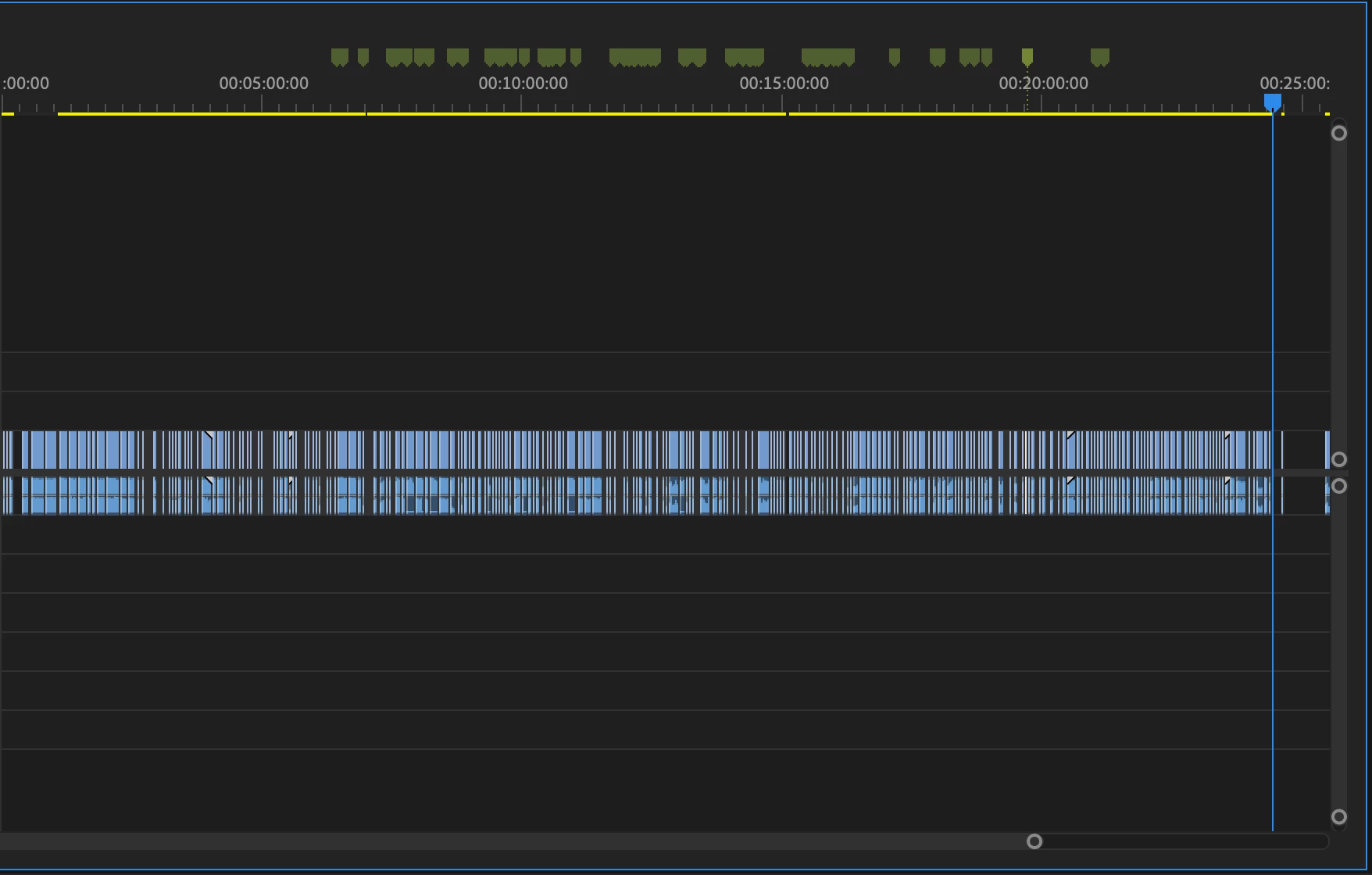
this is a screenshot of one of the sequences after the problem started, all the green markers show wrong audio, the amount was steadily growing
 AdChoices