


Inspiring
May 12, 2021
Answered

Multi-Cam not switching cameras.

  • May 12, 2021
  • 11 replies
  • 22086 views

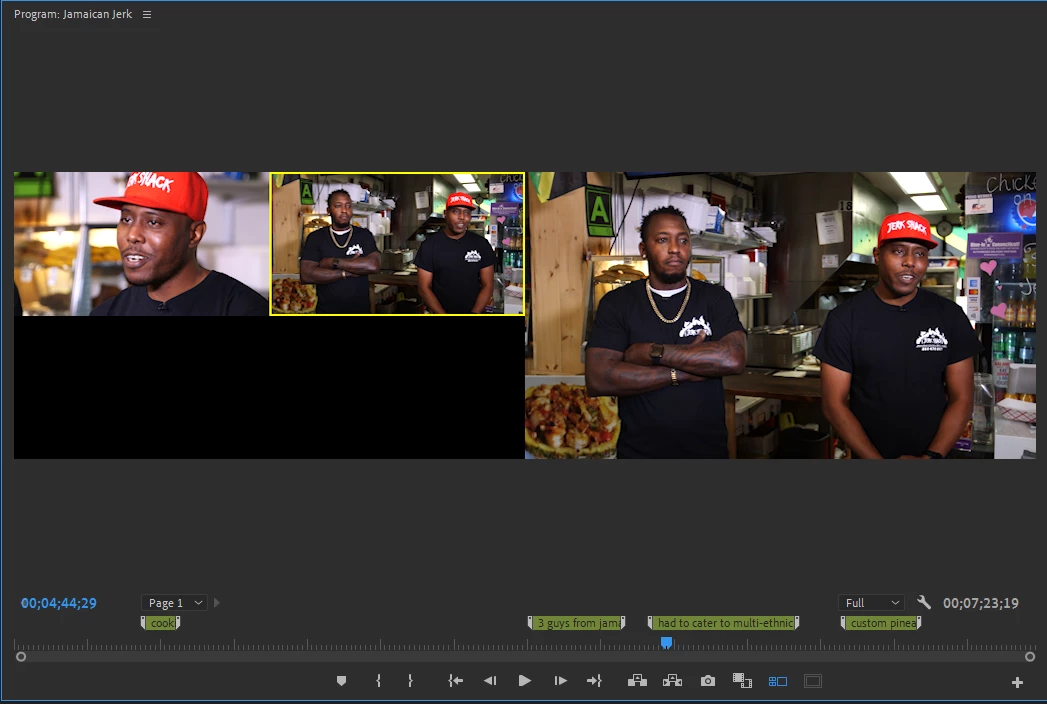
So I've used multi-cam a million times before. This is my first time on newest update. For whatever reason, The cameras will not switch. Normally if I click on the camera view that I want (while in the multi-cam viewer), It will switch the camera for me. Whether I am playing or paused, this always worked. Now, The yellow outline will not switch or select new cameras for me at all. What has changed and What went wrong?


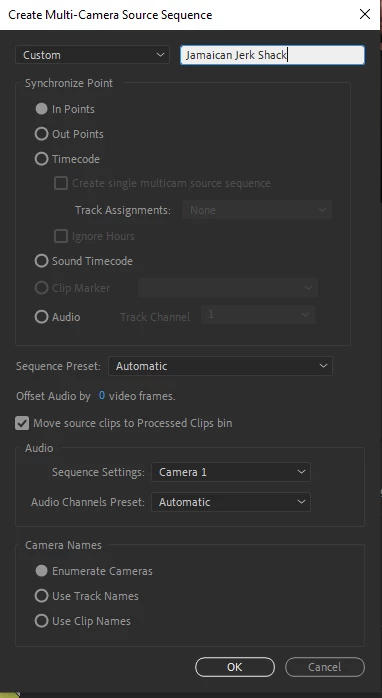
Attached is a screen shot of how I synched the clips.
Correct answer Thomas390376617d2t

I made this quick 40-second video demonstrating how I fixed it. DEFIJOHNNY is correct, at least in my case. The track targeting was the problem.

11 replies

Vishu_Aggarwal
Participating Frequently
May 12, 2021

Maybe the track is locked in the timeline. The switching of cameras does not work when the track is locked. Just make sure the track of the Multicam is not locked. If the track is not locked ....Please share the screenshot with the timeline or Screen record the issue. 


Also, check if you're able to change the camera using the right-click on the clip in timeline > Multi-Camera > Camera 1 or Camera 2. 


Vishu AggarwalAdobe Certified Instructor, Professional and Expert
EveePeasyAuthor
Inspiring
May 12, 2021

So,


I hit that point where I didn't know what else to do, and I restarted the PC. And magically, everything worked as it was supposed to.


So, some bugs I think in the newer updates. Not quite sure. 

Participant
May 13, 2022

Happened to me too, restarting it didn't work but making a new sequence then copy and pasting everything over seemed to work!