


DJP2014
Inspiring
March 25, 2024
Answered

Multi-Cam Preview Monitor doesn't scale footage properly

  • March 25, 2024
  • 14 replies
  • 1863 views

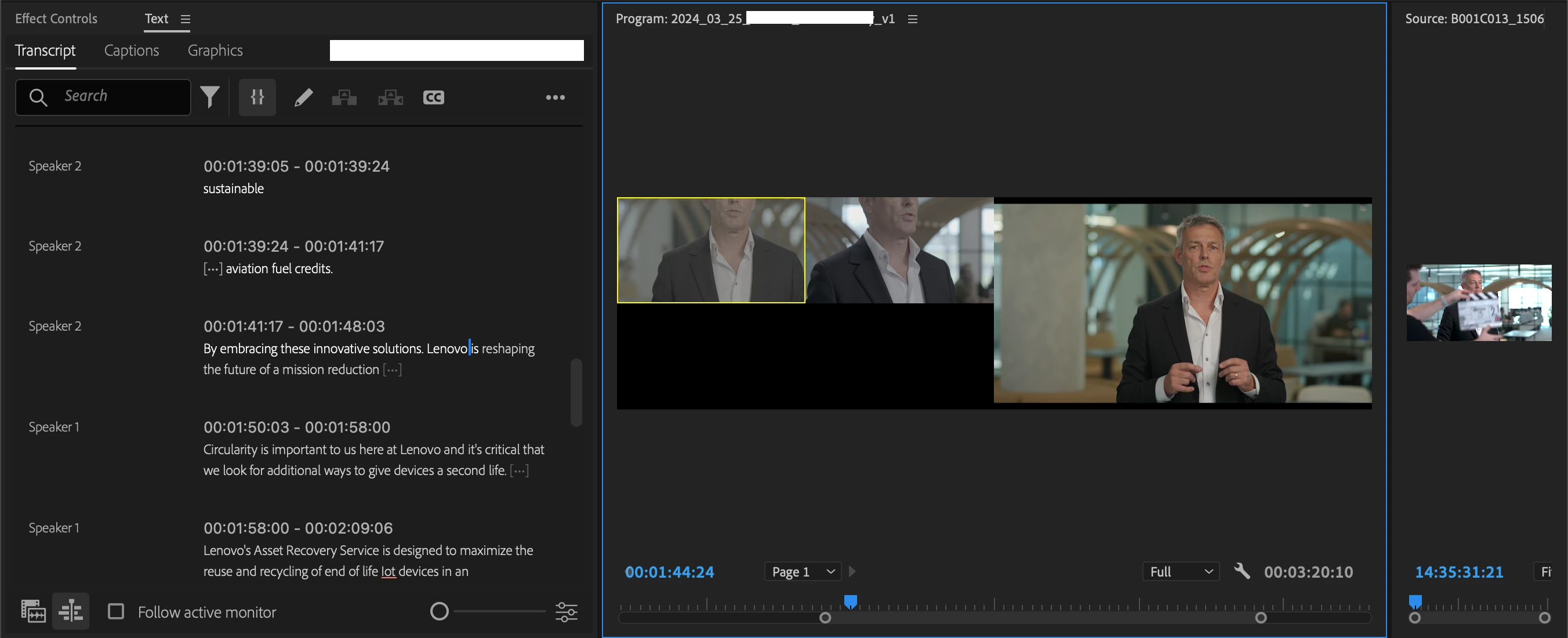
Several people have posted about this problem, but for years nothing seems to have been done, so I'm adding it as a bug.


4K Multi-Cam clips appear zoomed in when working in a HD sequence. 4K>HD is a common workflow, not an edge case, and therefore this should be fixed. Resizing hundreds of multi-cam clips isn't a solution.



Correct answer R Neil Haugen

Thanks for the clarification ... I wasn't sure if you meant program monitor or source monitor. Like Resolve, for some things Premiere hath its own terminology.


And yes, the Source monitor is "pre" things applied in Sequences. But the "multicam" is sort of a clip in some ways in Premiere, sort of a sequence in others. Which can be durn confusing at times.


14 replies

DJP2014
DJP2014Author
Inspiring
March 25, 2024

I believe what you're describing is what Premiere is doing currently. Which is wrong. The Preview Monitor's purpose is to preview what's inside the Multi-Cam, without the timeline having any effect over it.


Bruce Bullis
Legend
March 25, 2024

Confirming desired behavior: When you nest a multicam, you want PPro to scale all the cameras within that multicam, based on the settings of the sequence containing the multicam sequence?


DJP2014
DJP2014Author
Inspiring
March 25, 2024

Hi again Bruce - sorry, I keep running in to bugs today, so having a bit of a rant 😉 


I'm aware it's possible to resize a 4K Multi-Cam sequence down to HD, setting each layer to 'Set to Frame Size'. It's a fine workaround if the project only contains a few sequences, but I have hundreds. This has been an issue for years & years, I think it should be fixed. 


Dan

Bruce Bullis
Legend
March 25, 2024

Are you making use of either 'scale to frame size', or 'fit to frame size'?

https://premierepro.net/scale-frame-size-vs-fit-frame-size/