
Participant
February 22, 2018
Answered

Multi-cam program monitor with blank extra camera angle

  • February 22, 2018
  • 3 replies
  • 1492 views

Hello to anyone that knows a solution for this:

I have 4 camera angles in my multi-cam sequence, but my program monitor is showing a 5th camera angle. Its annoying since its causing the program monitor to accommodate for 9 camera angles. If it displayed 4 angles correctly I'd be able to better maximize my screen space.

I think I remember it displaying 4 angles correctly at one point, but it may have added a 5th angle when I added transparent video on the 5th track up on the source sequence. I hoped it would self correct after deleting the transparent video strip from the top, but the program monitor still seems to act as if a 5th angle exists.

Any tips to make it display only the 4 angles?

Thanks so much,

David
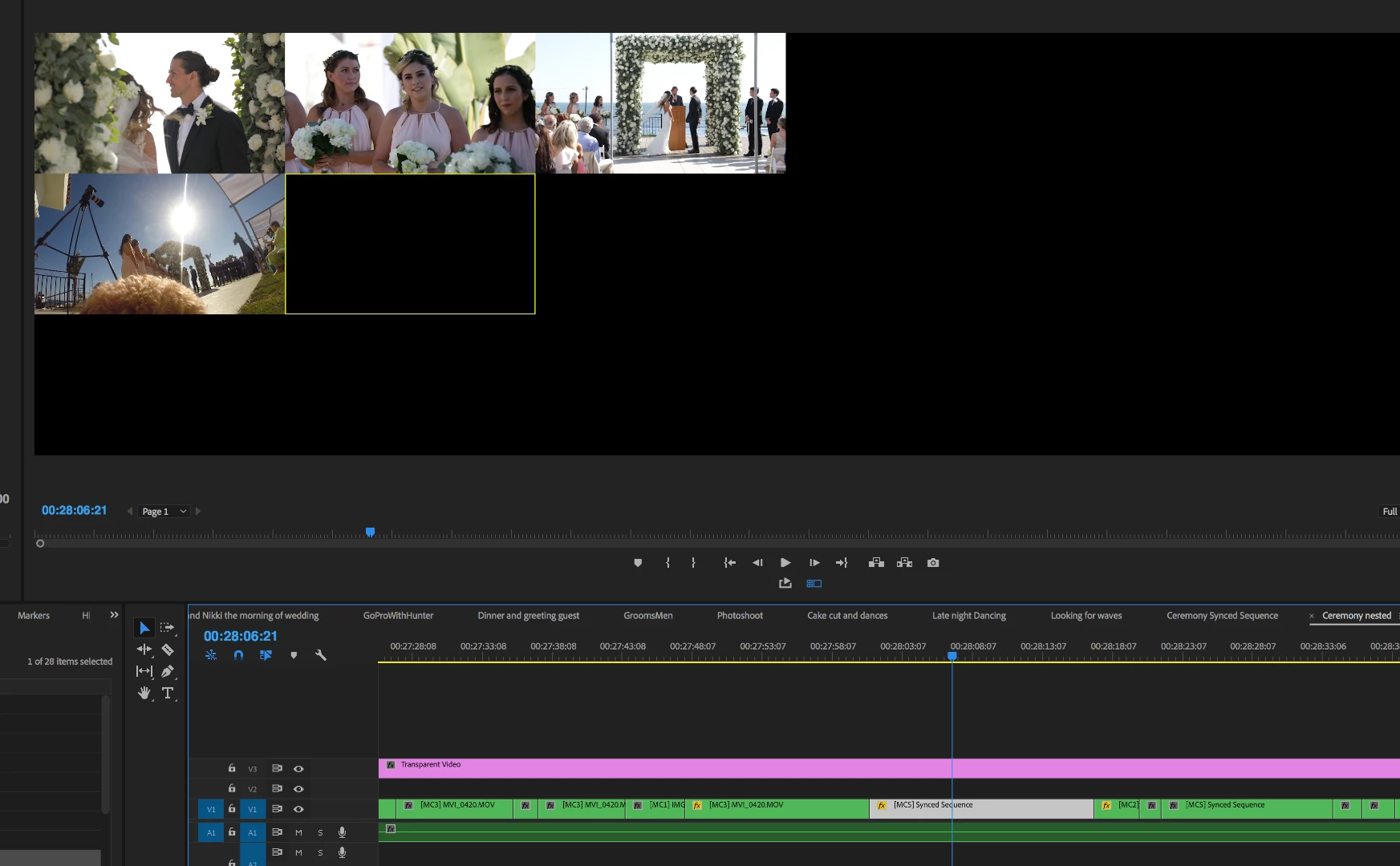
Shot of program monitor with 5th angle.
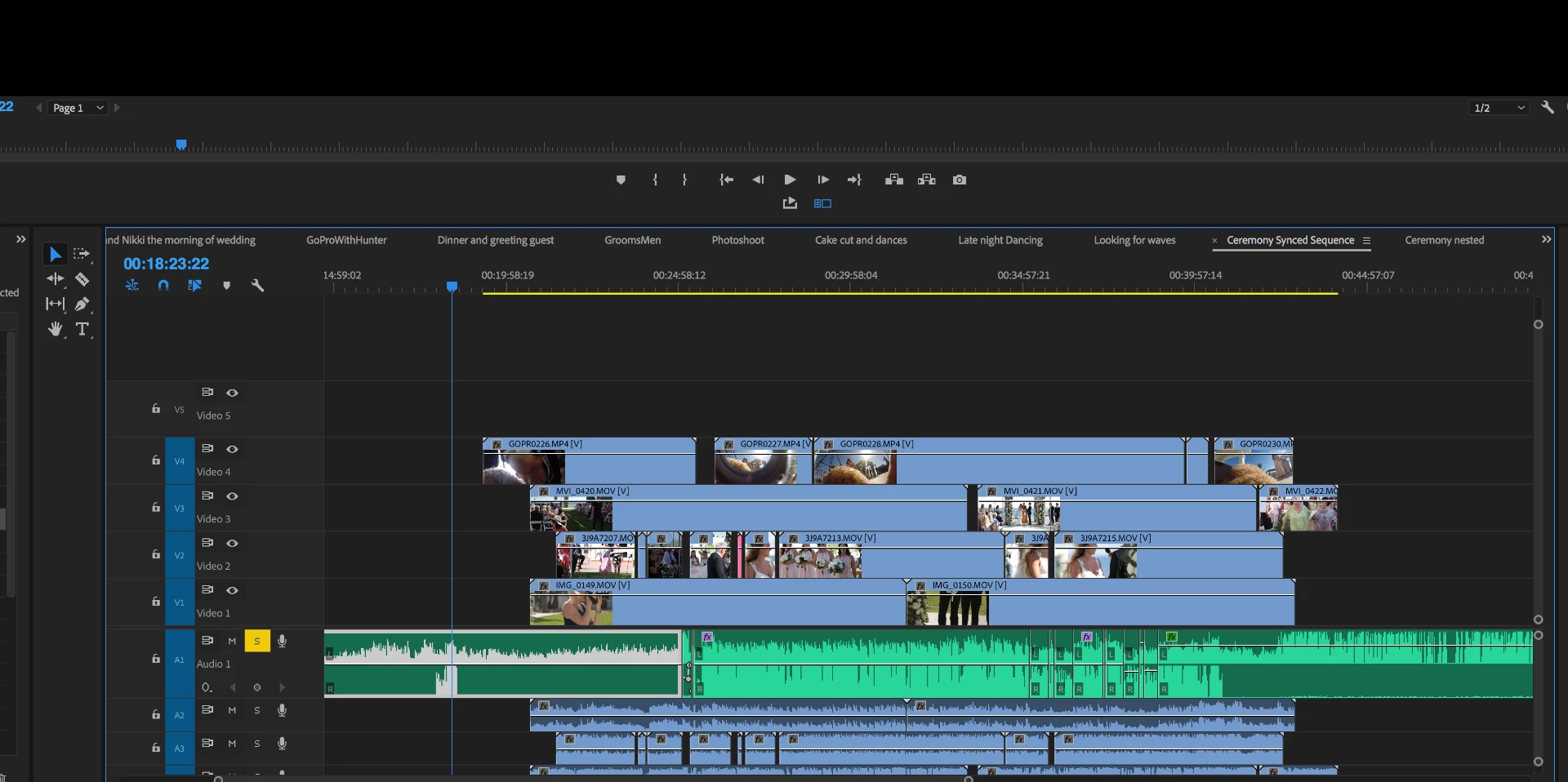
Source sequence with only 4 tracks of video.

This topic has been closed for replies.
Correct answer Byron Cortez

Hi Dave91, try this:

Click in Settings button and then choose Edit Cameras...

Choose how many cameras you want to see in Multicam View, and that's all.

Or you can On/Off from the check box at the right of each video.

I hope this helps you.

Regards!

3 replies

Known Participant
May 24, 2023

Wouldn't it be nice to have the multicam monitor window as a separate window back like they had in the CS version? And we could dock it anywhere we wanted and not lose half of our program screen?  And we could make selections of the camera just by clicking on the window and not having to hold down the control button.  I guess they thought making it more difficult was a good idea.

Legend
February 26, 2018

Alternarively delete V5 track in the source sequence (which is your ‘5th’ camera)

Byron CortezCommunity ExpertCorrect answer
Community Expert
February 22, 2018

Hi Dave91, try this:

Click in Settings button and then choose Edit Cameras...

Choose how many cameras you want to see in Multicam View, and that's all.

Or you can On/Off from the check box at the right of each video.

I hope this helps you.

Regards!

Byron.
Dave91Author
Participant
February 22, 2018

Perfect! Thank you!

Community Expert
February 22, 2018

You're welcome Dave!

Byron.