
Participant
June 17, 2023
Answered

multi camera editing problem
  • June 17, 2023
  • 1 reply
  • 132 views

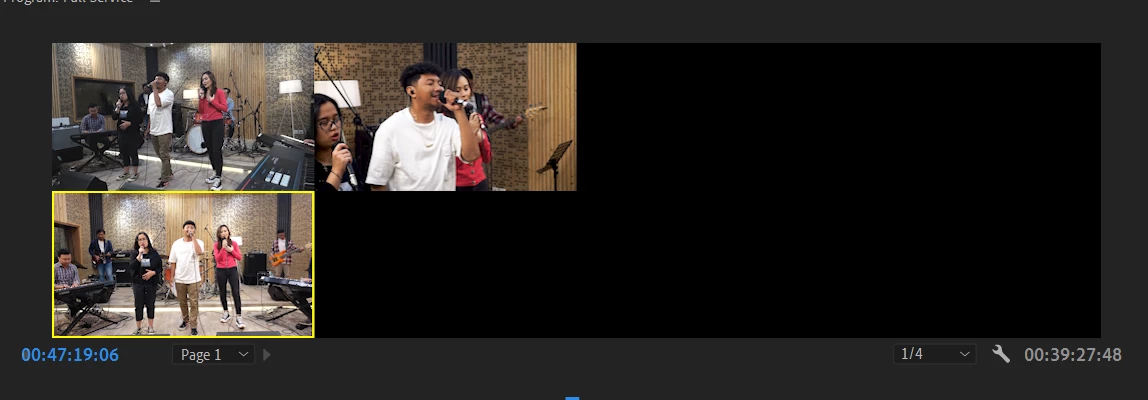
Hi, im currently doing multi cam editing. i was using the regular cut to cut with run through the whole video until i finished the cutting process and find out there is one "blank" camera
as you can see below, there's not even yellow stripes above that one camera:
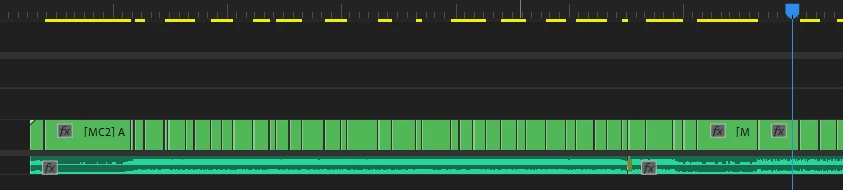
 

is there any way i can switch on that one angle without redoing the cutting process? thanks in advance


This topic has been closed for replies.
Correct answer Ali Jaber

Sometimes, when you toggle off the visibility of a track in the multi-cam sequence, and switch it on later, Premiere Pro won't update that track in the main seq, a workaround is to modify any clip on that hidden track, for example set the scale to 100.1, this way you force Premiere to update that track's visibility in the main seq.

1 reply

Ali JaberCommunity ExpertCorrect answer
Community Expert
June 17, 2023

Sometimes, when you toggle off the visibility of a track in the multi-cam sequence, and switch it on later, Premiere Pro won't update that track in the main seq, a workaround is to modify any clip on that hidden track, for example set the scale to 100.1, this way you force Premiere to update that track's visibility in the main seq.