

Multicam audio track was working, now has a red line and no audio
Hello All!
Working with a sequence that has a multicam track in it. Everything was fine; then in the middle of playback, the audio drops out completely and I'm left staring at this with a blank look on my face...
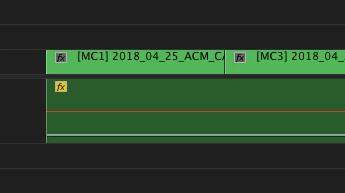
(I've turned the audio down temporarily for the picture so you can see the red line.)
For starters, I've been editing for years and have never seen this before. No audio on this clip - period. So I go back to the multicam timeline. Audio works great and is sounding fine. It's normal. (Note: My raw audio has been rendered to a .wav file so I can see waveforms in my master sequence.) However, here's the kicker. Take a look at this picture from my master sequence...
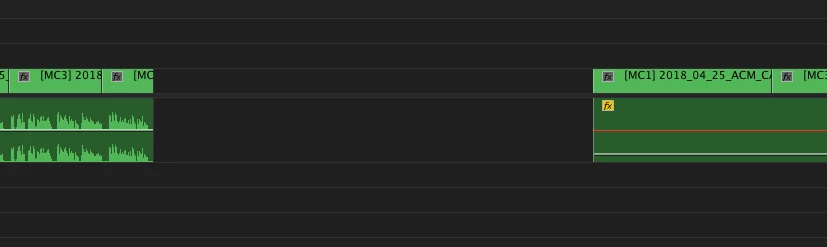
These clips are from the SAME multicam sequence; they're just from different sections. The one on the left plays fine - the one on the right has no audio. But they're from the same clip.
Hitting my head against a brick wall here. Anyone have any ideas on how to get my clip on the right to cooperate? Nothing is working and I'm a bit baffled as to what to do next.
I'm on a Mac running Sierra 10.12.6. In Premiere CC17 12.1.6.
- Andrew


 AdChoices