

lori_petersen_waite
Inspiring
June 7, 2023
Answered

Multicam Clip splices into timeline as Stereo only

  • June 7, 2023
  • 1 reply
  • 456 views

All my source clips and the multicam sequences created from them are dual mono.  
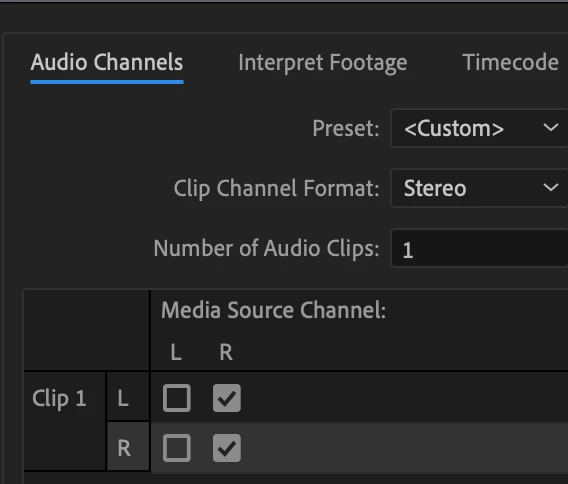
Upon ingest, I modify all clips recorded as stereo into dual mono.
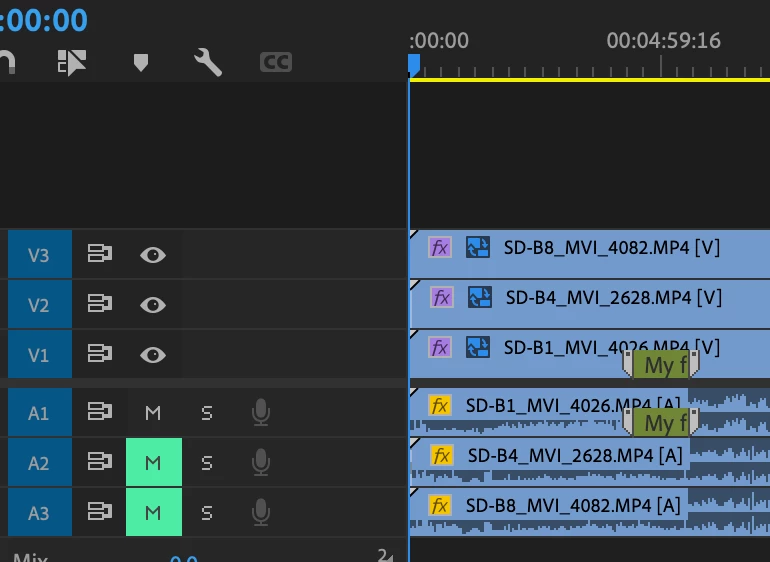
 Then sync using the multicam function.


Weirdly, there is one multicam clip that splices over as stereo onto my otherwise mono track timeline where all the other dual mono track clips sit.  
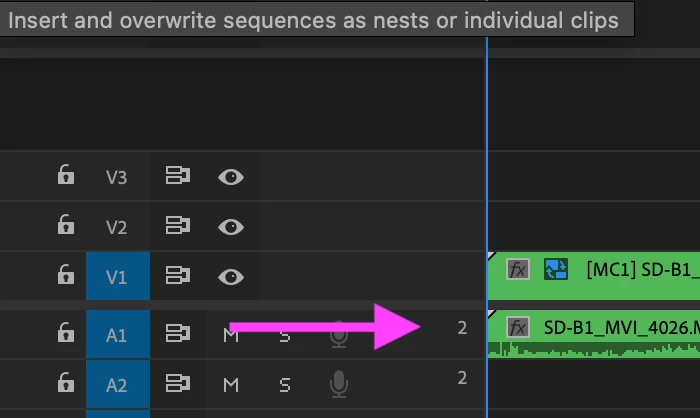
 

 Anyone know what the fix is and if you'd like, enlighten me as to why this is happening with this particular clip?


I'm on Premiere 22.6.2.  Mac Studio M1 Max

This topic has been closed for replies.
Correct answer Sami Succar

Right click on the audio tracks and add a new standard track, nudge the audio down to the new track.


Just out of curiousity, what's the advantage of modifying the clips to Dual Mono instead of just Mono?

1 reply

lori_petersen_waite
Inspiring
June 7, 2023

In Avid, you can just right click on the track selector and chose mono to convert a stereo track on the timeline to mono.  Doesn't look like the fix in Premiere will be as slick as this one.


Sami SuccarCorrect answer
Inspiring
June 8, 2023

Right click on the audio tracks and add a new standard track, nudge the audio down to the new track.


Just out of curiousity, what's the advantage of modifying the clips to Dual Mono instead of just Mono?

lori_petersen_waite
Inspiring
June 8, 2023

Thank you, Sami - this did it.  I guess I was overthinking things :-}.

Good question:  I inherited this project from another editor.  He spliced the unmodified stereo clips on the timeline, then tried to modify the timeline tracks to dual mono.  (The result was soemthing in between upon playback.) For consistency-sake, I kept this two-channels-on-one-track format, thinking this would be best when handing over for audio finishing.  They won't see some mono tracks mixed in with these dual mono tracks.  But I may have been overthinking, again, lol.