Question
Multicam edit: Selecting main camera and audio
Hi -
I am doing a multicamera edit, but I am confused as to how Premier selects which is Camera 1 and how does it select which is the main audio. Also how does it select the multicam sequence preferences.
These are the steps I am taking:
1) create a bin
2) add all camera clips to a bin
3) add in point to each clip where all clips are sinked
4)right click on the bin and from the menu select "Create Multi Camera Source Sequence"
and this is what that menu looks like:
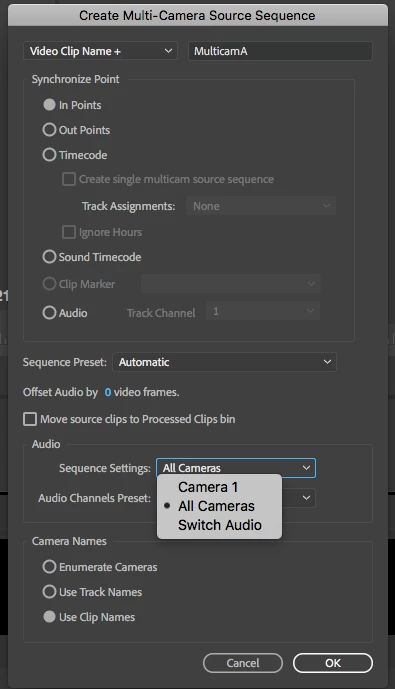
So the questions are: How do I tell premier to take the settings from a particular clip? and how do I tell Premier, THIS is the main audio for that clip.
Right now it's selecting whatever camera it thinks is Camera 1.
 AdChoices