Participant
December 29, 2017
Answered

Multicam editing using source monitor no longer works

  • December 29, 2017
  • 3 replies
  • 2393 views

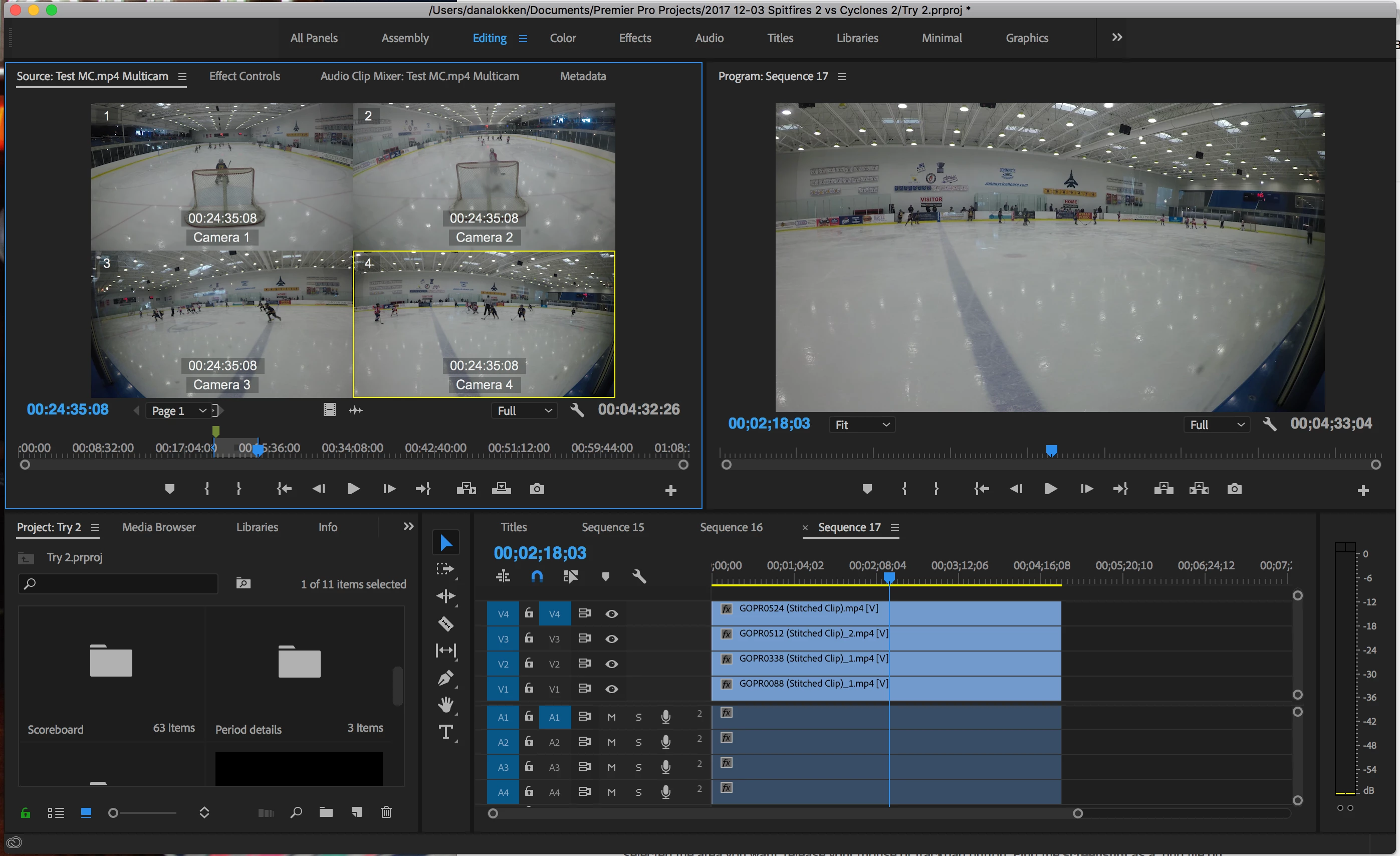
I have a multi cam sequence of a hockey game with cameras behind each goal and and at each blue line.  I have done a lot of these (20+ projects). I used to be able set the in/out points on the MC Source Sequence clip and then select one camera and drag the highlighted camera video/audio onto my timeline.  When I did that previously, I would only get the video and audio from the one specific camera I had highlighted.  Now when I do that, the video/audio from all 4 cameras gets input into the timeline, all stacked on top of each other.  I've tried to figure out if I have a setting that has changed but I can't figure it out. 

I've noticed this ability changed around the time I upgraded to CC v 12.0.  I have not been able to find any info on multicam being updated in this version, so I'm not sure if it is coincidence.  Any help is appreciated.  Thanks!
This topic has been closed for replies.
Correct answer Trevor_Asq

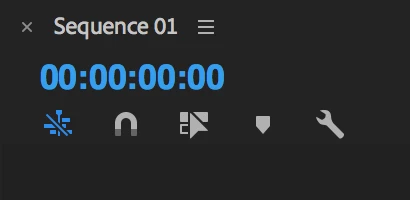
My bad - the icon has to be blue to allow nesting (rather than individual clips). Works in 2018 (v 12.0.0) for me.

It is designed to work editing mulitcam sequences from source monitor - otherwise why does double clicking load into source monitor?

I do agree that it is usually quickest to do editorial then tidy audio then cut cameras in timeline, but whatever way works for you.

3 replies

Trevor_AsqCorrect answer
Legend
December 29, 2017

My bad - the icon has to be blue to allow nesting (rather than individual clips). Works in 2018 (v 12.0.0) for me.

It is designed to work editing mulitcam sequences from source monitor - otherwise why does double clicking load into source monitor?

I do agree that it is usually quickest to do editorial then tidy audio then cut cameras in timeline, but whatever way works for you.

Participant
December 29, 2017

BINGO!!!!!  That totally was it!  It had been driving me nuts for several days!!!  Thank you so much!!!!

After watching / reading several items about MC, I realize I'm using it very differently than most people.  I'm basically using it to review footage from 4 cameras at once, and picking out small portions from specific cameras.  Most people use it for interviews and such where they are going to use the whole clip and swap between camera angles.  It's a huge time saver for me with what I'm doing though.  Thanks again!!!

Legend
December 29, 2017

If that’s true, then it’s a truly backward step. And yet another reason to stick with 2017

There’s a whole host of reasons to edit from source to record, which is why it’s been the default editing mode in just about every NLE (that doesn’t begin with  a Q).

Looks like your ‘edit from source as individual clips’ is, correctly, turned off.

Do you get the same behaviour if you use keyboard shortcuts?

Legend
December 29, 2017

The only thing I can think to suggest is to work with design, rather than against it.  Multicam was designed to be done in the Program Monitor, not the Source Monitor.

Participant
December 29, 2017

I appreciate the thought.  I did try that, but the raw footage is about 1 hour on each camera which I reduce down to a 3-5 minute highlight clip.  So I end up needing to cut >90% of the footage and that is very time consuming in the Program Monitor. 

Legend
December 29, 2017

The typical work flow would be to cut the whole thing and then choose highlights from that.  If you really don't need the full cut for anything, you can speed up the process by stopping playback and hitting L a couple times to scan through the footage.  Those big, uncut chunks will be easy to spot for later removal.