
Multicam layout suggestion
Hello there! This is my first post on the forums here but I've been using Premiere for quite some time now and I had a suggestion that I think would make multicam editing a whole lot better.
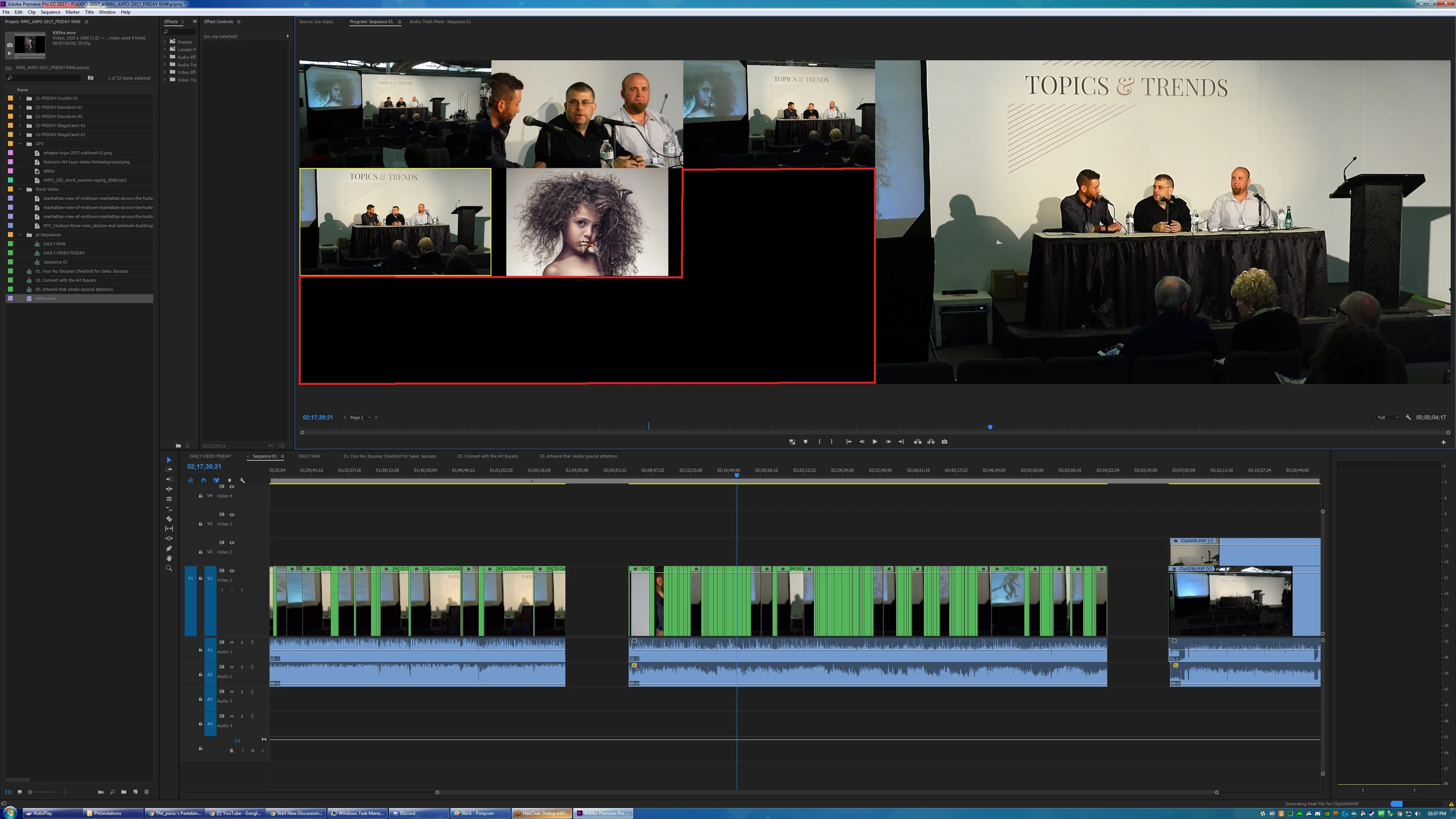
When you go into the multicam the cameras always put themselves in a square next to the main video box. The problem though is that they always line themselves up in a 2X2, 4X4, 8X8 (and so on) grid system.
Wouldn't it be better if they used the space more efficiently? If I have two cameras to work with, I'd like them to lay themselves out so that video 1 is on top, video 2 is on bottom, and the main video is to the right. That way you're using the space most efficiently. Instead it has video one on the top left, video 2 on the top right, a black box where it could have video 3 and 4, then the main window to the right of it.
It's a huge waste of screen real estate. I've attached a picture of my current project that I'm working on and as you can see I have five videos that are working side by side and yet the program is blocking out 9 spaces when it could be blocking out just 6. (All the wasted space is highlighted in red)
Now the REALLY perfect solution would be if Premiere would allow you to have the preview cameras in a separate window from the main monitor. What I would really love to do is to have my main video monitor on my secondary monitor on my computer and have the preview videos showing up where they are in the screenshot that I'm posting here, without the actual output video with it.
I hope all of this makes sense. I've been working with premiere for a long time and I feel I have a good grasp over most of the functions of the program but I have a feeling I'm getting a lot of the terminology wrong so I hope you can all bear with me on that.
 AdChoices