
Multicam track strange behavior?
I have worked with multicams extensively, but I don't think I've ever encountered this. Is this expected behavior or a new bug?
Pr 24.6.1, Windows 10
I have a multicam sequence in video track 1. I also have Multi Cam View toggled ON in the program monitor. I am chopping it up in the timeline as usual, etc... and when I move the multicam sequence "clip" up to video track 2, the program monitor no longer shows all three video sources on the left. See screenshots for clarity:
Multicam sequence "clip" on video track 1, notice the program monitor:
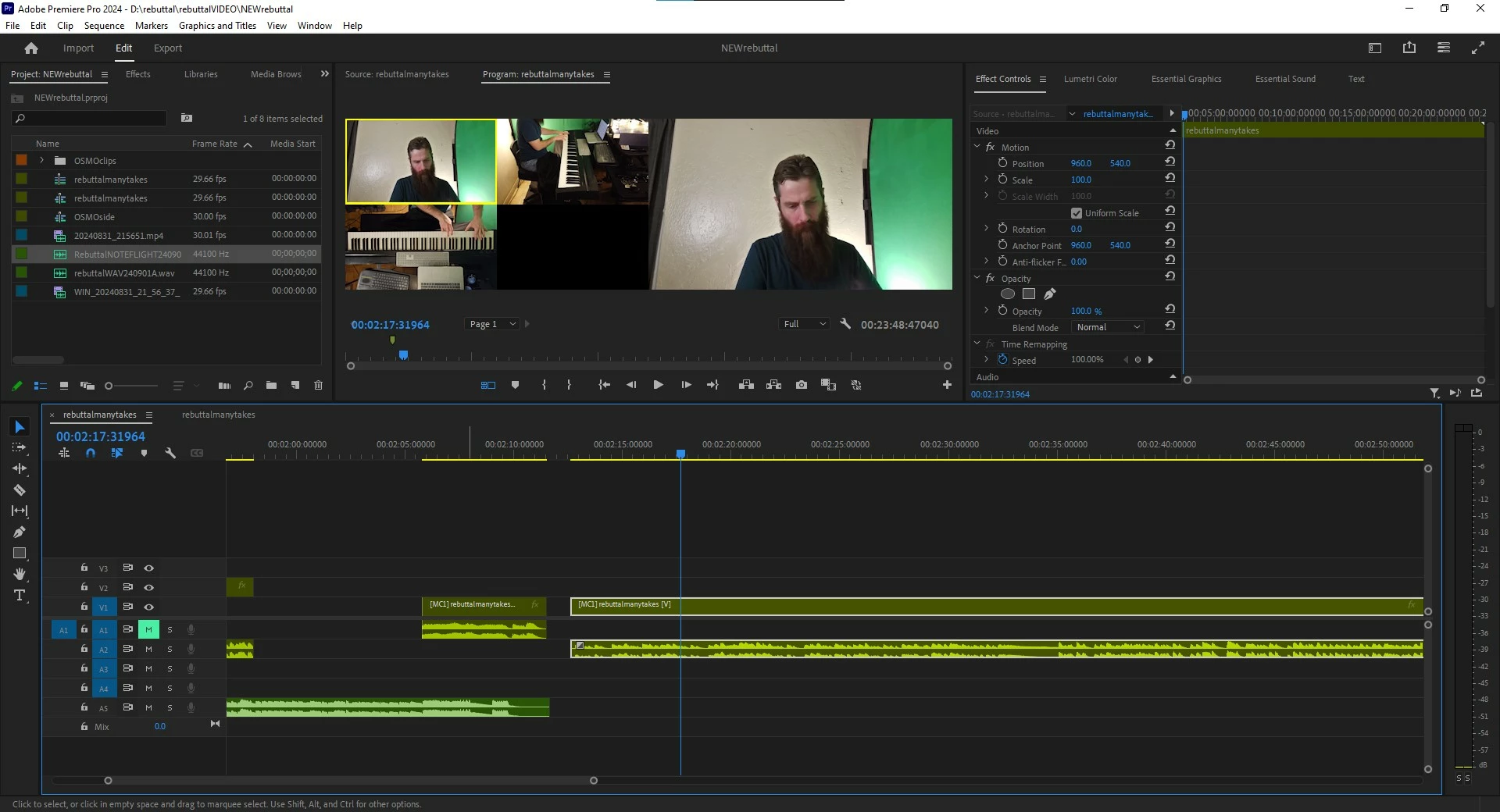
Multicam sequence "clip" moved up to video track 2, notice the program monitor:
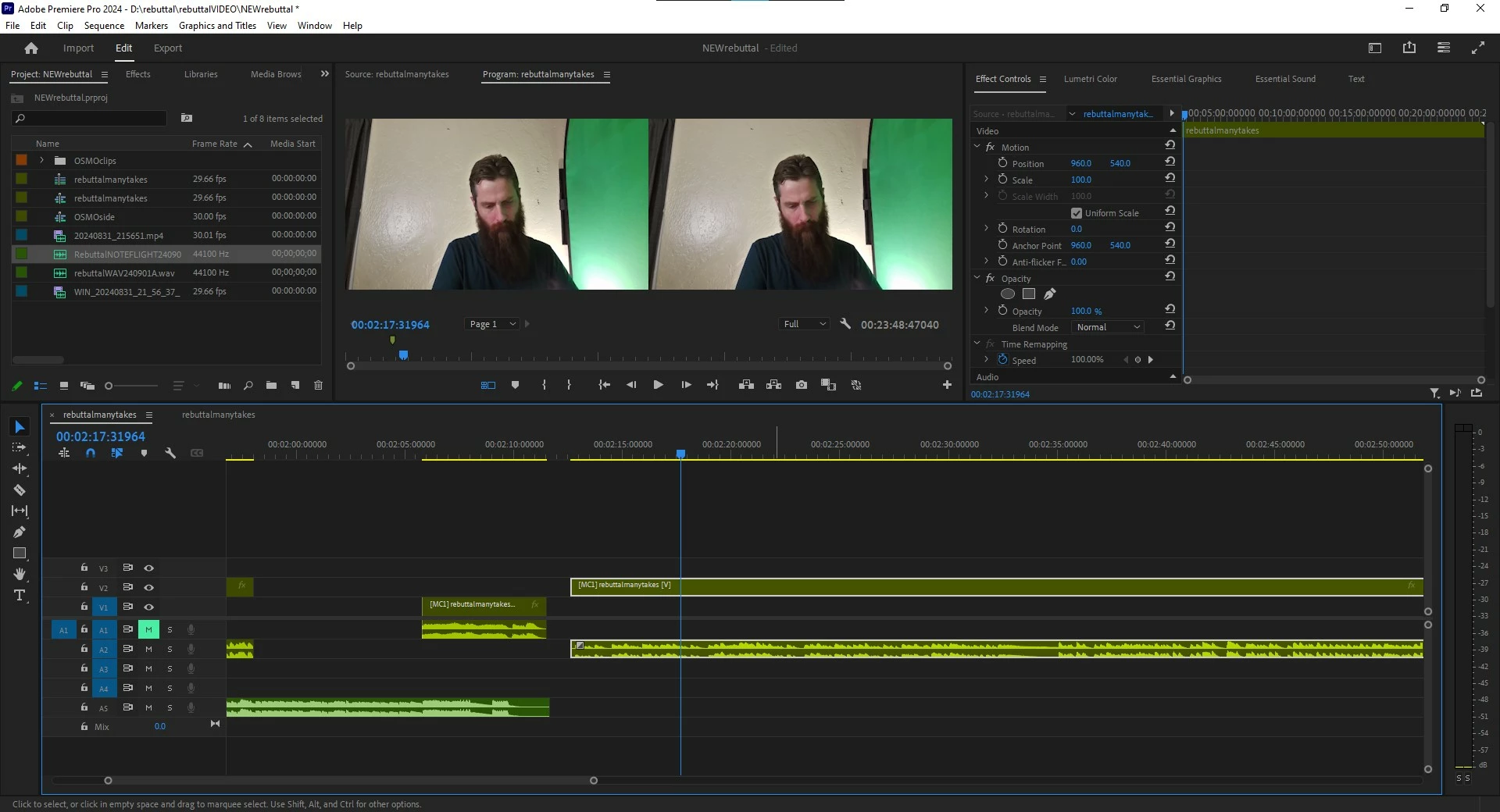
Did I miss something? In all the years of working with multicam before, I can't remember it ever mattering which track I placed the multicam on. For the purposes of this project, I need to place pieces of that one multicam sequence on various tracks. I need to use the program monitor to switch cameras no matter which track it's on. I've never run into this before. Please advise how to do this, or what setting to change, or if this is expected/unexpected behavior.
Please and thanks!


 AdChoices