
Participant
May 6, 2018
Answered

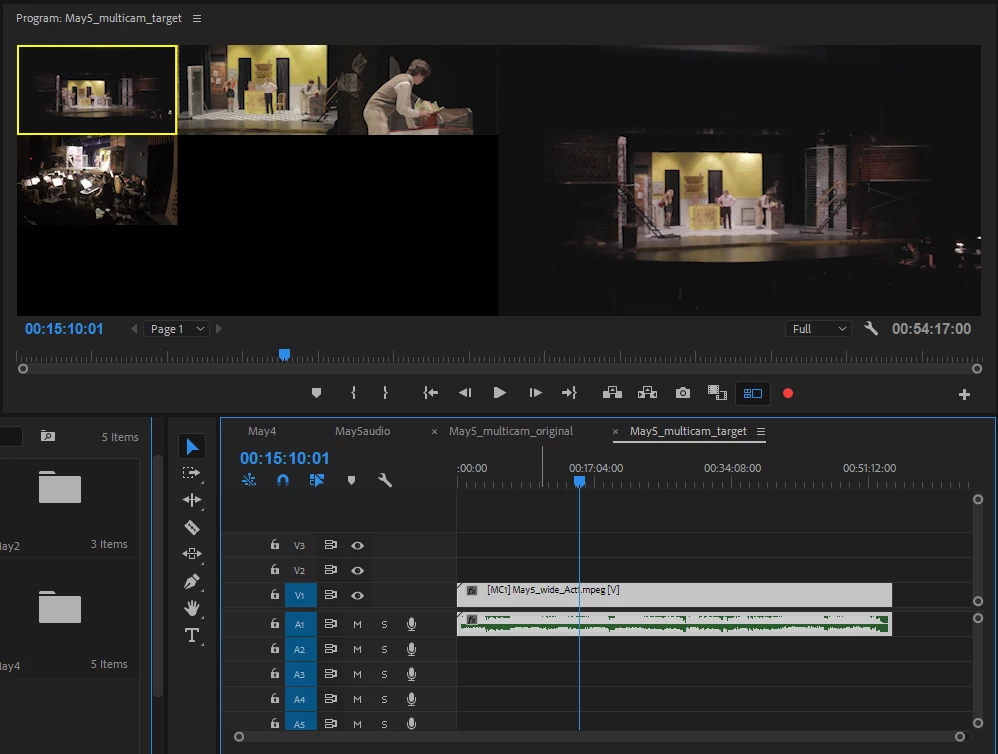
Multicam view shows too many black boxes

  • May 6, 2018
  • 1 reply
  • 790 views

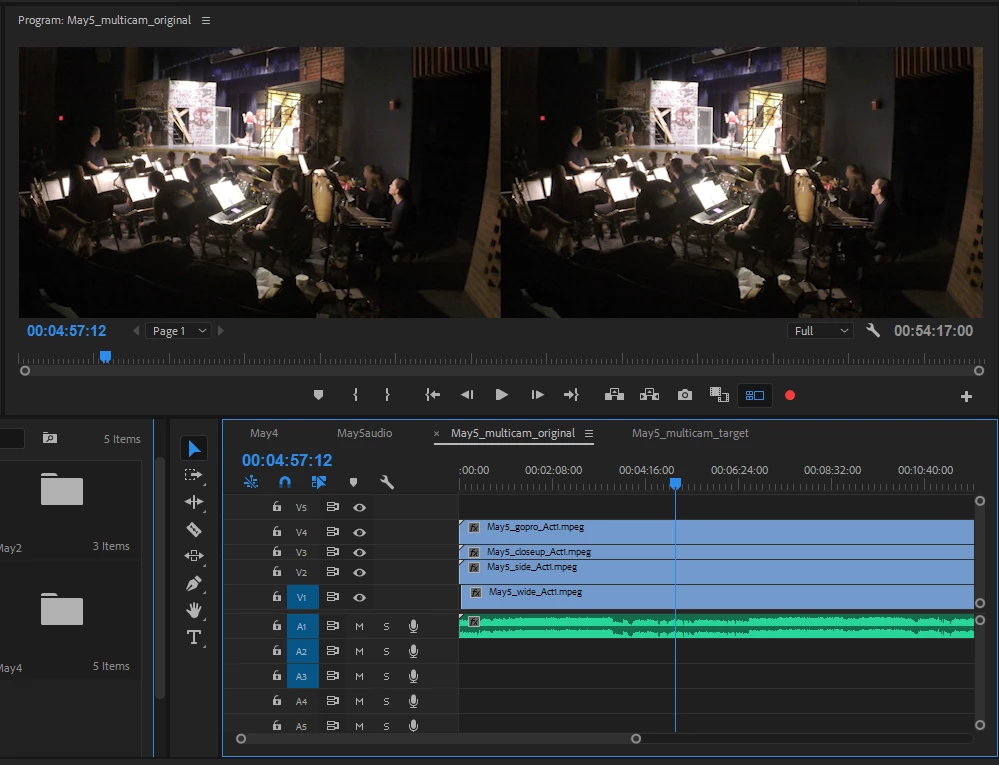
I'm currently working on a 4 camera project that I manually set up as a multicam sequence. However, after making a target sequence and switching to multicam view, there is a bunch of extra space. I can click on the imaginary "fifth camera" even though there are only 4 video tracks. The goal would be a simple 2x2 grid of the 4 cameras with no extra black space. Any help would be appreciated!
    This topic has been closed for replies.
    Correct answer charliehall2

    So, I found a solution myself and thought I'd add it here in case someone in the future needed it. The problem was I was creating the target sequence with the audio track. The solution I found was to abandon all previous sequences, make a new one, and not use the audio. Then, when I made a target sequence, the cameras showed up exactly how I wanted. I hope that makes sense.

    1 reply

    charliehall2AuthorCorrect answer
    Participant
    May 7, 2018

    So, I found a solution myself and thought I'd add it here in case someone in the future needed it. The problem was I was creating the target sequence with the audio track. The solution I found was to abandon all previous sequences, make a new one, and not use the audio. Then, when I made a target sequence, the cameras showed up exactly how I wanted. I hope that makes sense.