Participant
November 12, 2024
Answered

Multicam Waveform Missing : Dependent on track mute

  • November 12, 2024
  • 2 replies
  • 437 views

There have been many threads on this topic, but I have not seem my exact situation written about.


I am working on a large Premiere Production with 50+ days of multicam (MC) shoots. We are syncing the footage using multicam clips. Sometimes we will have two separate sound recorders so track1 & track2 of the source MC sequence will have separate audio files that we to be able to edit with. 


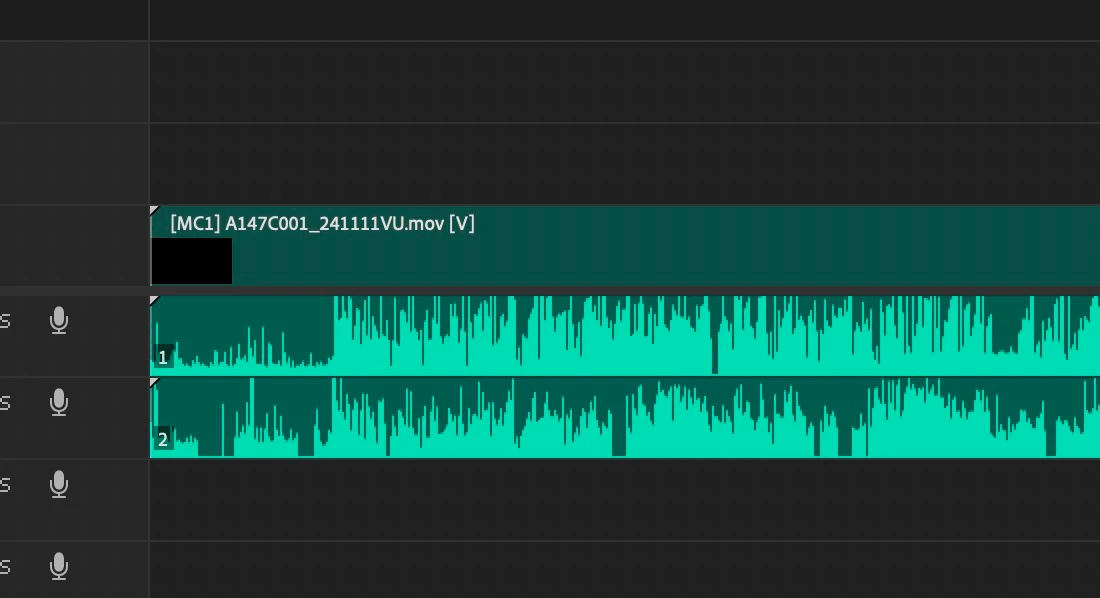
I find that often when the multicam clip is created and inserted in the timeline the waveforms are missing. By entering the MC source sequence and muting all the tracks except for audio track1 the waveform will appear instantly. (But of course then one of the nessecary tracks is muted). 


I have tried "Render Audio", "Generate Waveforms" toggling between multicam view and composite video in the program monitor, "Modify > Audio Channels", and adjusting the number of mix channels in the MC Source multi-channel sequence . All to no avail. 


To make matters more confusing, at times I am able to get the correct behavior where the waveforms appear as two distinct mono tracks for the multicam clip. This however, seem unpredictable to me.  Anyone else experiencing this confusing behavior? 


Thank you for your assistance.


See exmaple behavior in screenshots below:


fig1. MC Source Sequence with active audio un-muted 
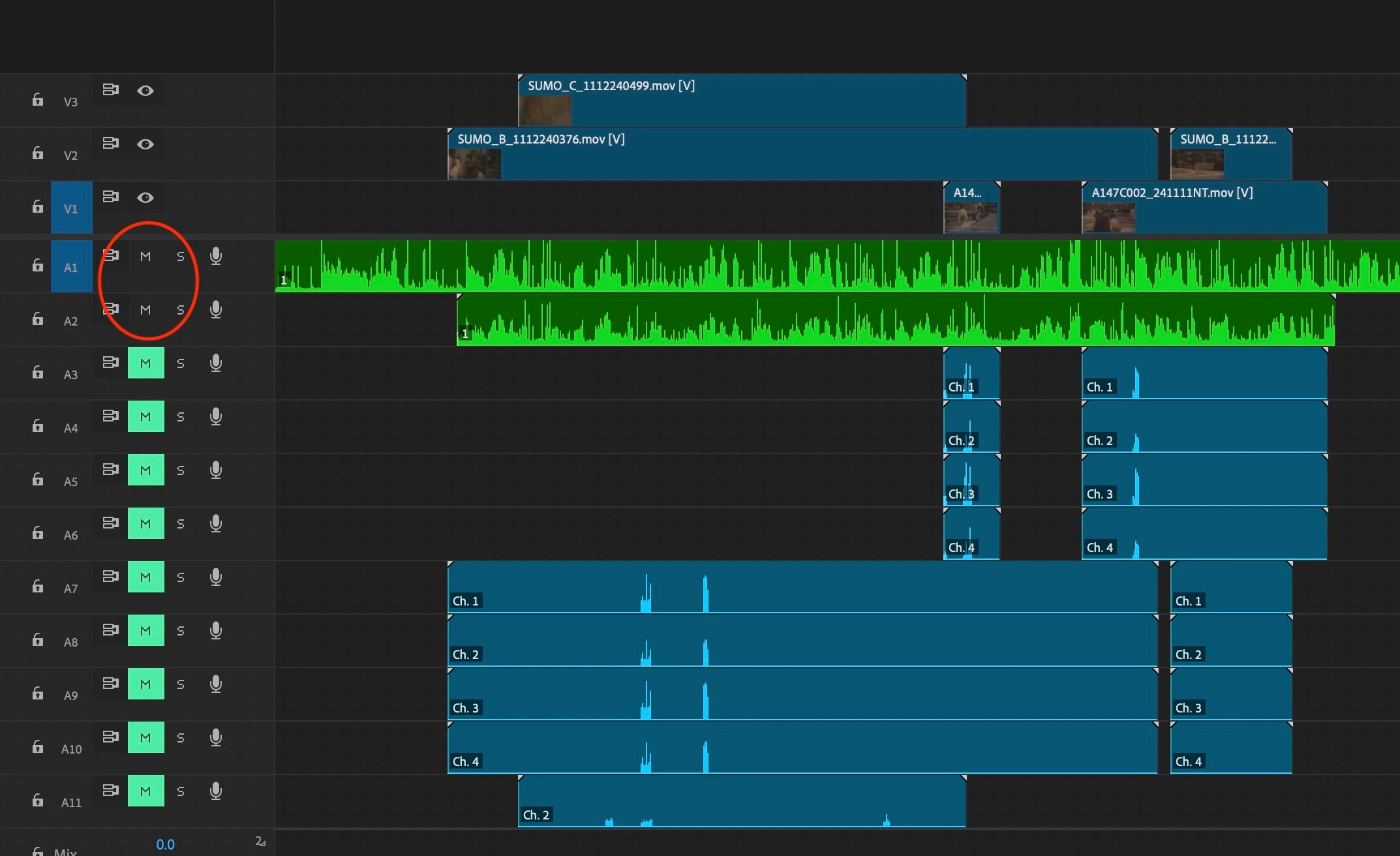
fig2 . Result with nested MC clip:
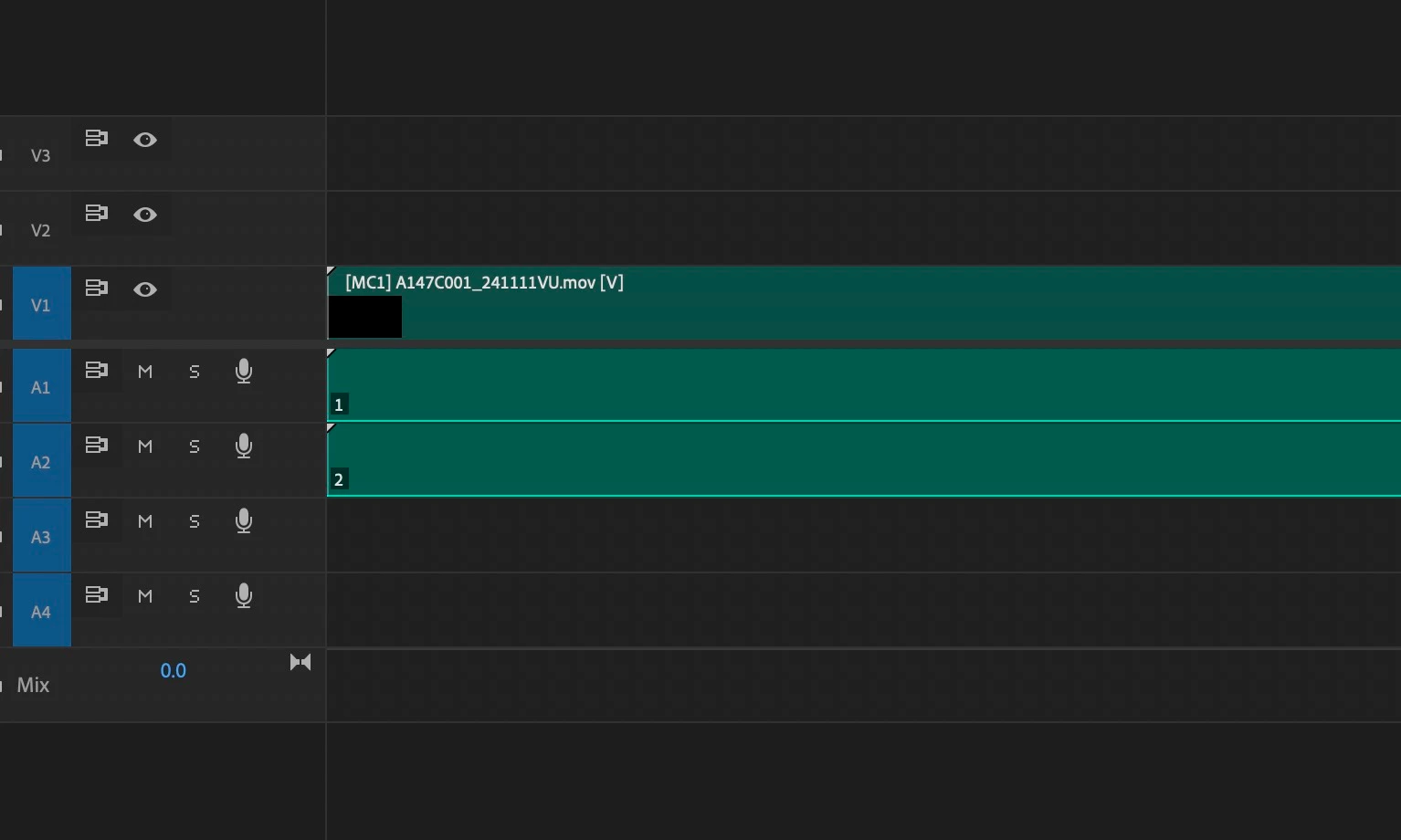


fig3. Once track 2 is muted in MC source sequence:
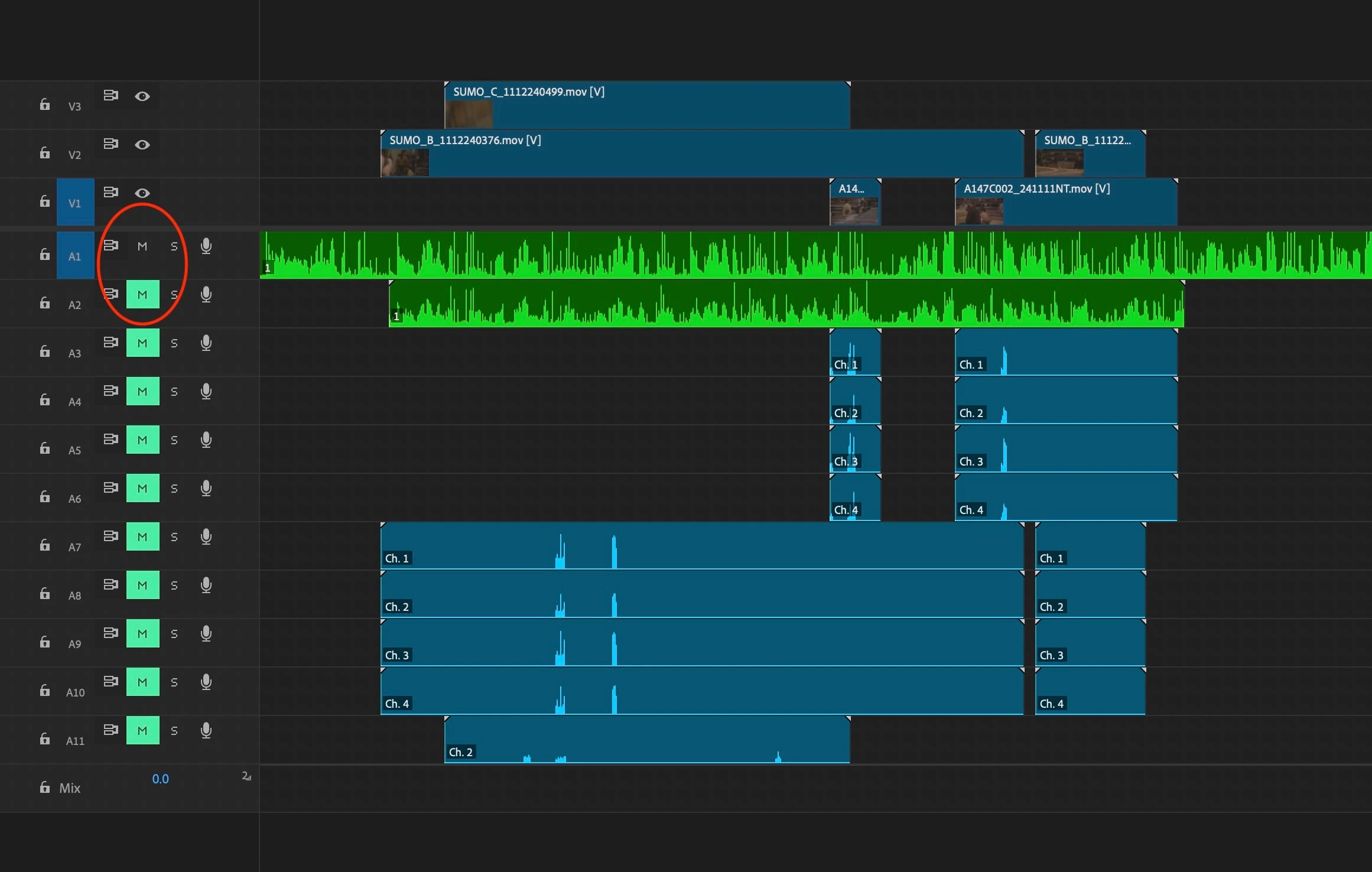
fig4. Audio waveforms instantly appear in nested MC clip. But now we can't hear track2 audio
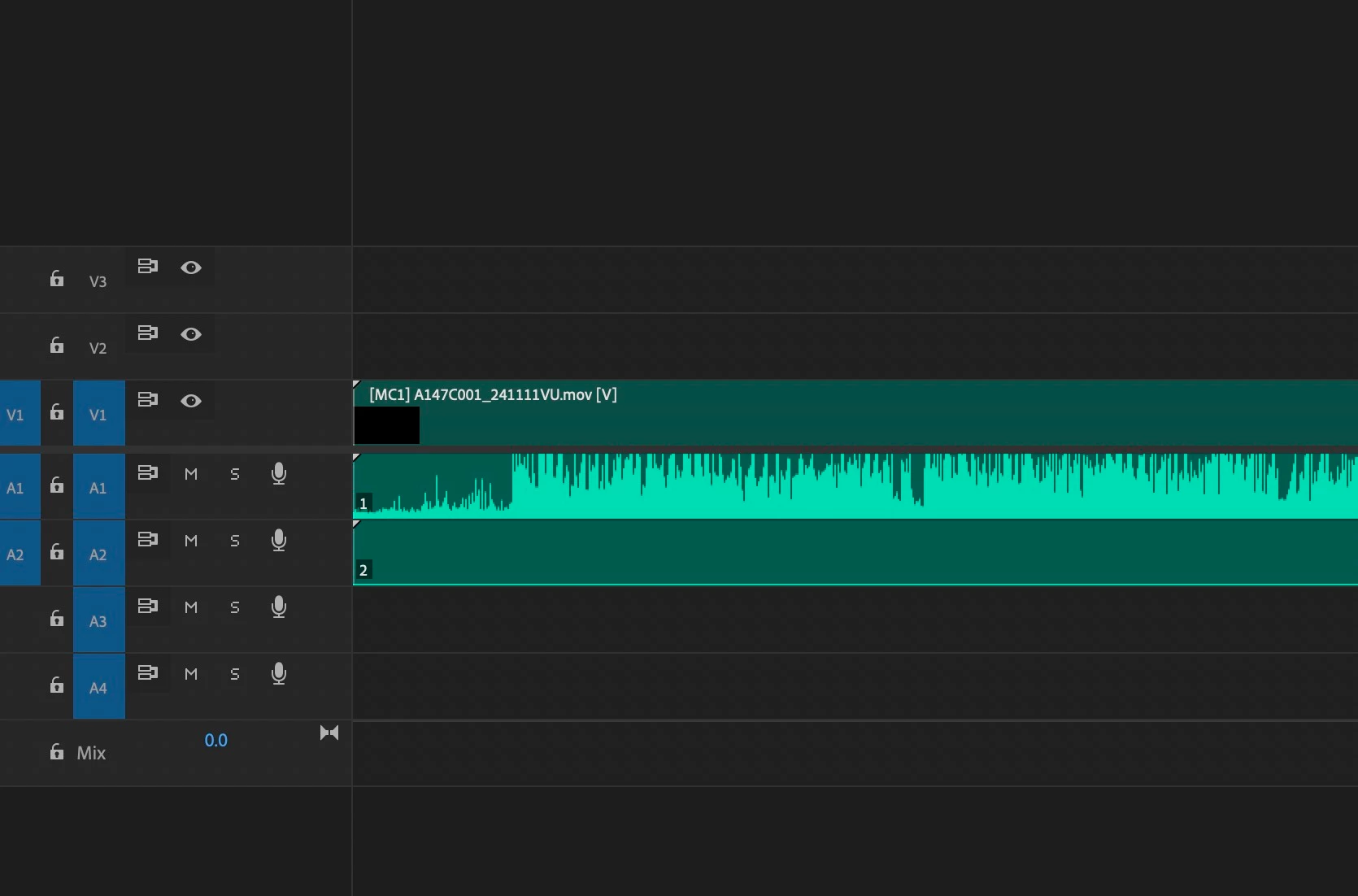
 

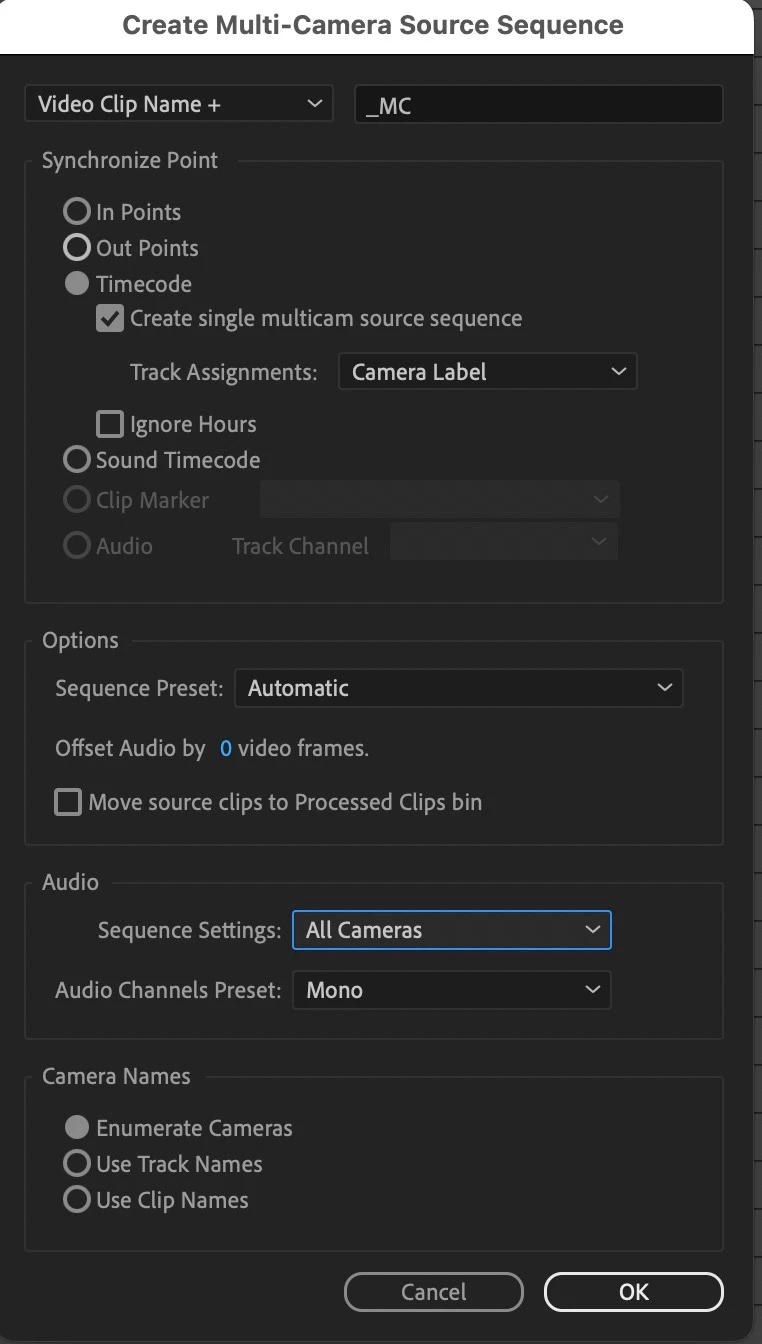
fig 5. These were the settings when creating the MC clips:
 

System Details:
adobe premiere 24.4.1 (Build 2)

Using a Premiere Production

Mac OS Sonoma 14.5

Mac Studio M2 Max

64 GB Ram


All audio files are mono .wav files

Footage is Quicktime Prores Proxy
 

Correct answer dg15241885

After weeks of confusion, I think I just found my own answer minyutes after posting.


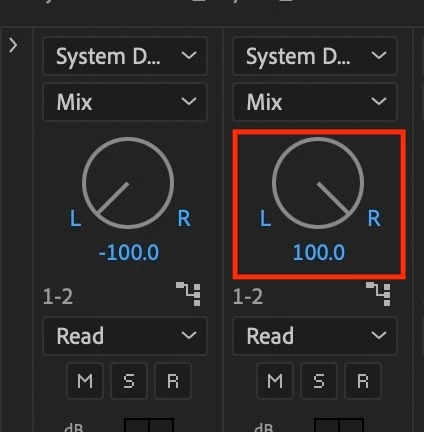
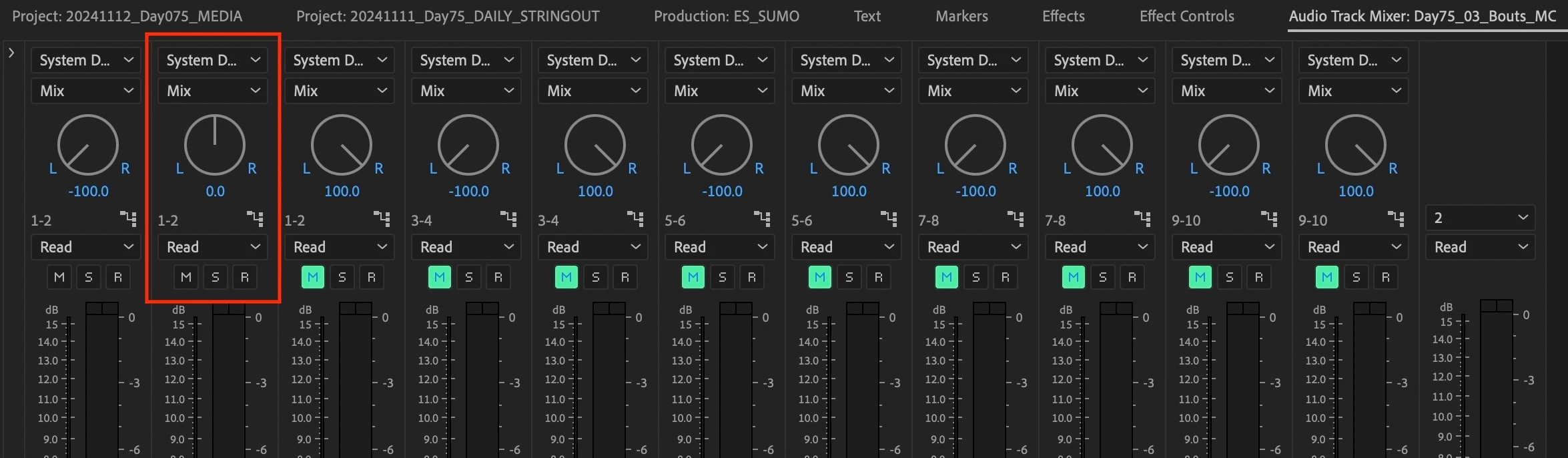
In the track mixer panel for the Multicamera source sequence the pan knob for channel two was centered. When I turned it all the way to the right, the waveforms appeared in the nested clip. I guess the pan was bleading between chan1 & 2 and so Premiere had difficulty drawing the waveform as it would be attenuated.


I still have no idea why the pan knob on track 2 would be centered where all the others were panned L & R (see fig6). I saw this error across multiple days of footage, so im disinccliend to believe that I mistakenly turned the knob. Maybe could be a bug?


See example pictures below:


fig6. track mixer before. 

fig 7. track mixer after


fig 8. nested MC clip now demonstrating correct behavior.

2 replies

dg15241885AuthorCorrect answer
Participant
November 12, 2024

After weeks of confusion, I think I just found my own answer minyutes after posting.


In the track mixer panel for the Multicamera source sequence the pan knob for channel two was centered. When I turned it all the way to the right, the waveforms appeared in the nested clip. I guess the pan was bleading between chan1 & 2 and so Premiere had difficulty drawing the waveform as it would be attenuated.


I still have no idea why the pan knob on track 2 would be centered where all the others were panned L & R (see fig6). I saw this error across multiple days of footage, so im disinccliend to believe that I mistakenly turned the knob. Maybe could be a bug?


See example pictures below:


fig6. track mixer before. 

fig 7. track mixer after


fig 8. nested MC clip now demonstrating correct behavior.

MyerPj
Community Expert
Community Expert
November 12, 2024

I'm interested in this. I'll give that a try later, but I have seen some inconsistencies.

R Neil Haugen
Legend
November 12, 2024

Just for potentially adding useful data (don't know what is needed when first starting troubleshooting of course) ... what are your Audio preferences set to ... use file, stereo, mono, what? Just trying to get as much data on this posted as possible.

Everyone's mileage always varies ...
Participant
November 12, 2024

Thanks Neil! 

My audio preferences are attached to this reply. Yes, "Generate waveforms on import" is unchecked. I tried toggling this, and had no effect on this problem


@R Neil Haugen wrote: use file, stereo, mono, what?

I'm a bit confused by this question. The external audio files I am using are all 48000 Hz 32-Bit Float Mono