



PosadaPhotography
Inspiring
November 22, 2021
Answered

Multicameras not showing when toggled

  • November 22, 2021
  • 1 reply
  • 1135 views

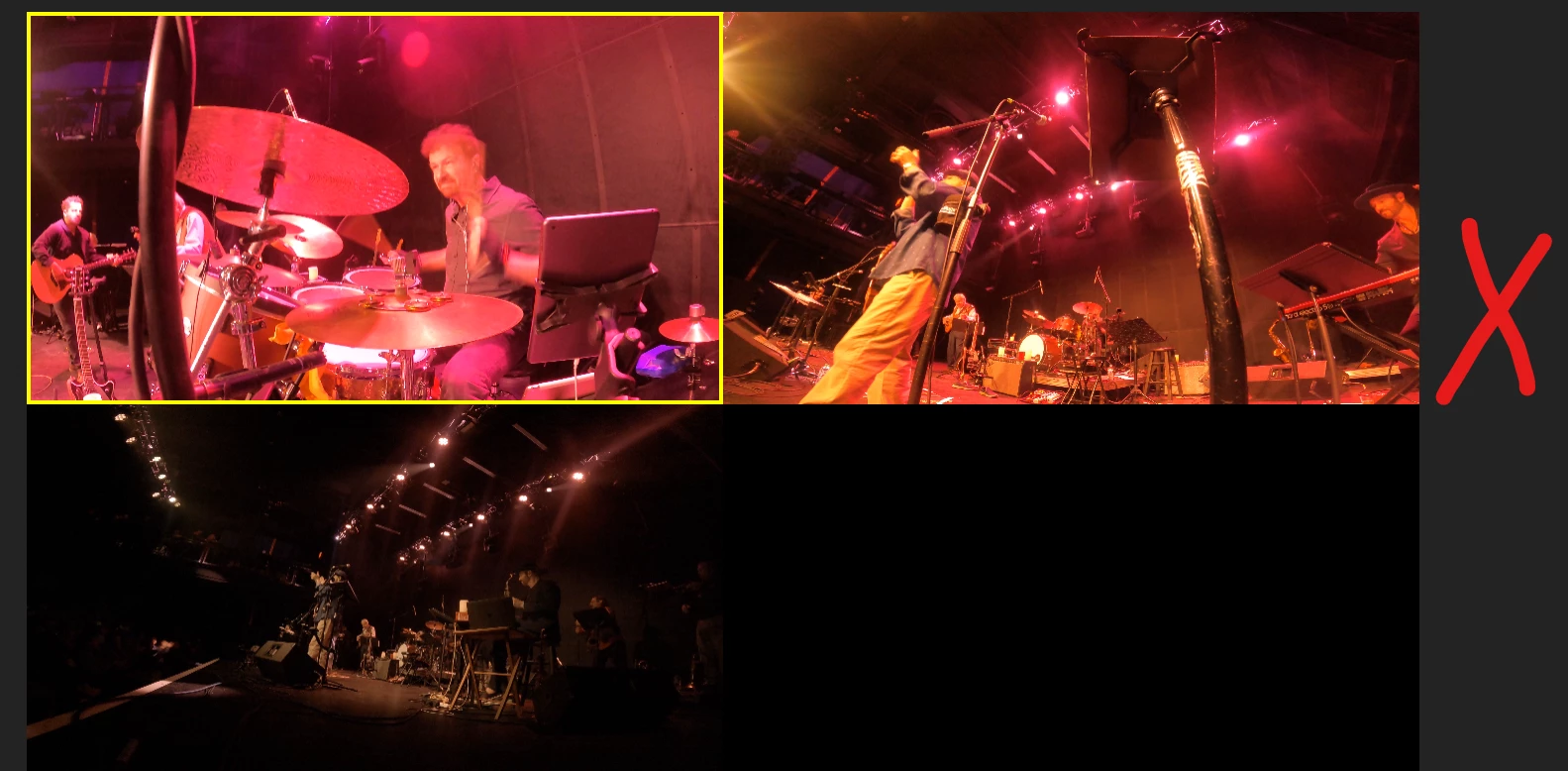
Good evening. I've created a 3 camera multicam and when I intialy created it, all was fine...three camera views on the left and the cut sequence on the right. 

However, and I don't know what I did, suddenly I still have the three camera views, and as they play, the red box moves from view to view, but I lost the sequence that should be on the right showing the sequence from cut to cut.

See from the attached, where the X is should be the sequence, but all I have is the multicams. How do I get it back?

 

Correct answer gerikp

If I display Source and Program, I see the Multicams in the Source and the cut sequence in the Program, but they are independant, I click Play in the source and I go from cam to cam, but no connection to program. If I click Play in the program window, I get the cut sequence, but no changes in the Source. They act independant from each other.


Have you tried reseting your prefences?

1 reply

gerikp
Community Expert
Community Expert
November 22, 2021

Try resetting your Workspace... Window > Workspaces > Reset to Saved Layout.


I can't tell from your screen shot but it almost looks like you are looking at your Source monitor and not your Program Monitor or something like that.

PosadaPhotography
Inspiring
November 22, 2021

Thanks...when I reset display, in the program monitor, I then see the cut sequence and not the multicams.


PosadaPhotography
Inspiring
November 22, 2021

If I display Source and Program, I see the Multicams in the Source and the cut sequence in the Program, but they are independant, I click Play in the source and I go from cam to cam, but no connection to program. If I click Play in the program window, I get the cut sequence, but no changes in the Source. They act independant from each other.