
Participant
January 17, 2025
Answered

multichannel audio transfers from source to sequence, but only one channel plays

  • January 17, 2025
  • 1 reply
  • 319 views

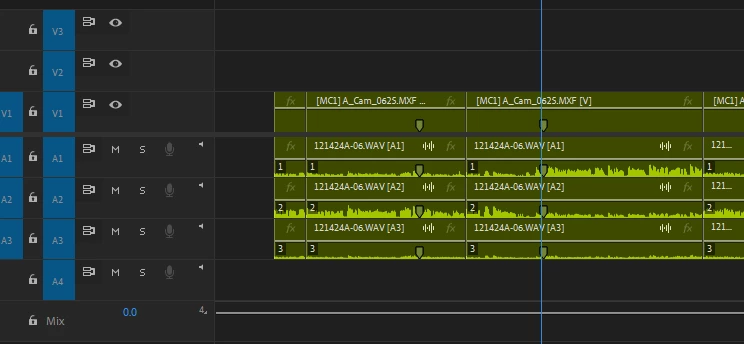
When I play my clip down in the source monitor, I get clear audio on all 3 lavs.  When I cut the audio onto the sequence, only channel one plays despite there clearly being soundwaves on all 3 clips (doesn't play in isolation either).  Sequence settings are same for multicam clip and sequence.  Any other suggestions? 
 

Correct answer Averdahl

You have the Mix set to Multichannel, do you have a sound card that can playback each separate channel that the sequence outputs? Do you attemt to export to Multichannel? If no, use a sequence with the Mix track set to Stereo.

1 reply

Averdahl
Community Expert
AverdahlCommunity ExpertCorrect answer
Community Expert
January 17, 2025

You have the Mix set to Multichannel, do you have a sound card that can playback each separate channel that the sequence outputs? Do you attemt to export to Multichannel? If no, use a sequence with the Mix track set to Stereo.

RonLimaAuthor
Participant
January 17, 2025

thanks for the reply.  Yes, seq mix defaults to multichannel, if I open the original multicam sequence on which clip was synced, I can hear all 3 tracks as intended.  My workaround has been to just dup original sequence, delete all the content on it and copy and paste troublesome sequence onto it and now I can hear all 3 tracks.  I'm brand new from Avid so still not getting seq settings and all that now, but your Mix track set to Stereo suggestion seems like the winner. Thanks!

Averdahl
Community Expert
Community Expert
January 17, 2025

You´re welcome! 🙂