Participant
May 5, 2019
Question

multiple screen premiere pro cc - setup playback error

  • May 5, 2019
  • 3 replies
  • 857 views

Hello,

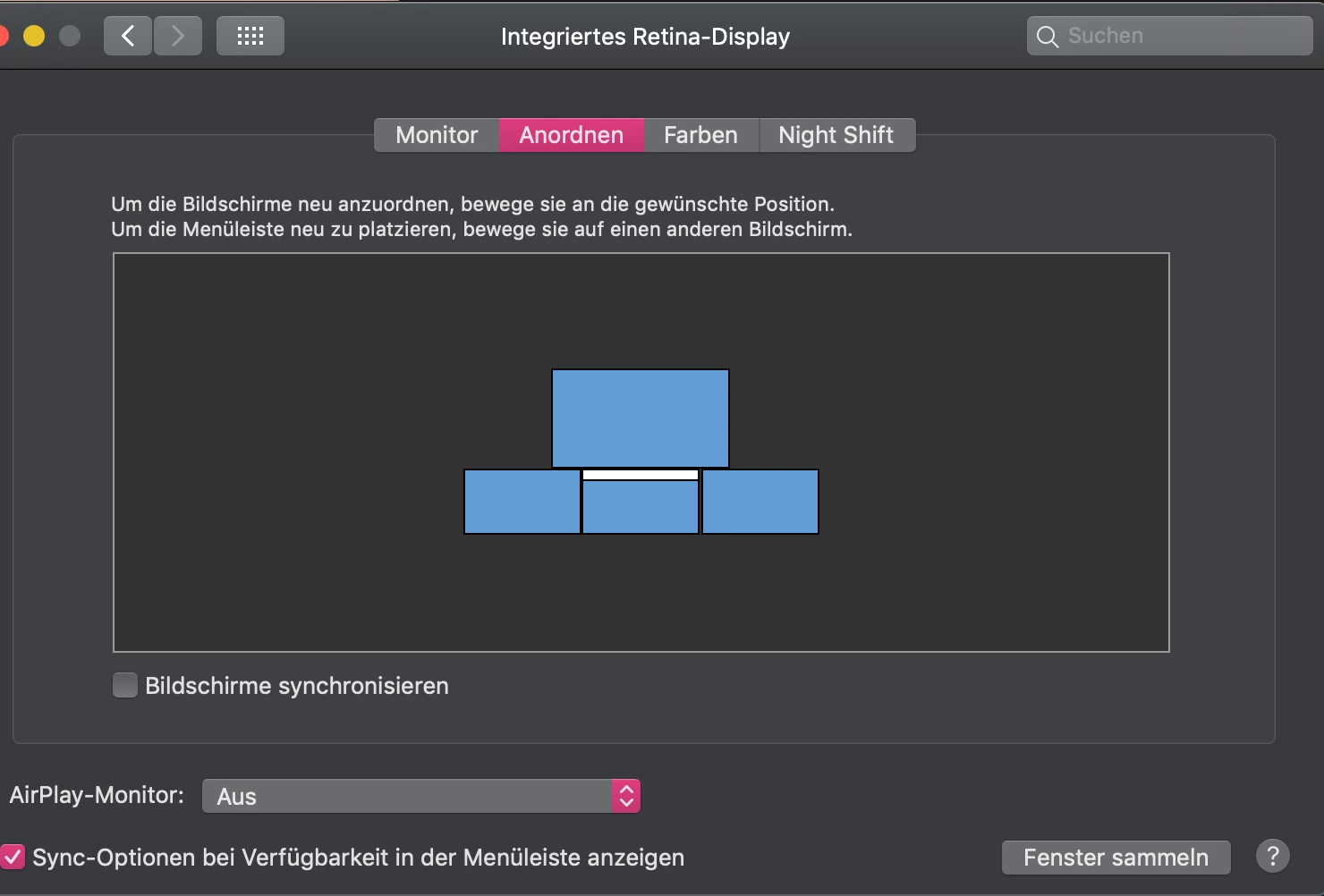
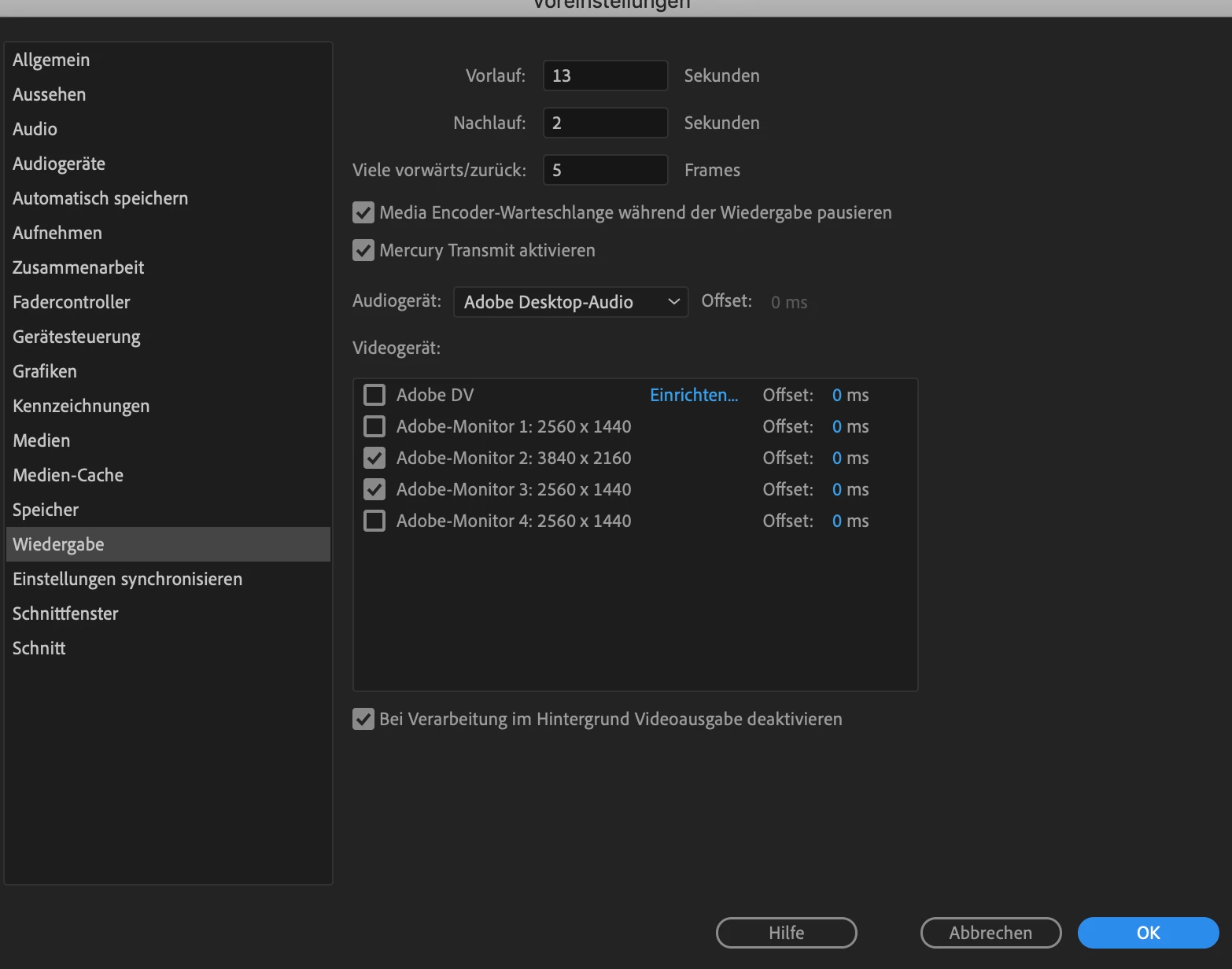
i´m using multiple screens an with one on the top i want to playback the whole picture. if i try to set this up over seetings > playback > pick my screen 3840 x 2160 pixels - premiere pro doesn´t take this setting. it always comes up with monitor 3 ....

This topic has been closed for replies.

3 replies

Legend
May 6, 2019

I recommend the following for the full screen monitor. Don't go through the GPU.

DeckLink | Blackmagic Design

AJA Desktop I/O Tools: Work with the Products You Use Everyday

R Neil Haugen
Legend
May 5, 2019

There's a current bug where this can happen. It's been acknowledged and a fix will be released at some point.

Neil

Everyone's mileage always varies ...
imagetypeAuthor
Participant
May 5, 2019

thanks Neil. Do you know more about this bug or a  Dokumentation? is there a workaround?

R Neil Haugen
Legend
May 5, 2019

Mine wouldn't "take" my BenQ UHD monitor ... at first. It would automatically select my 1920x1080 that I used to use for "confidence" transmit monitor.

Then ... it would send to the BenQ if it also was sent to the 1920x1080. Then one fine day, it decided it could actually go to the UHD and that only.

However ... in AfterEffects ... it will only do transmit by sending to both the UHD and 1920x1080.

So ... if you keep messing with it, some time it might stick.

And they don't release a formal "documentation" on most bugs, and, like most ... they acknowledged my bug filing, said they'd replicated, and hoped to have a fix in a release "soon". (Soon is always un-defined.)

Neil

Everyone's mileage always varies ...
kglad
Community Expert
Community Expert
May 5, 2019