
Participant
February 28, 2022
Question

My Audio and Video are not syncing - driving me NUTS!

  • February 28, 2022
  • 2 replies
  • 306 views

Hi Everyone, I am really hoping someone can help me with this. This is what I am currently using: 

- Samsung S21 to record my video and audio

- Using BandiCam or OSB to do the screen capture of the game


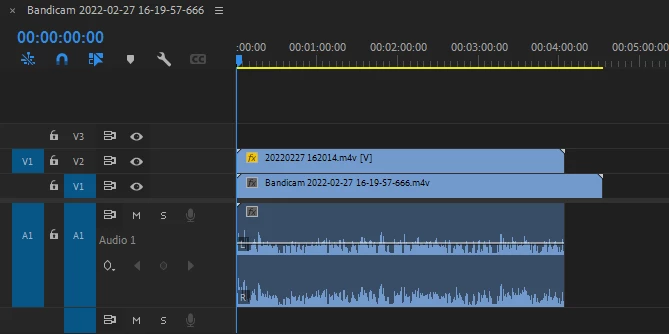
When I import my video and screen captured video you can see that the video and audio are not synced. I have tried putting both videos through Handbrake and ensure that I have constant frame rate selected and both at 30 frames. Still the same result. In premiere I tried synchornizing my files but it only gives me the option to sync by the start or end of the clip. The option to sync by audio is grayed out.  Has anyone experienced this? How can it be fixed? I have spent hours and hours trying to find a solution. I am new to editing so whatever other screenshots I can provide - let me know. Thanks all for helping out this Noob!
 

This topic has been closed for replies.

2 replies

Community Expert
February 28, 2022

You can sync manually. If you can determine visually when a sound is made. You can click on the video clip and type M to set a marker. Then click on the audio clip and type M to set a marker. Then line the markers up. If this works out you can select the clips and nest them to keep them tidy.

Ann Bens
Community Expert
Community Expert
February 28, 2022

Syncing clips is done on the audio not video as you are trying to do.

You will have to sync manually.

neil wilkes
Legend
March 1, 2022

Agree totally with what Ann says - her advice is always relevant too.

One thing I would definitely add is to change your audio display away from the default Rectified format - I have never understood why this is the default setting as it makes little to zero sense.


Another thing you will find that helps immeasurably when syncing audio is to go into the sequence settings & switch the display format away from video and frames to audio samples - this gives you accuracy to 1/48,000th of a second instead of the usual 1/30th of  a second if using frames