Dave--2001
Participating Frequently
October 9, 2021
Question

My Lumetri preview window is missing

  • October 9, 2021
  • 2 replies
  • 1369 views
 

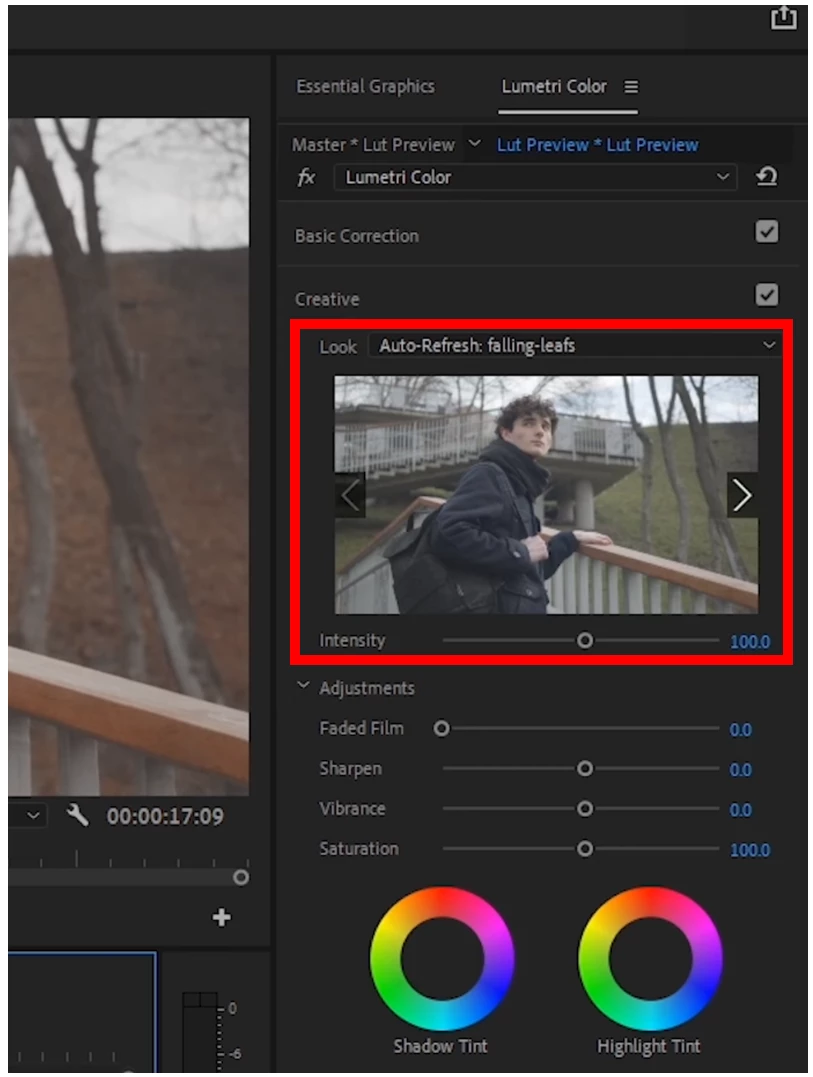
I apologize in advance since this is probably a newbie question, but I see videos of people working with Lumetri, and there’s a Look preview window.  I’m on Premiere Pro 15.4.1 and I don’t see it.  Is there a setting that turns it on? 


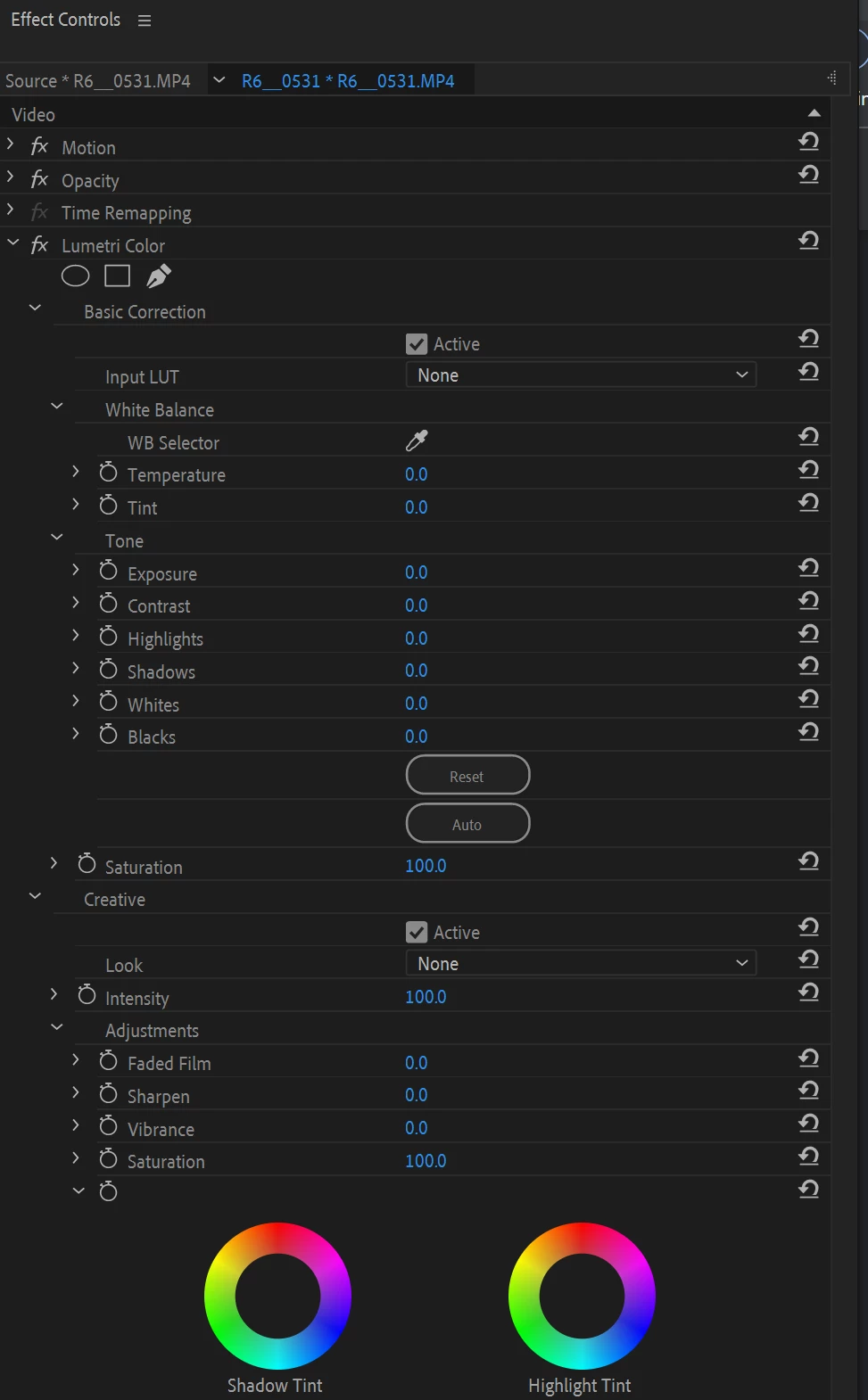
My Effect Controls:
 

Thanks in advance for your help! 

Dave  


This topic has been closed for replies.

2 replies

Participating Frequently
October 10, 2021
How do I get my preview screen back in Premiere?
 
Hold down the control key and then press the (`) key at the same time. Also called the grave accent key, often found with the 'tilde' key: ~ in the upper left hand corner of your keyboard. Now you have a completely full screen display of your video. Hit (control `) to return to normal viewing mode. May be this is helpful for you. If you want complete details check this https://community.adobe.com/t5/after-effects-discussions/lumetri-color-panel-option-missing-in-the-window-drop-down-menu-bar/td-p/11178296-results
Ann Bens
Community Expert
Community Expert
October 9, 2021

There is no preview window in the Effect Controls only in the Lumetri panel.

So what you are seeing is correct.

Go to Window and scroll down to Lumetri Color and check that.

Dave--2001
Participating Frequently
October 9, 2021

Thanks, Ann. 


So what is that little "preview window" I outlined in red in my first post? It was captured from one of the many instructional videos I've been watching about using LUTs. 


I appreciate our help. 

Ann Bens
Community Expert
Community Expert
October 9, 2021

Open the Lumetri panel and select Creative.