Participant
July 2, 2021
質問

My premiere pro keep crashing when exporting

  • July 2, 2021
  • 返信数 2.
  • 594 ビュー

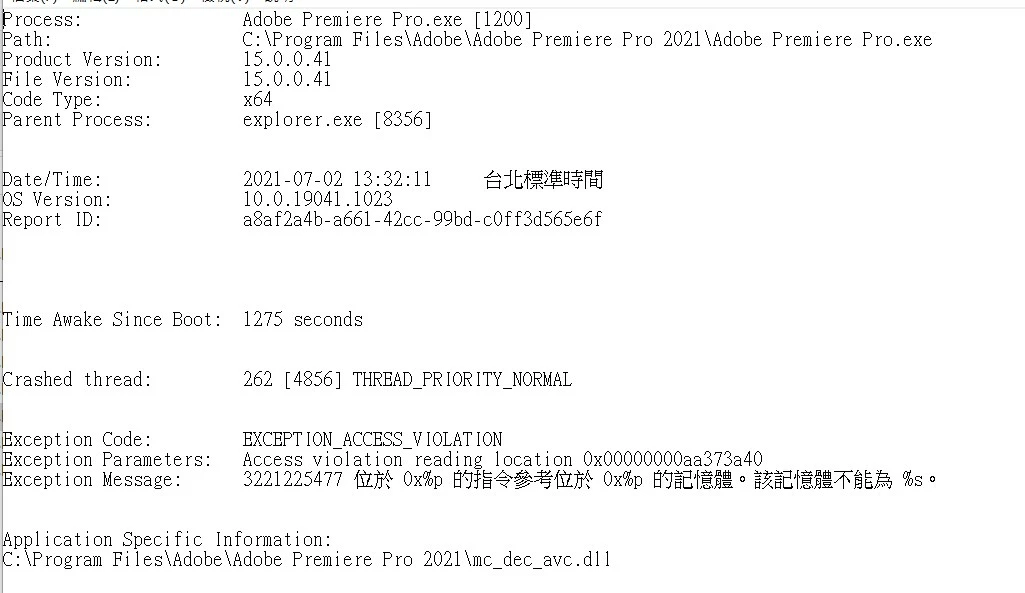
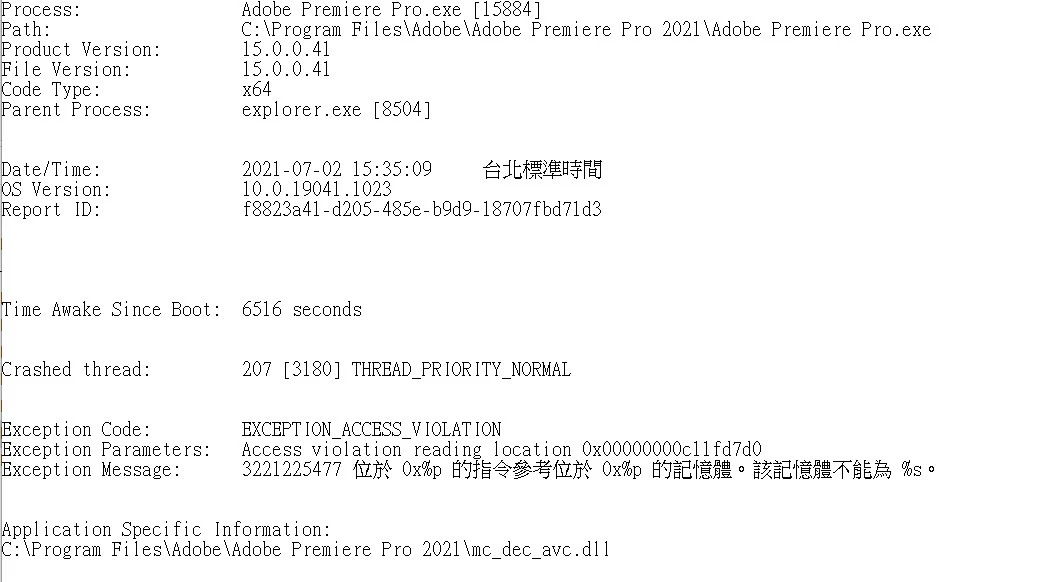
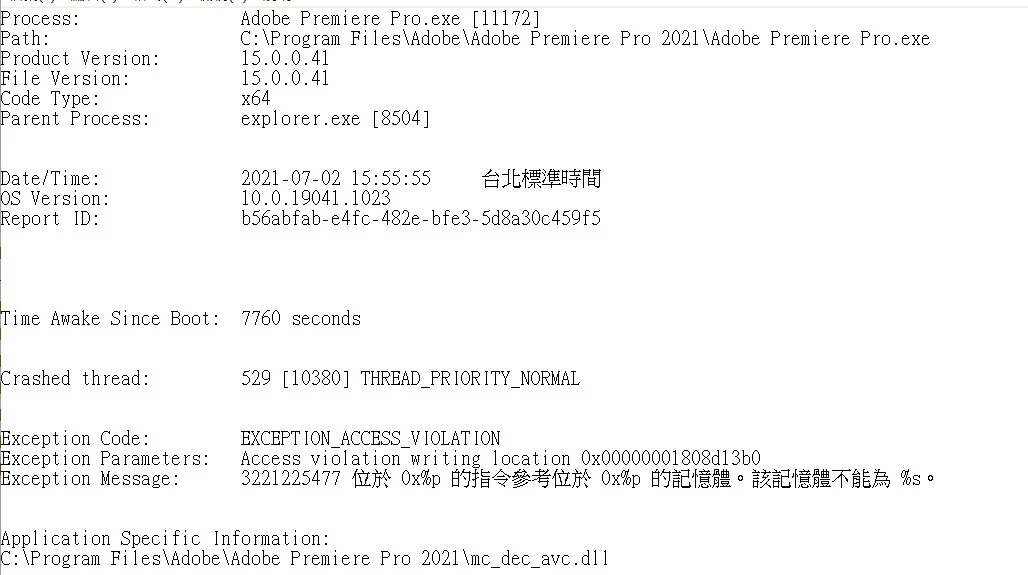
My Premiere keep crashing when exporting the video. These problems happens around these two months and gettting worse and worse in these two weeks. I have checked the crash log and it is caused by the same problem,

But my Premiere just worked fine for two years. I didn't change anything in my computer. I have almost done everything I can do and it just not working. 


My PC spec

Windows 10 2004 19041.1052

AMD R9-3900X

ROG STRIX X570-E GAMING

NVIDIA 1060 6GB (Old one) / 1650 4GB (New one)    using a 461.92 STUDIO driver

G.skill F4-3600C16D-32GTZNC  16GBX2 (Old one) / Crucial Ballistix 16GB DDR4-3200 x2 (New one)

Premiere Pro 2021 15.0


What I have done:

Changing a brand new GPU

Changing a brand new memory

use DDU to delete my Gpu driver and install a new driver  

create a new project and import the old one

using a new SSD and install Windows 10 21H1 

All of above is not working


One thing I can confirmed is that I use the same project on my notebook and export the video and it worked just fine. 

Here is the screenshots, and there is more below
このトピックへの返信は締め切られました。

返信数 2

Legend
July 5, 2021

what are your source properties and sequence settings?   16 gigs is not a lot of ram, particularly if you're working with 4k material or greater. 


You might try smart rendering

https://community.adobe.com/t5/premiere-pro/faq-what-is-smart-rendering/td-p/10648488?page=1 


And by any chance are you working with material from a smartphone or screen recording?  If so, the issue may be sources with a variable frame rate.  Unfortunately vfr material can cause all sorts of intermittent and unpredictable problems so it's always a good idea to convert to a constant frame rate.  


use mediainfo to determine whether your source is variable or constant frame rate

https://mediaarea.net/en/MediaInfo/Download

if it's variable use handbrake to convert to constant frame rate

https://handbrake.fr
and here's a tutorial on how to use handbrake

https://www.youtube.com/watch?time_continue=34&v=xlvxgVREX-Y


If none of this helps, post back with the requested info and we'll dig deeper

Community Manager
July 2, 2021

Hi there,


We're sorry to hear about this. Is this happening specifically with H.264/H.265 format or is it happening with other formats as well? 


Thanks,

Sumeet

銘皓5EEA作成者
Participant
July 2, 2021

It's happening with other formats, like Quicktime Apple ProRes 422