
My TEXT is desaturated when I export my video (not my footage). Please help!
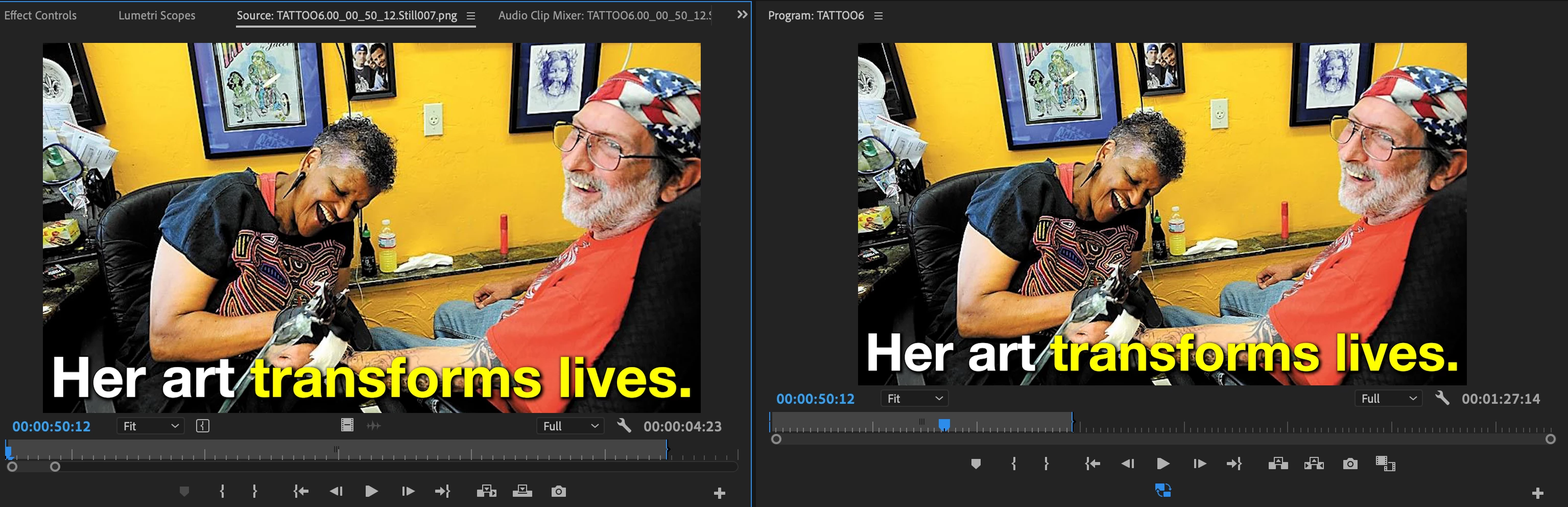
For some reason when I export this video I am making, all of my yellow text is now desaturated. The footage is not desaturated, just the text. There is a gamma correction LUT that people offer online if this happens to your footage, & I have downloaded it and applied it, but my text is still desaturated when I export. E ven when I make a freeze frame of my text in Premiere, it comes out desaturated. I have also gone to Preferences->General, and clicked the box for Display Color Management. This has had no effect that I can see. Does anyone have a solution to this problem?
[Moderator note: do NOT 'attach' images as that forces users to download strange unknown files before seeing them. Add them directly to the reply box with a simple drag/drop onto the reply box area you type into. I corrected this for you.]
 AdChoices