
Participant
April 21, 2020
Question

My Transform Tool for Motion is Gone

  • April 21, 2020
  • 2 replies
  • 657 views

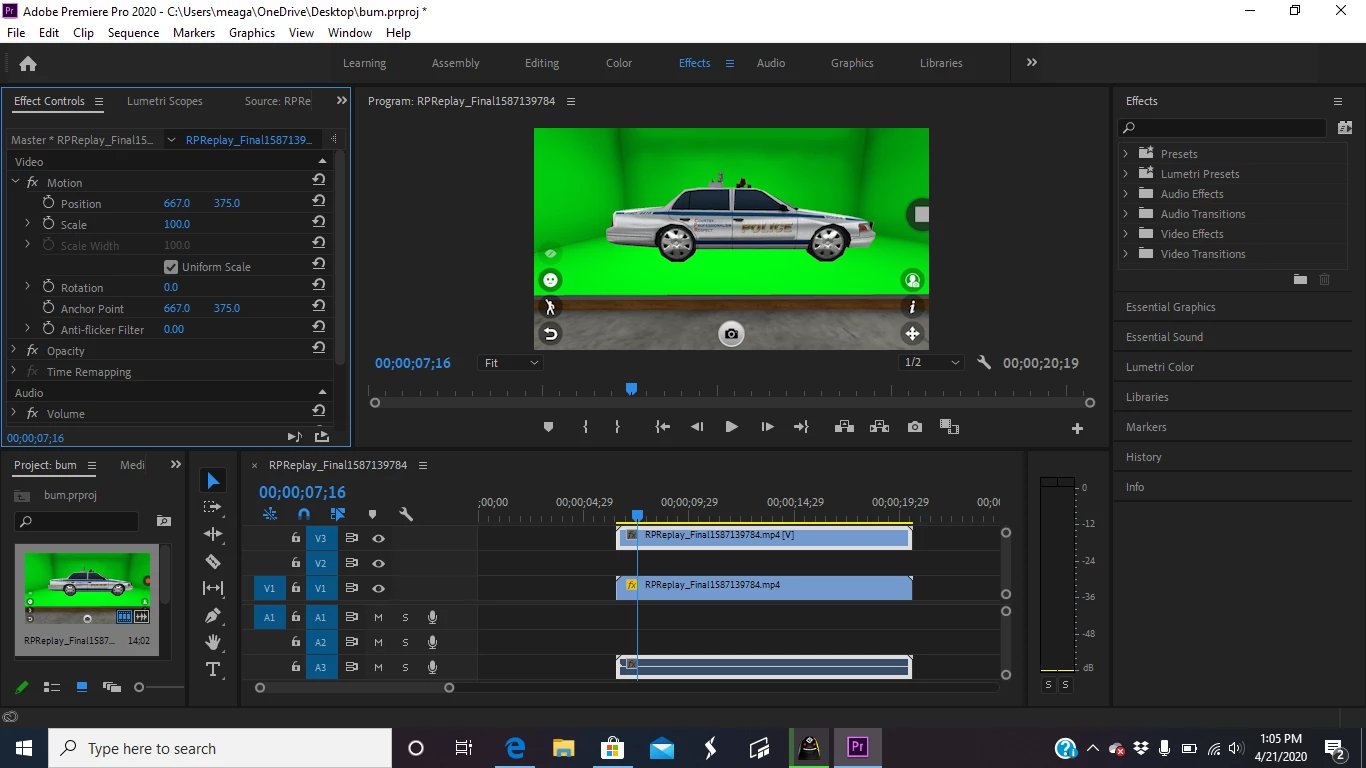
I don't know what to do. All I want to do is to move a green screen car from one side of the screen the other but I can't do it because I don't have the transform tool in motion. I'm new to Premiere Pro and I've never altered any settings so I don't know why it's gone or how to get it back. Has anyone else had this issue?
This topic has been closed for replies.

2 replies

Community Expert
April 21, 2020

Try selecting the word "motion" in your Effect Controls panel. This will allow you to go to the program monitor and drag the image where you like.

Community Expert
April 21, 2020

You can adjust the position of the clip under the Motion tab by adjusting the position parameters.

Transform is an Effect that you can find in the Effects Panel, and it gives you another set of the same type of controls as your existing motion tab (among others) like scale, position, etc.