
My Video keeps exporting overexposed but looks correct in preview
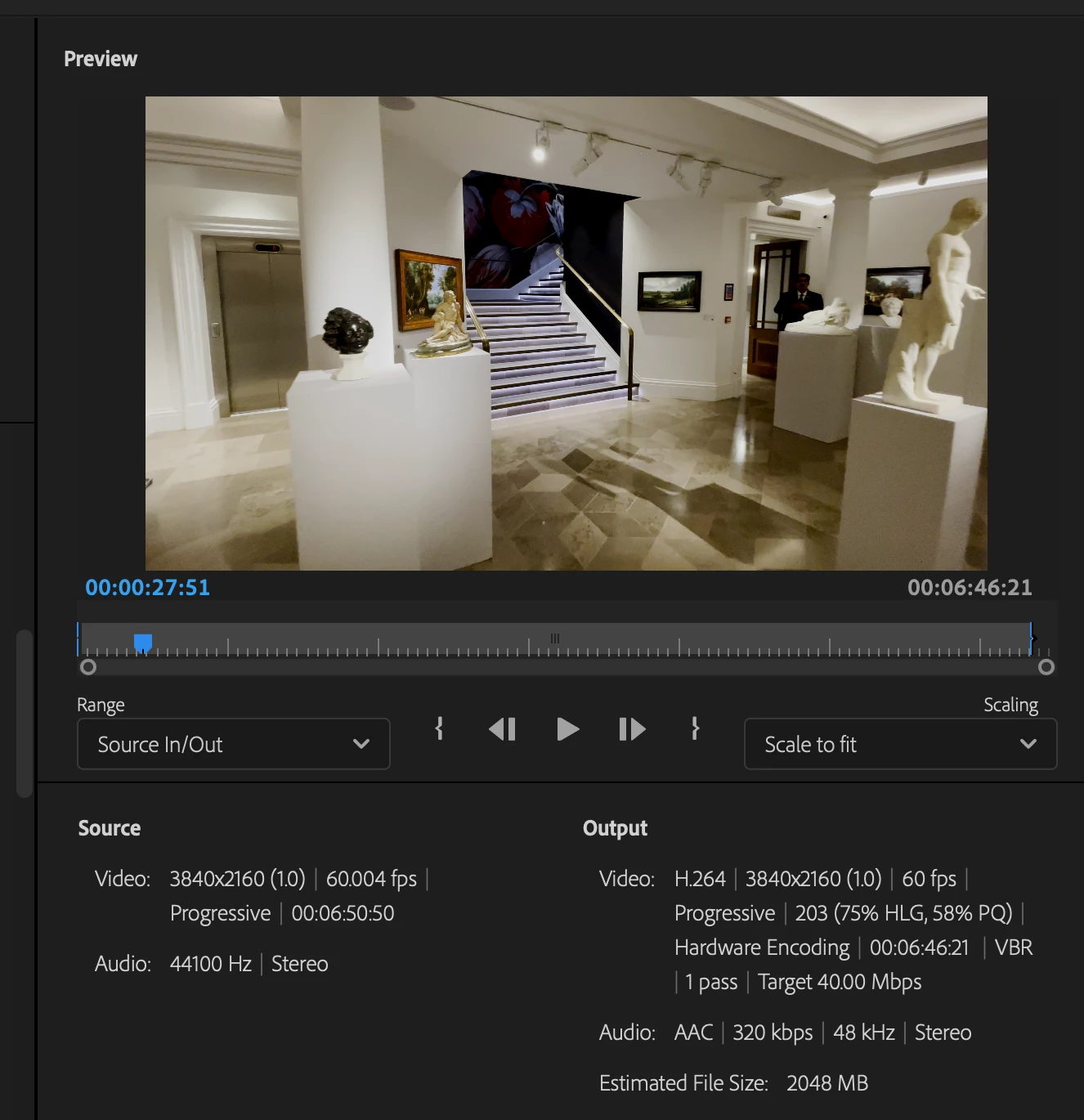
I am currently trying to export a video on my mac and every time I export the video is oveerexposed. Does anyone know what the issue could be?
I have tried underexposing and boosting contrast before exporting (in hope of balancing out what happens in the export) - didn't help
I have tried multiple different exporing presets - YouTube 2160p 4K Ultra HD, H.264 Matched to Source, Uploading the video to Creative Could produced the same results. The video was shot on an iPhone 11 in 4k 60fps.
I have also tried Hardware and Softwear encoding during the export - didn't work
I origionally reendered to maximum quality before exporting the first time, turned this off and that had no effect either.
I have changed the exposure on each clip indiividually and some of th eclips export correently but most are still extreemly overexposed. The video on the timeeline preview looks great as well as in the preview before exporting.
Please see screenshots of the issue below.
If anyone has any advice I'd love to hear it and thank you in advance 🙂

 AdChoices