Mystery cropping on assets when Essential Graphics are used with masks
I have had a problem for a few months now when I create assets with the "Essential Graphics" panel. The assets on the sequence's "stage" (?) get cropped incorrectly when a mask is used on a different asset. Below screenshot shows that the incorrect cropping isn't even consistent! Here are the assets invovled:
V2: base graphic - one stack of money on a gradient background.
V3: cropped image of just the stack of money w/o bg, to represent "2x" cash involved in this topic
V4: solid rectangle created in "Essential Graphics" to mask (via Track Matte key) the graphic in V3 as it animates down onto the base image
V5: Text and shadowbox overlayed near top of "stage"
V6: simple arrow graphic
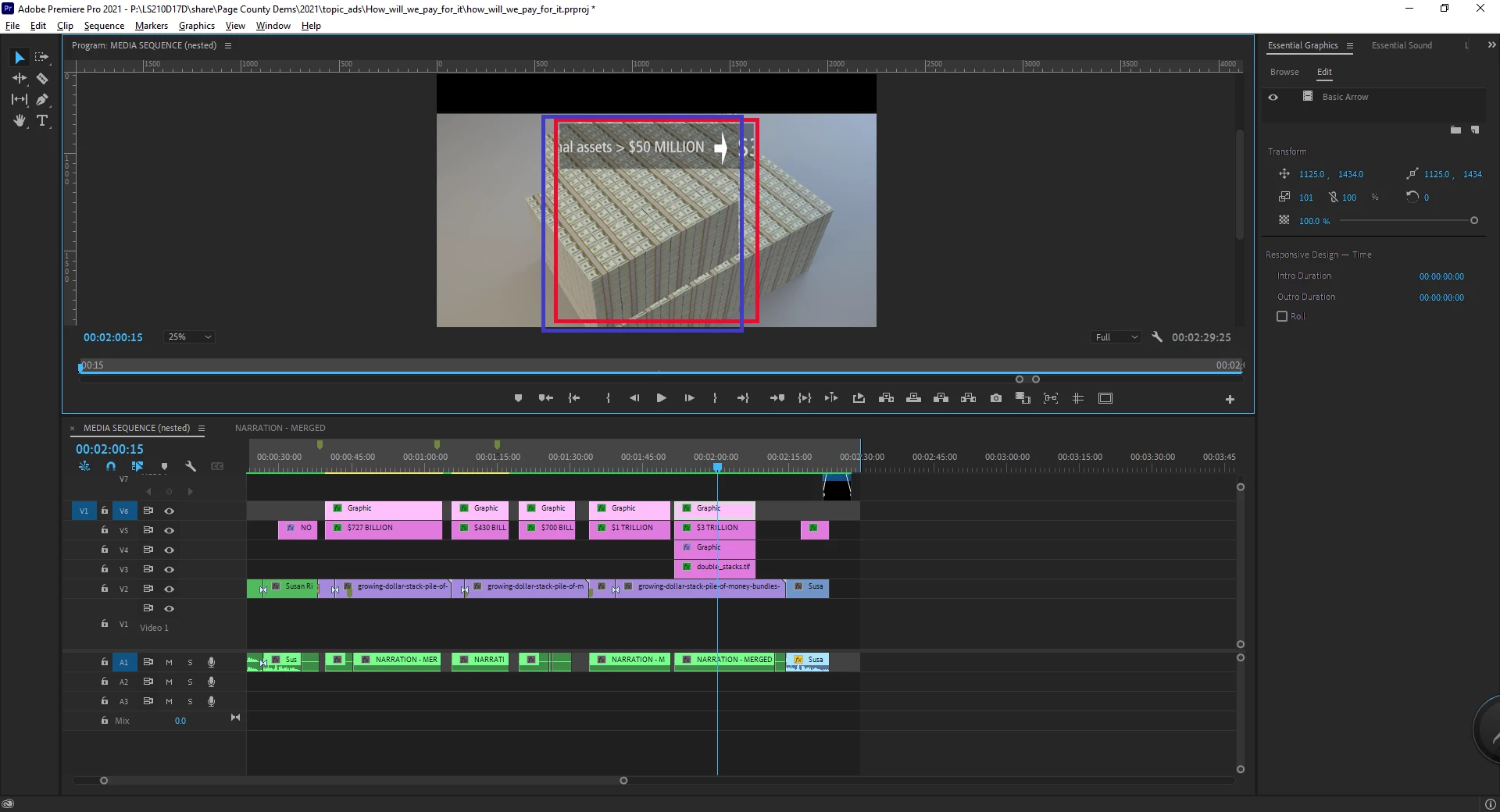
You can see that the blue box highlight shows where V3 is cropped, and it's shifted horizontally albeit the same width that V5 is cropped, shown by the red box highlight. Note that I have had the same problem using masks created directly on an asset in the "Effect Controls" panel. I was hoping that Track Matte effect would be a workaround.
What's puzzling is if I click on another part of the timeline and then go back all is ok. At times I have even rendered the sequence and on preview the cropping issue is there. BUT when I export, everything is good every time. Still makes it much harder to work when I can't see how everything is lining up.
Is anybody else having this problem? Does anybody have a solution? I can accomplish the same outcome doing this in a linked AE comp. But this is clearly a bug that needs to be addressed. Thanks in advance for any help and/or comiseration.
- DK
 AdChoices