Answered
New item button Not present
I have been trying to make an adjustment layer and the "New Item" Button on my panel isn't present. (Screenshot of what I am seeing) I am on mac btw and I am new to this
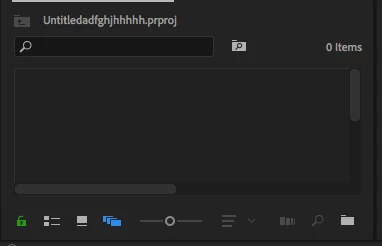

I have been trying to make an adjustment layer and the "New Item" Button on my panel isn't present. (Screenshot of what I am seeing) I am on mac btw and I am new to this
I think you collapsed your Project panel too small. Just expand it to the right and the button should return, along with the little trash can icon to the right.
Already have an account? Login
Enter your E-mail address. We'll send you an e-mail with instructions to reset your password.


 AdChoices