

Answered
New Project - "Project Location" - Where is it?
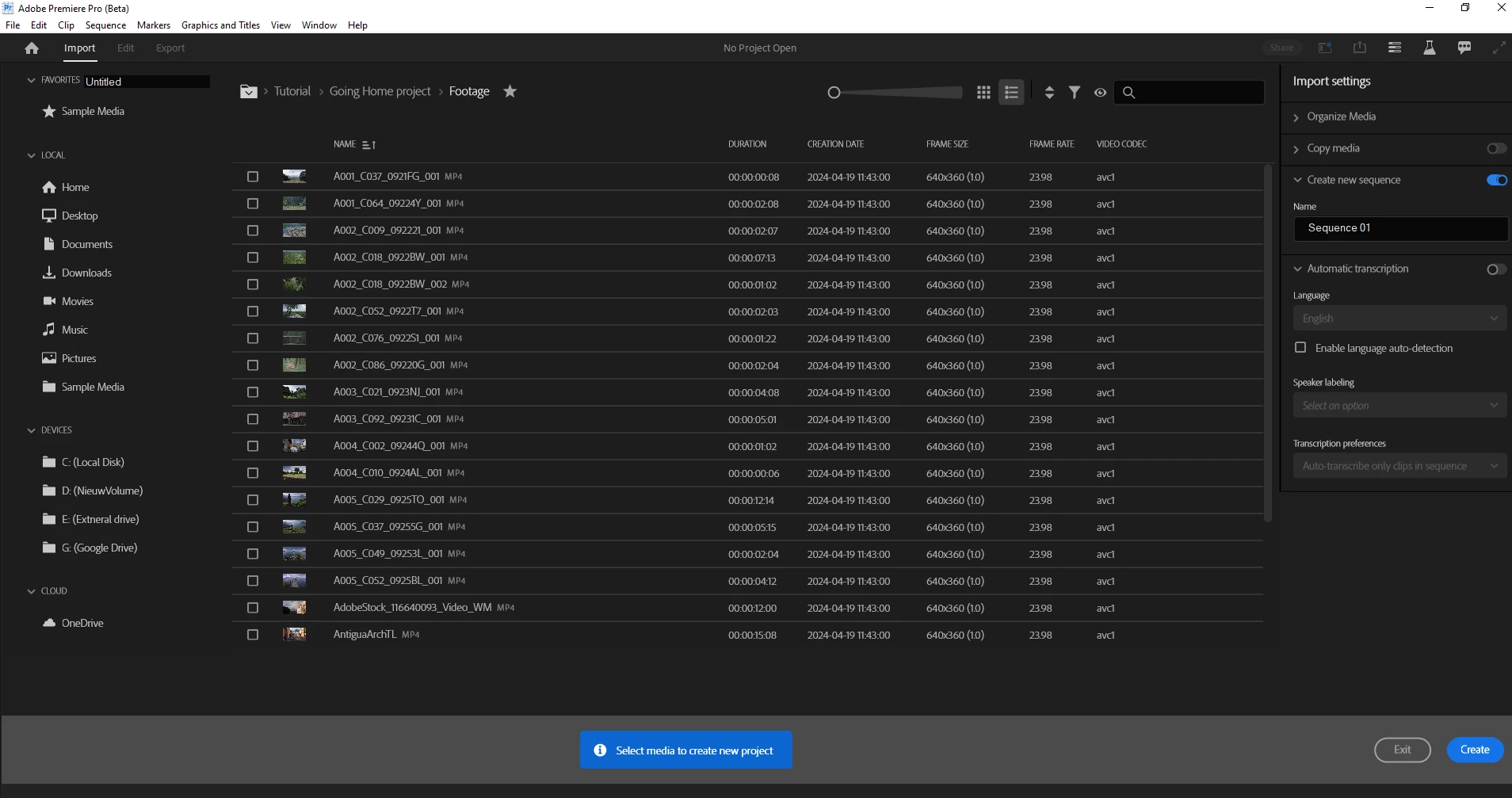
When I now open a new project I don't see the option/feature "Project Location". This is what I usually used when creating a new project and saving it to the desired folder.
Where is it?
Here you can see my current screen without the "Project Location" option.
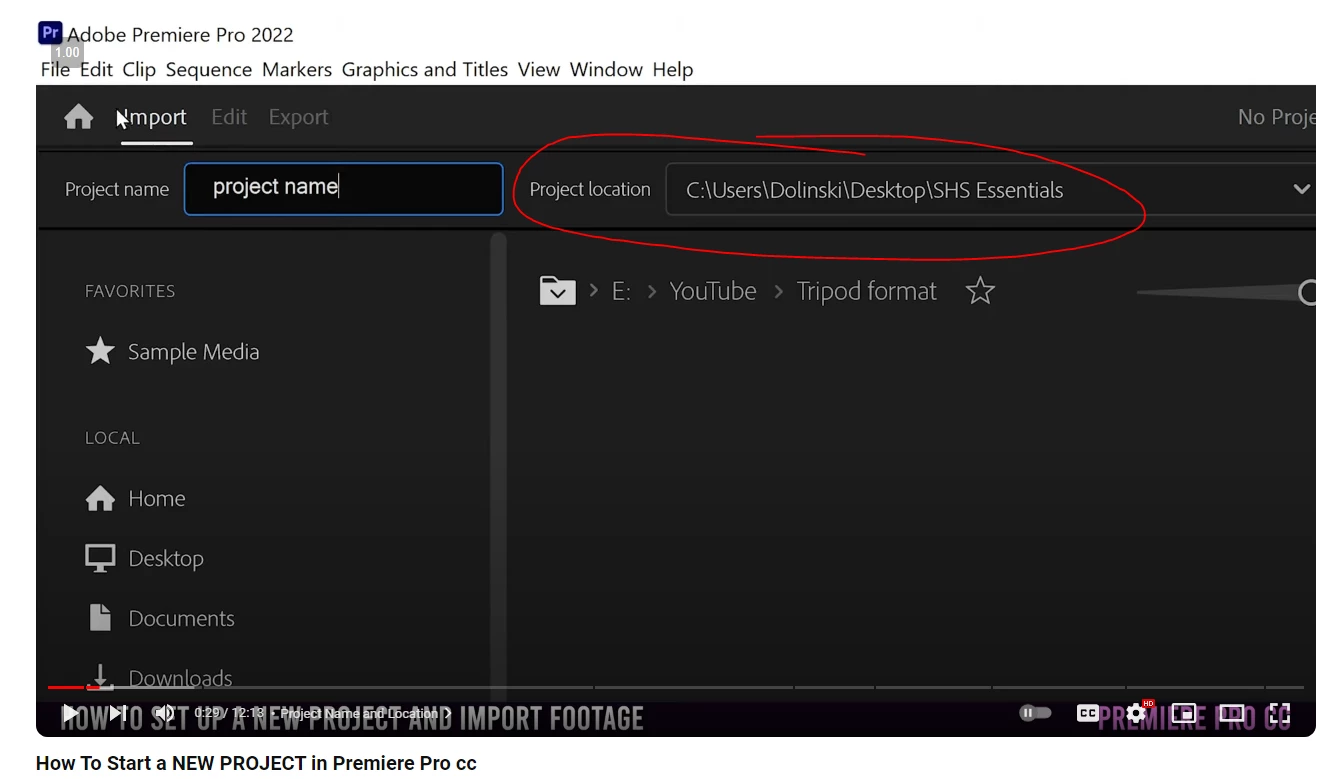
Just found a YouTube video of someone and here you can clearly see that Project Location feature. See screenshot below.
Any idea someone?
Thank you for your help.
Moderator notes: A couple of changes were made to your post.
- The FAQ label has been removed. Please avoid labeling troubleshooting posts with "FAQ." The label is for actual FAQs in the forum.
- The How to label has been removed. Please do not label posts with "How to." The label is meant to refer to actual How To posts in the forum.
Adobe Staff and Adobe Experts are the people meant to use those labels. I apologize if this issue was unclear. Thank you.
 AdChoices