
bob_robertappleton dotcom
Inspiring
April 28, 2024
Answered

New Scrolling tool messes up typography and won't create a scrolling slide of a longer Bibliography

  • April 28, 2024
  • 3 replies
  • 722 views

I'm making scrolling presentations of 3-page documents to my University - and getting 2 errors –

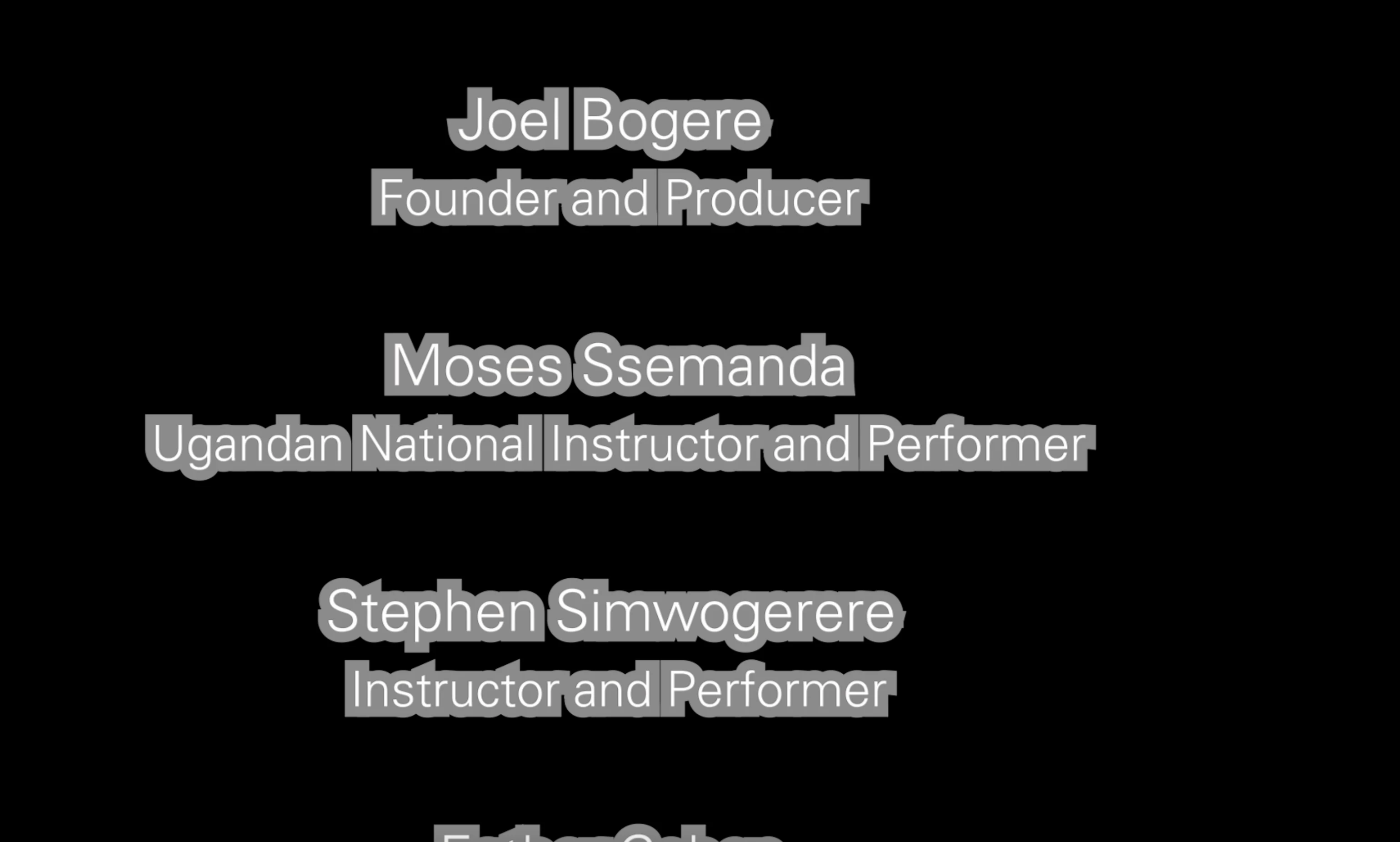
1: The type has a strange grey shape around it.

2. Premiere wont render a 3-page scrolling bibliography

See image
 

This topic has been closed for replies.
Correct answer R Neil Haugen

Like Byron requested, a screengrab of your settings in the EGP with that graphic selected on the timeline would be helpful. Drag & drop directly onto the text reply box.


It looks like you've got a wide grey stroke or something.

3 replies

bob_robertappleton dotcom
Inspiring
May 12, 2024

Thank you all for your comments and help. I have adjusted my preferences so that Premiere is performing well with the long scrolling titles. There is just one more thing I'd like to do (screenshots attached). Halfway through Title 1, I would like to stop the scrolling and play a short movie which illustrates what's being said. Then, I'd like to pick up with the remainder of that title - and I'm done. 

My first thought was create a new title with the first half of the text - make it start offscreen but not finish offscreen, so that the last words we read before the movie starts are "Sylvia contests the way music from Africa is commodified and branded in the West. The music of Africa, however, has significantly influenced much of the western music we listen to." 


I'm also interesteed in any other way that any of you think this might be done. FYI I'm making a University paper, with all the legal academic requirements - Literature Review, Bibliography, Notes and Credits. The film then shows both the real-life story of these young (4-14 year old) African performers and their teachers, as well as creating an argument for Universities to support these students and teachers as well as this new kind of academic paper - which not only delivers data, but also the persuasive results that video provides. 

Thanks in advance.


R Neil Haugen
R Neil HaugenCorrect answer
Legend
April 28, 2024

Like Byron requested, a screengrab of your settings in the EGP with that graphic selected on the timeline would be helpful. Drag & drop directly onto the text reply box.


It looks like you've got a wide grey stroke or something.

Everyone's mileage always varies ...
bob_robertappleton dotcom
Inspiring
May 6, 2024

 Thanks, you're right! I had worked 2 nights through the night to finish this end of term paper. So when I was attempting these three long scrolls of Q&A, Bibliography and Credits, I was not as sharp as I might have been - and so I blamed Premiere. Mia Culpa 🙂

bob_robertappleton dotcom
Inspiring
May 6, 2024

I meant mea culpa - that's the Latin version of "my mistake" not the Italian chef Mia Culpa.

Community Expert
April 28, 2024

Debes subir capturas de pantalla de la herramienta con la que estés trabajando para intentar ver algo raro entre los ajustes, podrías mostrar el panel de Gráficos Esenciales por ejemplo, a lo mejor algo hay que ajustar de una manera diferente.

Byron.
bob_robertappleton dotcom
Inspiring
April 28, 2024

Thanks Byron. What I think I need is a simple tutorial for scrolling titles - and the maximum number of words which will scroll in titles. The strange outline on they type looks very weird and I hoped that someone might recognize this error. 

Thanks